Have a feature request or suggestion? Post your idea here!

Post

3 followers Follow
0
Avatar

Auto-relocate function doesn't work in Rekordbox 5.8.6

I recently moved my database from my old computer (High Sierra) to my new computer (BIG Sur) I previously moved all my itunes library so didn't move it in rekordbox.

I have about 1000 tracks analized in my rekordbox database but all of them are obviously missing, the manual relocation would take me days so i found online that the autorelocate function would be the best way to do it. 

I followed a tutorial online but when i go to preferences > advanced the option autorelocate search folders is not even there.Neither the button of autorelocate when i go to file>display all missing files.
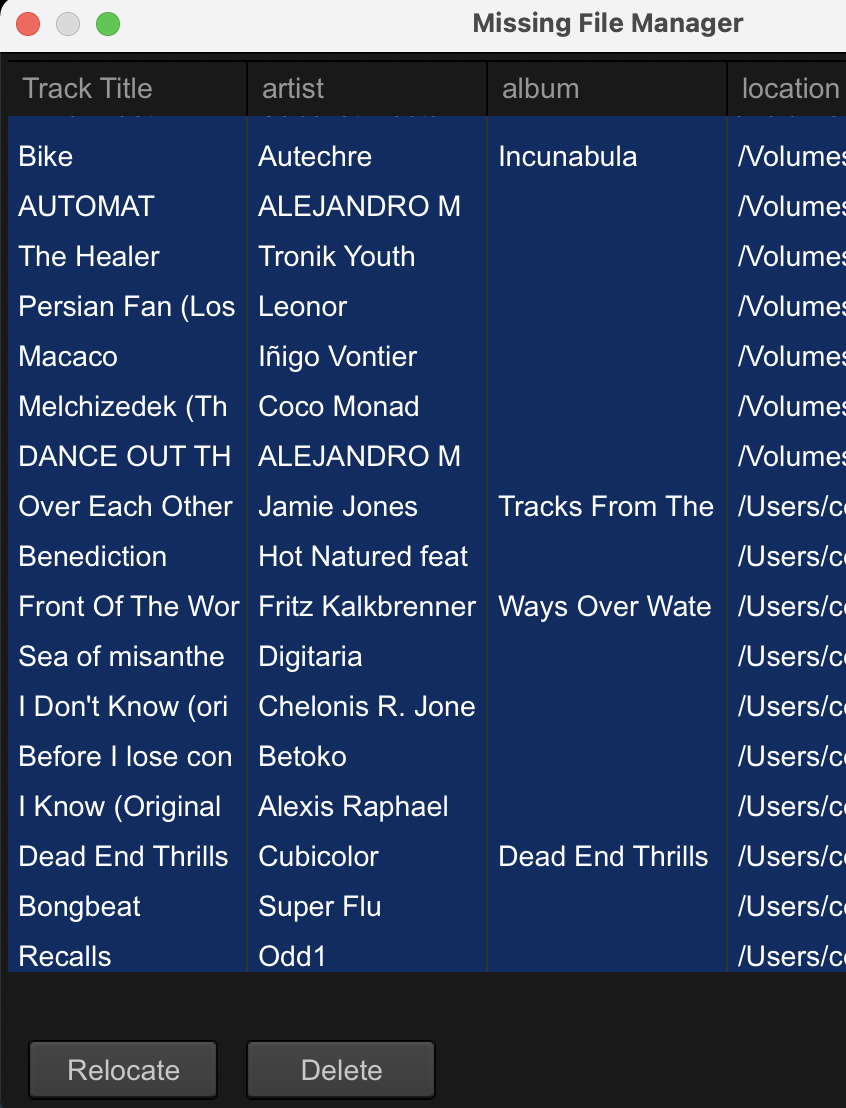
 

Is this because of the version (5.8.6)?

What can i do to make the autorelocate function work?

Gerardo Martinez Answered

Official comment

Avatar

Chances are you don't need the auto-relocate, and a standard mass relocation will work, provided the parent folders are what have changed and not the sub-folders themselves. See my video here.

Pulse
Comment actions Permalink

Post is closed for comments.

2 comments

0
Avatar

AutoRelocate is a version 6 feature only. RB5 can relocate one track at a time. RB5 is end of life and won't get any additional updates. Are your missing tracks on an external disk? In Windows 10, if you don't assign a drive letter to a disk, the system will assign the next letter available. Make sure you mount your library disk first before inserting other disks. I have no issues with RB6 and highly recommend you upgrade. The upgrade will leave RB5 on the system and you can run both until you are comfortable.

DJ Joel 0 votes
Comment actions Permalink