Have a feature request or suggestion? Post your idea here!

Publicación

2 seguidores Seguir
0
Avatar

XDJ RX and Rekordbox dj issue

Hi,

I've a problem with connect my xdj-rx to rekordbox dj (windows 7 64-bit).  I done everything what is in this movie (https://www.youtube.com/watch?v=04vVBcb5Baw). But rekordbox dj doesn't see my console like a midi device. I also connected launchpad mk2, it's works great. When i press a button on LP, i can control software, but sound is coming from the speakers connected to my console. Do you know how to fix it? I tried reinstall rekordbox dj and sound drivers,  I used other cable, but it still doesn't work. It's look like rekordbox treats my console like a sound card, not midi device. Please help me.

MasterMiki Respondida

Comentario oficial

Avatar

Do you have all of the Windows Updates installed? Quite often those driver-related issues come as a result of not all of the Microsoft updates being applied. Try that first, and should that fail, you can see this KB article for additional information on removing and reinstalling your drivers.

Pulse
Acciones de comentarios Permalink

La publicación no admite más comentarios.

7 comentarios

0
Avatar

I have all Windows Updates installed. I tried reinstall these drivers and rekordbox again, it's still doesn't work. I tried connect console to other computer (also windows 7 64-bit), launchpad and xdj-rx normally work together. Rekordbox on my pc still doesn't recognize my console like a midi device. I read this information from your link, but i didn't find solution of my problem.

MasterMiki 0 votos
Acciones de comentarios Permalink
0
Avatar

@MasterMiki > Does the RX show up in the system devices list as a MIDI device?

Pulse 0 votos
Acciones de comentarios Permalink
0
Avatar

@Pulse  It doesn't show up in the rekordbox DJ MIDI devices list, but in system devices list it does 

MasterMiki 0 votos
Acciones de comentarios Permalink
0
Avatar

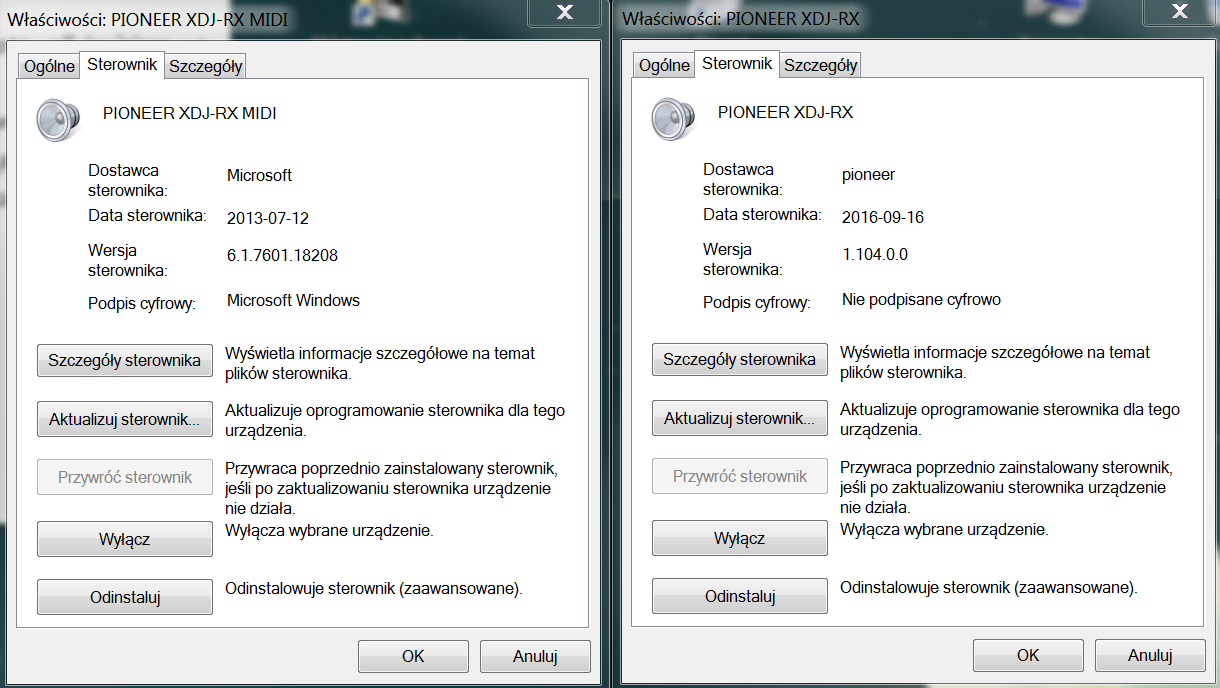
@MasterMiki > That's what I meant; in the system device list. Can you send me a screenshot of the device tree showing that entry, and then the properties page of the device?

Pulse 0 votos
Acciones de comentarios Permalink
0
Avatar

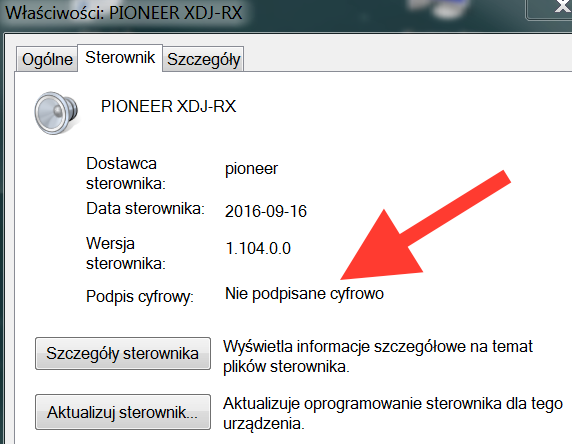
@MasterMIKI > My Polish sucks, but Google's is good enough for me to figure out that you have a driver issue:

That tells me that you either don't have all of your Windows 7 system updates installed or you're using an outdated driver version because the driver should be signed.

Please try uninstalling the RX, all the drivers, then run all Microsoft Updates, restart, then try installing the RX drivers again.

Pulse 0 votos
Acciones de comentarios Permalink