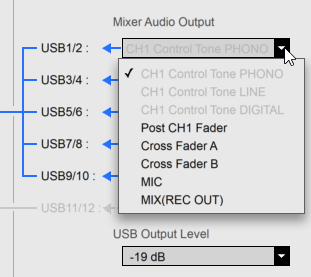
Issue solved. My USB HUB was to blame. Connecting the DJM-900NXS2 directly to the USB port of my notebook caused a timecode signal to be sent to Traktor. The Mixer Output now looks like what I was expecting:
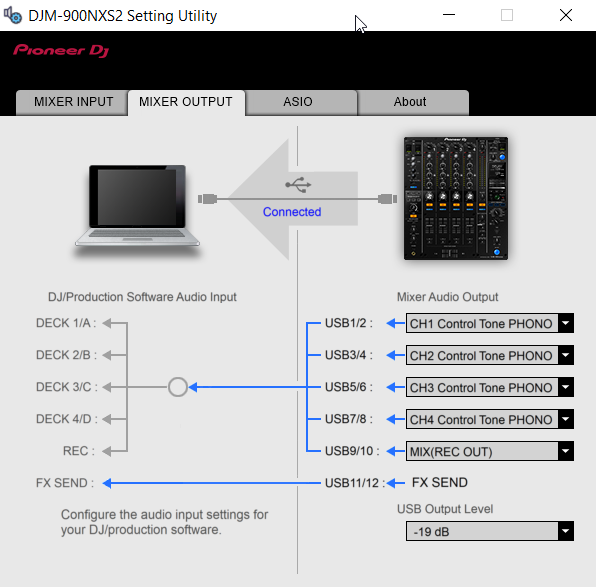
Hi,
I am trying to find out why my NI Traktor Scratch Pro 2 DVS won't work with my DJM-900 NXS2 mixer. Scratch remains disabled, whatever I try, and I can't find out what is causing this.
I use Windows 10 and installed the v1.110 of the drivers and Setting Utility. My DJM-900 NXS2 mixer has the v2.02 firmware installed.
What I am wondering, is if it's normal that the output channel options for Control Tone PHONO, LINE and DIGITAL are greyed out. Can anyone tell me this?
Thank you in advance!
-Gertjan


La publicación no admite más comentarios.
Issue solved. My USB HUB was to blame. Connecting the DJM-900NXS2 directly to the USB port of my notebook caused a timecode signal to be sent to Traktor. The Mixer Output now looks like what I was expecting:
