Have a feature request or suggestion? Post your idea here!

Publicación

2 seguidores Seguir
0
Avatar

XDJ-1000 Standby

first of all: loving my new XDJ-1000's. Came from CDJ-1000's so you can imagine i'm chuffed to bits with al the new features.

I read somewhere ( but i can't recall where ) that de XDJ's have a standby mode or some kind of screensaver. ATM I'm always switching the players off when I'm done DJing at home, but my question was: is it OK to just leave them on all the time or does Pioneer advice to turn them off completely?


Thomas Van Quaelle

La publicación no admite más comentarios.

12 comentarios

0
Avatar

Hi Thomas, I'm not an expert but I've had my XDJ's for 12 months and I've never seen a screen saver. You can set the screen brightness and also set this to dim when inactive for a period of time but not sure the player enters any kind of power saving mode. 

I'd imagine they're designed to be switched on and off when not in use. They boot up fairly quickly and the only reason I'd see to leaving them on is to keep the pro-DJ link active (as sometimes the link between them and my DJM-900NXS2 doesn't startup as expected on boot - requiring a restart). If you don't have this issue then I'd just switch them on and off as needed. 

Off topic and as a fellow XDJ'er... What mixer are you using and do you have any pro-DJ probs at all? 

Barn_uk 0 votos
Acciones de comentarios Permalink
0
Avatar

Hi Barn, thanks for the quick reply! I'll just keep turning them off, seems like the safest bet :)

I'm using a second hand DJM 700 and have had some small problems with the Link between the players and Rekordbox on my computer. 


My set up is as follows:

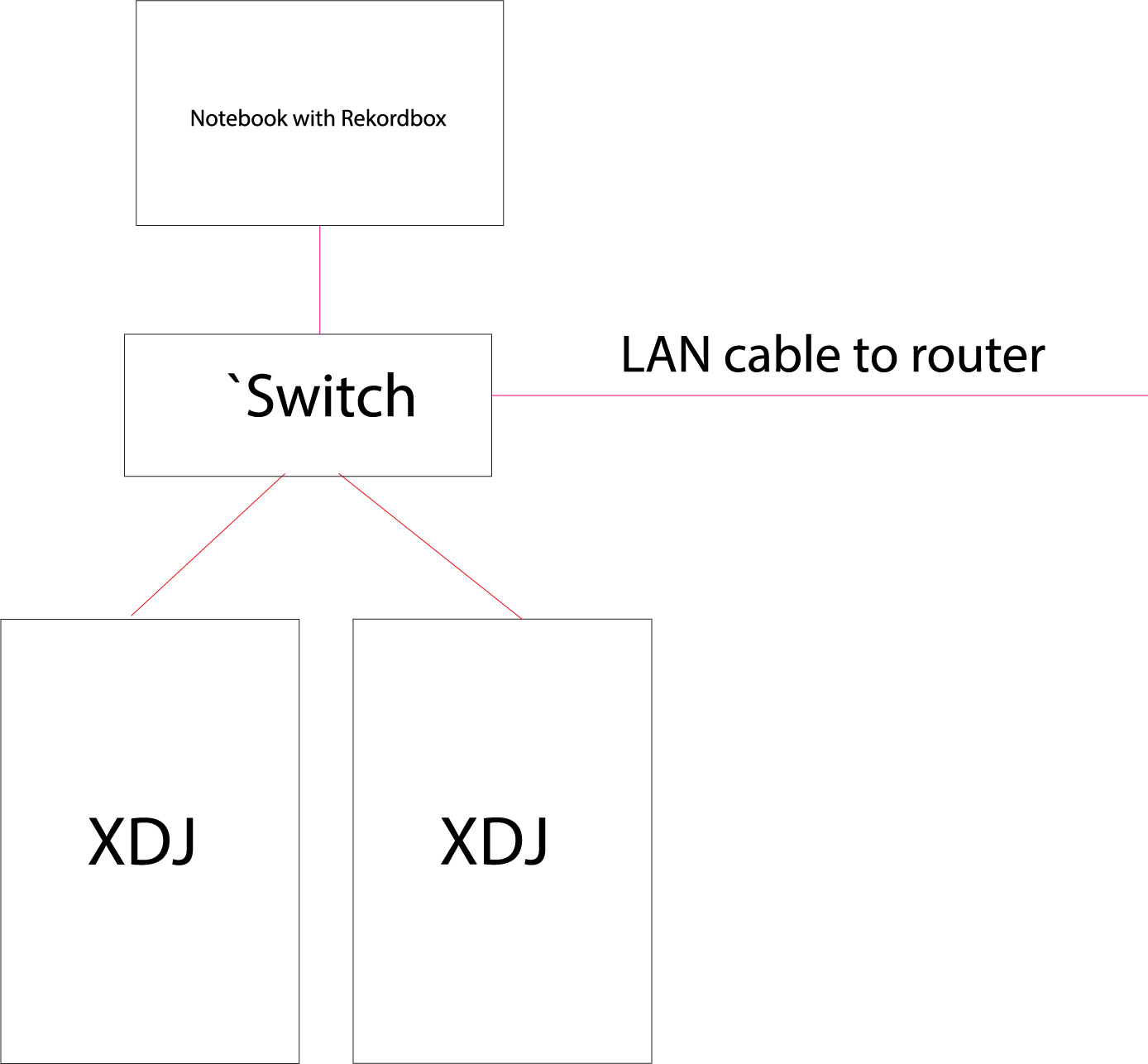
2 XDJ's go into a network switch, switch goes to the PC notebook and there is also a cable connectin the switch to another switch which is connected to my router ( to still be albe to go online with my notebook. I've read that turning on WIFI can cause problems )


I've had the XDJ go into Emergency Loop mode 2 times in the week or so I've had the players but in general this setup looks stable.


Thomas Van Quaelle 0 votos
Acciones de comentarios Permalink
0
Avatar

Your connection seems overcomplicated... Maybe you should just get smallest switch possible and use it with your xdj only having it not connected anywhere else - in fact there is no benefit in haveng them connected to your home network at all as obviously there is something fishy in your network configuration.

Definitely switch them off while not using - I guess you are doing the same with your mixer and did the same with your old cdj - why the xdj should be an exception and stay on all the time? :-)

Marek 0 votos
Acciones de comentarios Permalink
0
Avatar

Hi Marek, thanks for the input.

The thing is that the internet connection is for the notebook, not the XDJs, It's just plugged into the same switch as you can see in the attached image.

I think you are right in that there's something fishy with the network connection because when I lose my link, the internet connection on my laptop also drops. I like having an internet connection on the laptop because I buy my music on another computer and transfer the songs on my home network + software updates.

Thing is, that when de Rekordbox Link with the computer drops, The link between the XDJ's is still active.

If the problem persists, I'm thinking of trying to disconnect LAN cable and see if this helps. It's just very convenient to be able to use rekordbox on my laptop to create on the fly playlists for gigs. 

Thomas Van Quaelle 0 votos
Acciones de comentarios Permalink
0
Avatar

Also, on the whole switching off thing: you are right :)

Thomas Van Quaelle 0 votos
Acciones de comentarios Permalink
0
Avatar

I've got a similar set up and find the whole pro DJ link a bit temperamental when conne ting to rekordbox in that manner. It's likely the switch and as our friend Marek says is over complicated. I however rarely use the link to rekordbox, I prefer a USB drive plugged in so I can just walk into the room and get mixing faster (plus you don't get the buffer having to load with each track either then - the growing red line under the lowest waveform). This also forces me to have an updated drive with my latest tracks and playlists ready to snatch on my way out etc.

I'm going to look at a small switch that keeps my system off the wifi network and acts in isolation as it feels neater and more solid an option. Less network traffic is surely better - despite the fact that this is a supported feature.

I'll let you know how it goes.

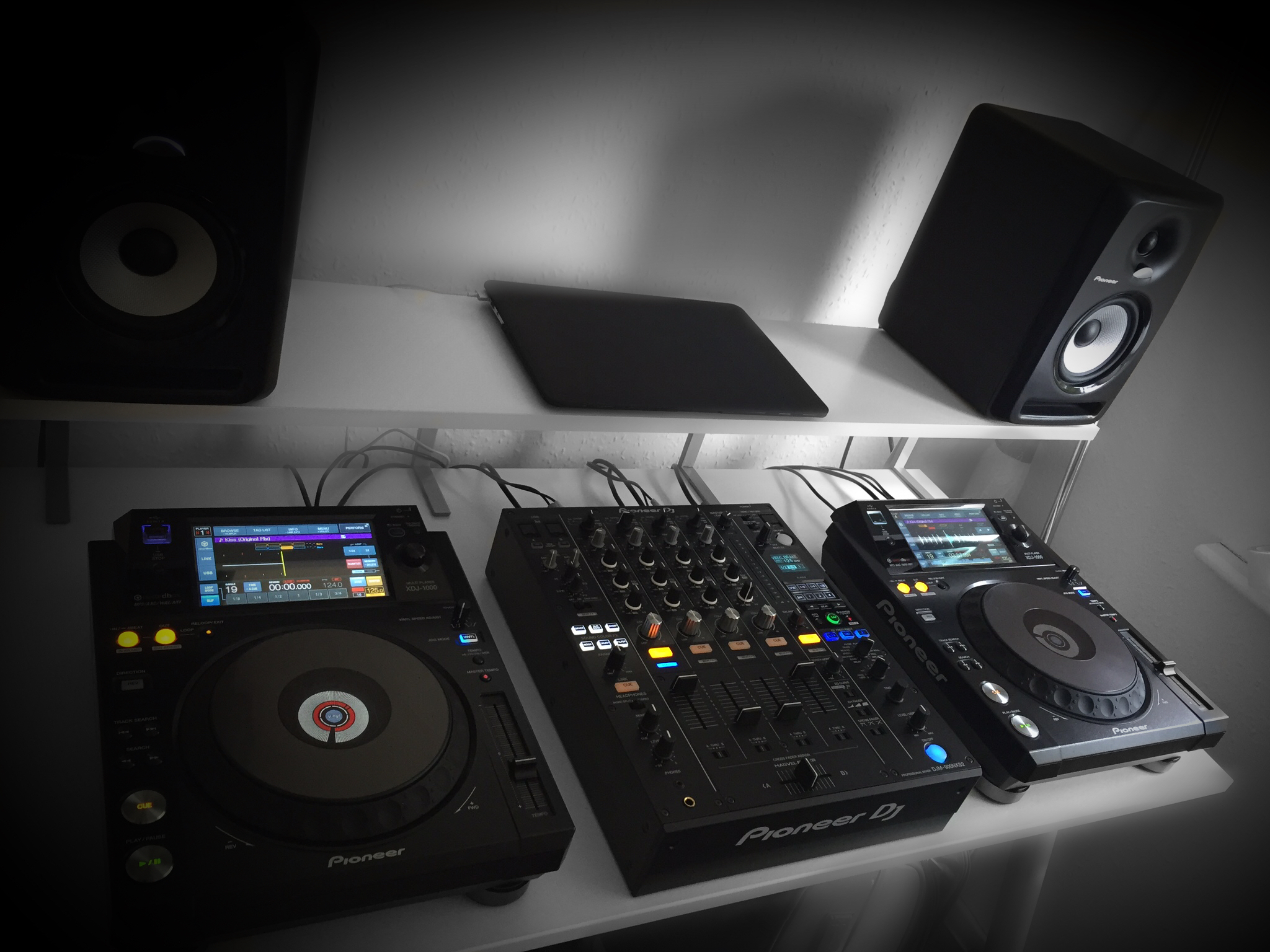
Here's a pic of my set-up (cos why not) Show us yours pls guys.

Barn_uk 0 votos
Acciones de comentarios Permalink
0
Avatar

That is one fine-ass booth :) I'll show you guys mine this evening!

ATM I'm also using my USB drive more and just using the link to quickly set up playlists .

Still very happy about the players though. Before I used Traktor with my CDJ's and the latency was just awful :)

Thomas Van Quaelle 0 votos
Acciones de comentarios Permalink
0
Avatar

One big benefit to playing over the network though. As you set hot cues and memory cues on the player they save directly to your proper rekordbox library. I do like that. 

Barn_uk 0 votos
Acciones de comentarios Permalink
0
Avatar

@Barn_uk > Nice setup man :-) Wish my booth is clean like that - mine is a mess of cables as I have also TT so wires everywhere no matter how much I am trying to hide them under the desk... :-D

For my booth proposes I have purchased the smalles Mikrotik router (less than 20$) and configured it to act as a switch + wlan, reconfigured it to act as a switch with wifi without any routing and I am more than happy with this device as my players ale linked while I can connect my computer over the wifi what is very comfortable.

Marek 0 votos
Acciones de comentarios Permalink
0
Avatar

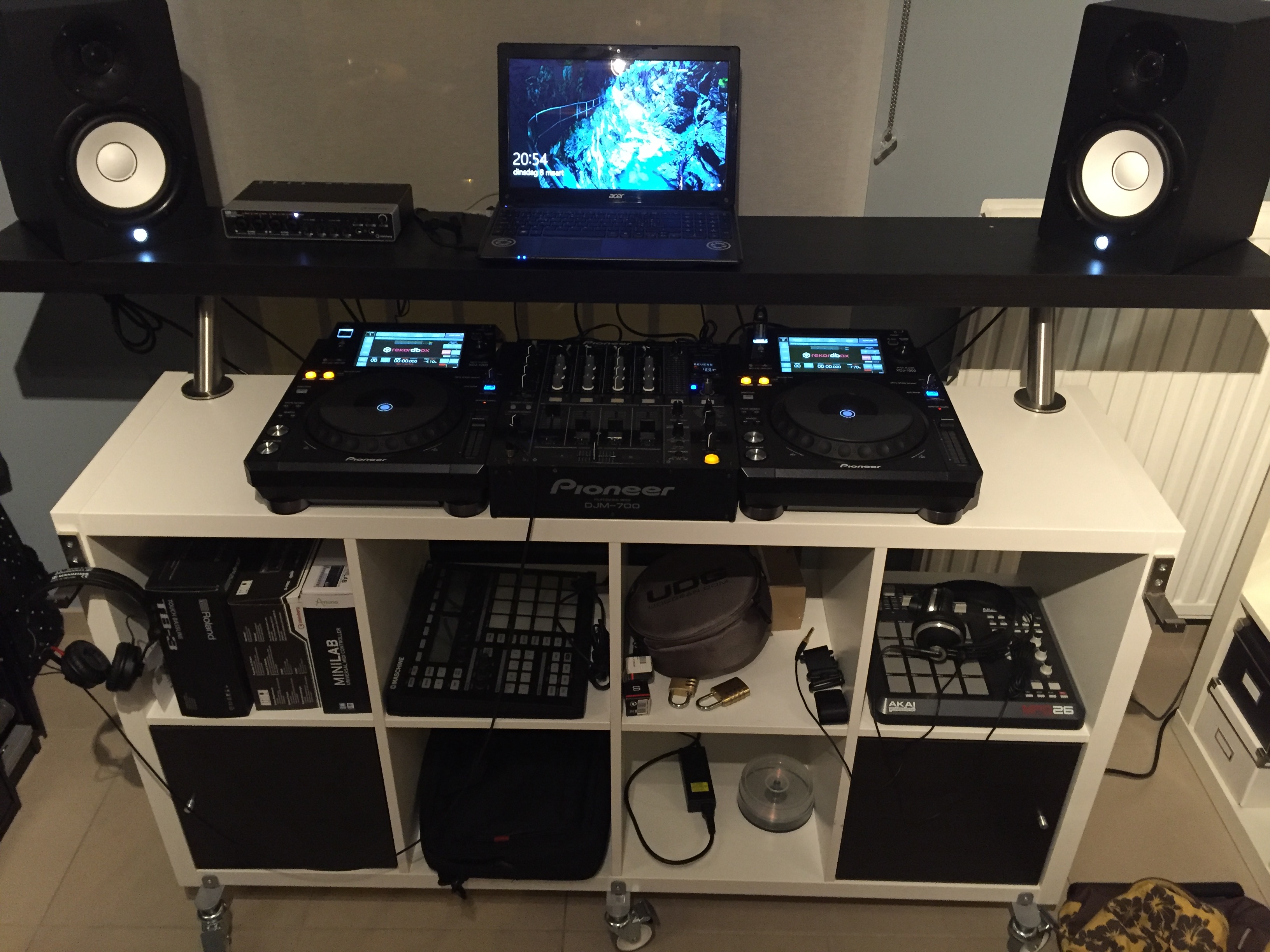
As per request, my stuff. Really happy about the table, It's really versatile and handy.

The little gizmo next to the computer is a Steinberg UR44. When I hade more space I had a little studio set up but since I've moved my stuff here I just use it to record demos.

It's a little bit much for this use maybe, but otherwise it would just be sitting in storage

Thomas Van Quaelle 0 votos
Acciones de comentarios Permalink
0
Avatar

@Marek, I'm a clean freak.... Even thinking of getting some green cables (I'll send the link over). With mine and Thomas neat solutions could we inspire you to go tidy? 

Send us a pic anyway man and thanks for the switch recommendation. 


@Thomas, cool desk and set up. I like it. I like the headphone holder. So you record through that Steinberg UR44 do you?

Barn_uk 0 votos
Acciones de comentarios Permalink