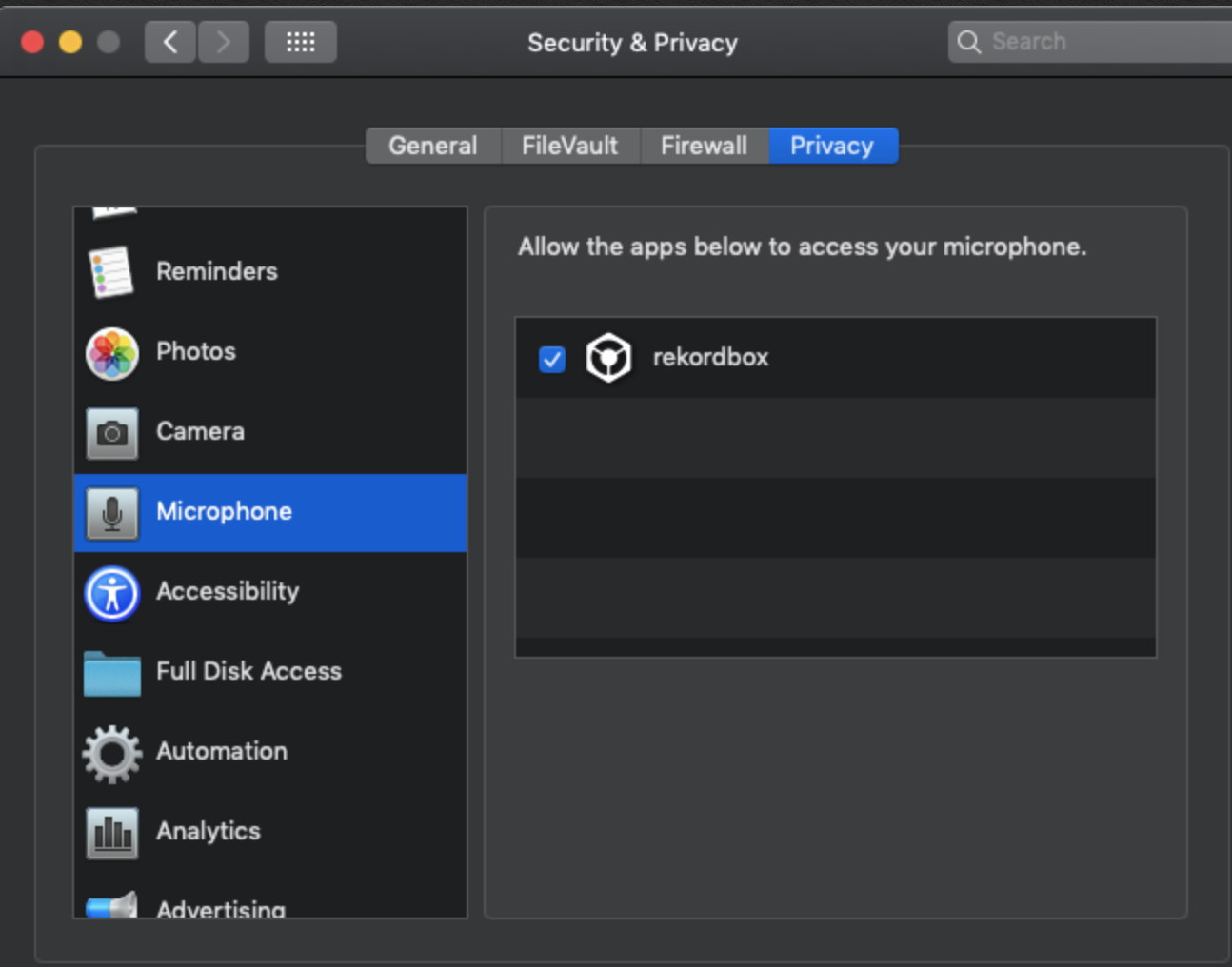
Have you allowed rekordbox access to the mic? Yet another "thank Apple" security item - open the System Preferences > Security & Privacy > Privacy > Microphone (on the left) and check the box beside rekordbox on the right.
Hi all
I simply can't get the DVS setup to work and need some help please.
I have a DJM250MK2 connected to MacBook Air (Mojave 10.14.6) and 2 x Technics 1210 mk2's - plugged into phono on the mixer.
After installing the driver i can now see the DJM250 is loaded correctly. Used another thread to see the security issue - frustrating.
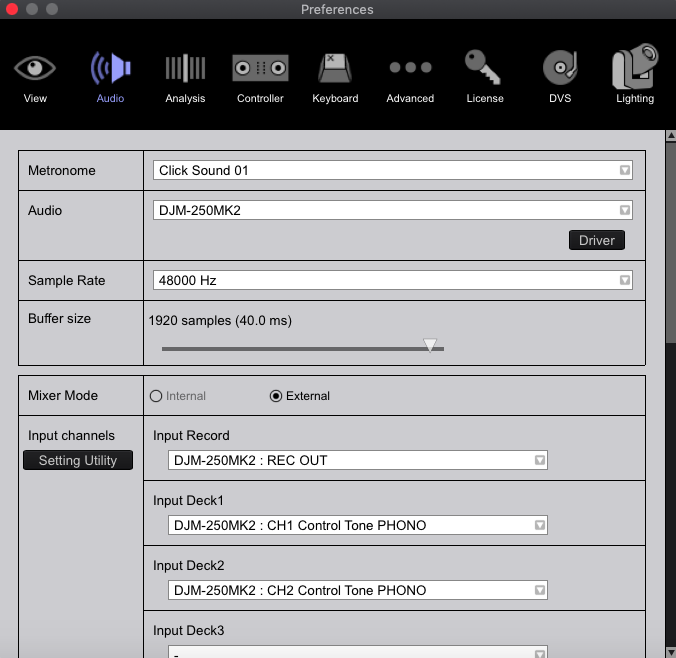
But when entering the DVS setup screen and playing the Control Vinyl i am not getting anything like the green circles i believe i should.
At this stage i've read the manuals and as many thread as possible, hoping someone can steer me in the correct direction please to get up and running.
Thanks a mil.
La publicación no admite más comentarios.
Have you allowed rekordbox access to the mic? Yet another "thank Apple" security item - open the System Preferences > Security & Privacy > Privacy > Microphone (on the left) and check the box beside rekordbox on the right.
Thanks for such a quick response.
Yes that is checked, i approved that when i released it initially from the security issue.

Be sure the input selector on the DJM channels are set to PC - if you switch it to PHONO you'll hear the tone, that means the incoming signal is good.
Open the DJM-250MK2 Setting Utility to the OUTPUT tab and change the option for each of the channels from Control Tone PHONO to another option and back.
And on the DVS page, try adjusting the zoom, don't click the AUTO - just slide it to see if it appears.
Sorted thank you!
I think based on the above there are grounds for you guys to update the manuals on this subject.
Excellent support on here though thank you.
Which step was the resolution?