Have a feature request or suggestion? Post your idea here!

Publicación

2 seguidores Seguir
0
Avatar

DJM450 XDJ1000’s > MIXLR LINK NOT WORKING

Hi, Need a bit of help. Trying to get mixlr to stream some sets and the set up isn’t reading the decks. We’ve tried to set the midi output up in utilities on Mac settings but to no avail. Using 450x xdj1000s mk2, MacBook Pro and rekordbox. Any help would be greatly appreciated as at the moment we can only get mixlr to read the sound playing through both channels on the mixer at the same time, same track both outputs (hope that makes sense) Any help and I’ll owe you a virtual beer!
Clair Lewis Respondida

Comentario oficial

Avatar

Get ready to pour that beer for me... lol

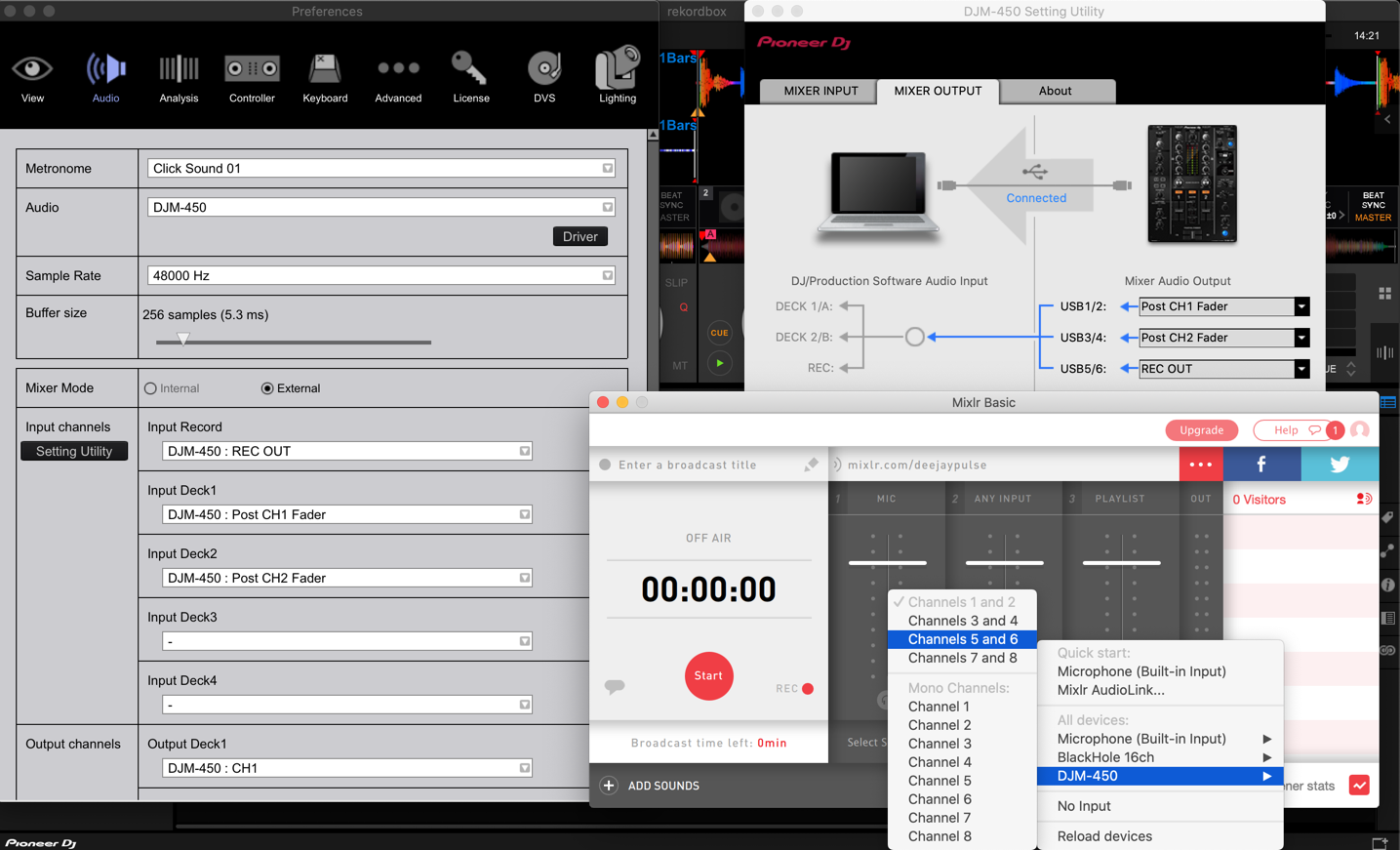
Open your DJM-450 Setting Utility app and configure the 1/2 output for REC OUT:
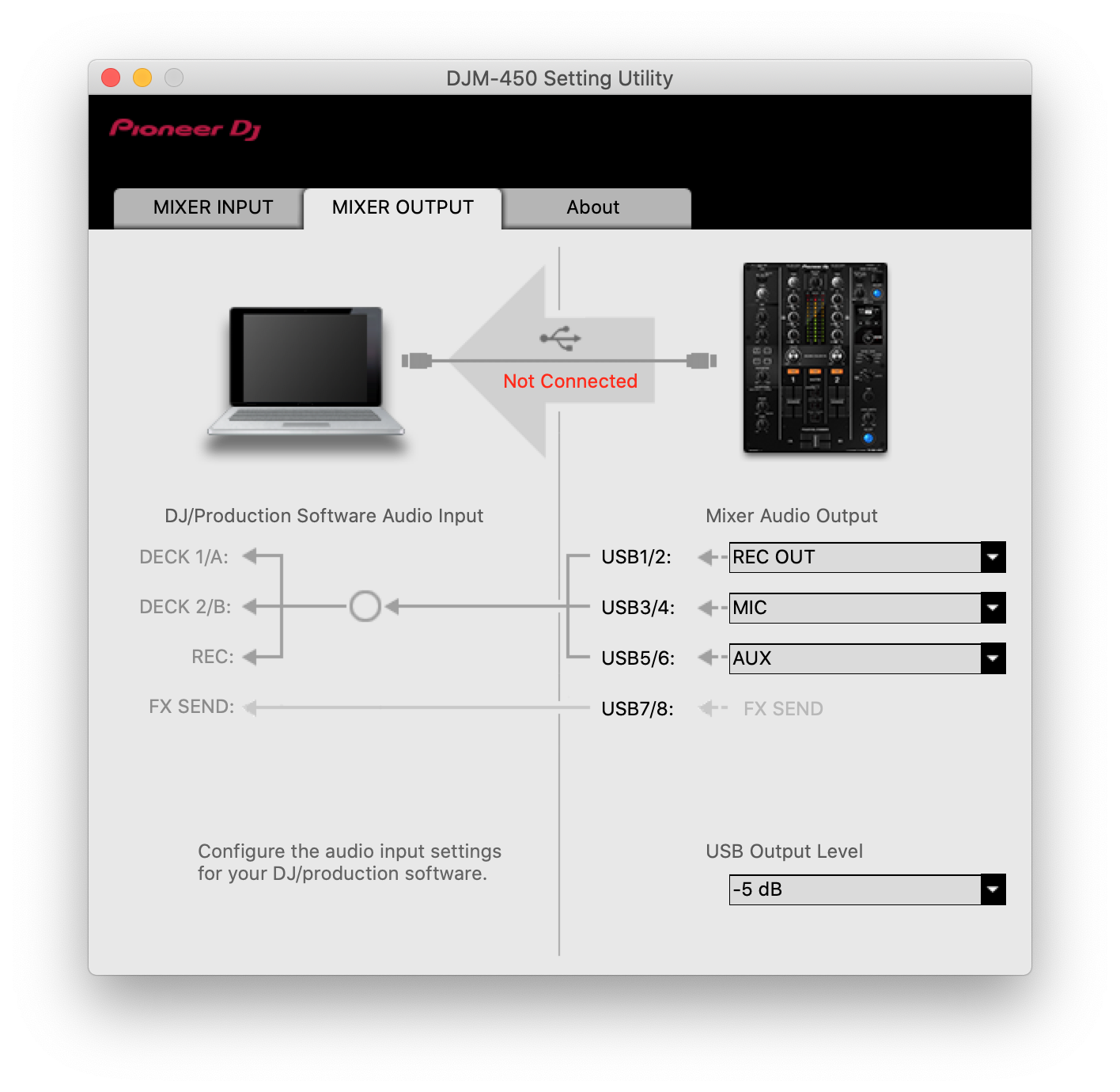
Now within Mixlr, click Select Source at the bottom of the Any Input option, and select DJM-450 > Channels 1 & 2.

Sorry I don't have my 450 connected to give you a screenshot of that (only visible when connected), but it's pretty straight-forward.

Let me know if you have any other questions.

Pulse
Acciones de comentarios Permalink

La publicación no admite más comentarios.

9 comentarios

1
Avatar

Hi. Thanks for this.

We now can’t see the mixer in the drop down menu on rekord ox preferences.

I have a husband who’s lost the will to live with this now after trying it since about 11am today 🤦🏻‍♀️

Clair Lewis 1 voto
Acciones de comentarios Permalink
0
Avatar

Sorry, missed that you're using rekordbox; that needs a bit more of a complex solution... I'll be updating some of the guides today with information on that.

Pulse 0 votos
Acciones de comentarios Permalink
0
Avatar

Okay thank you. Could you let me know where to find this when it’s updated thank you

Clair Lewis 0 votos
Acciones de comentarios Permalink
0
Avatar

Okay, I just gave it a test-go and it worked as I had outlined - the only difference was I set the REC-OUT to use channels 5/6, then in Mixlr I could select the 450 > 5&6 options:

Pulse 0 votos
Acciones de comentarios Permalink
0
Avatar

Hi, thanks for this, We have tried this and unfortunately we aren't seeing the full setting -albeit this guide makes sense this still isn't showing for us in the way you have it. 


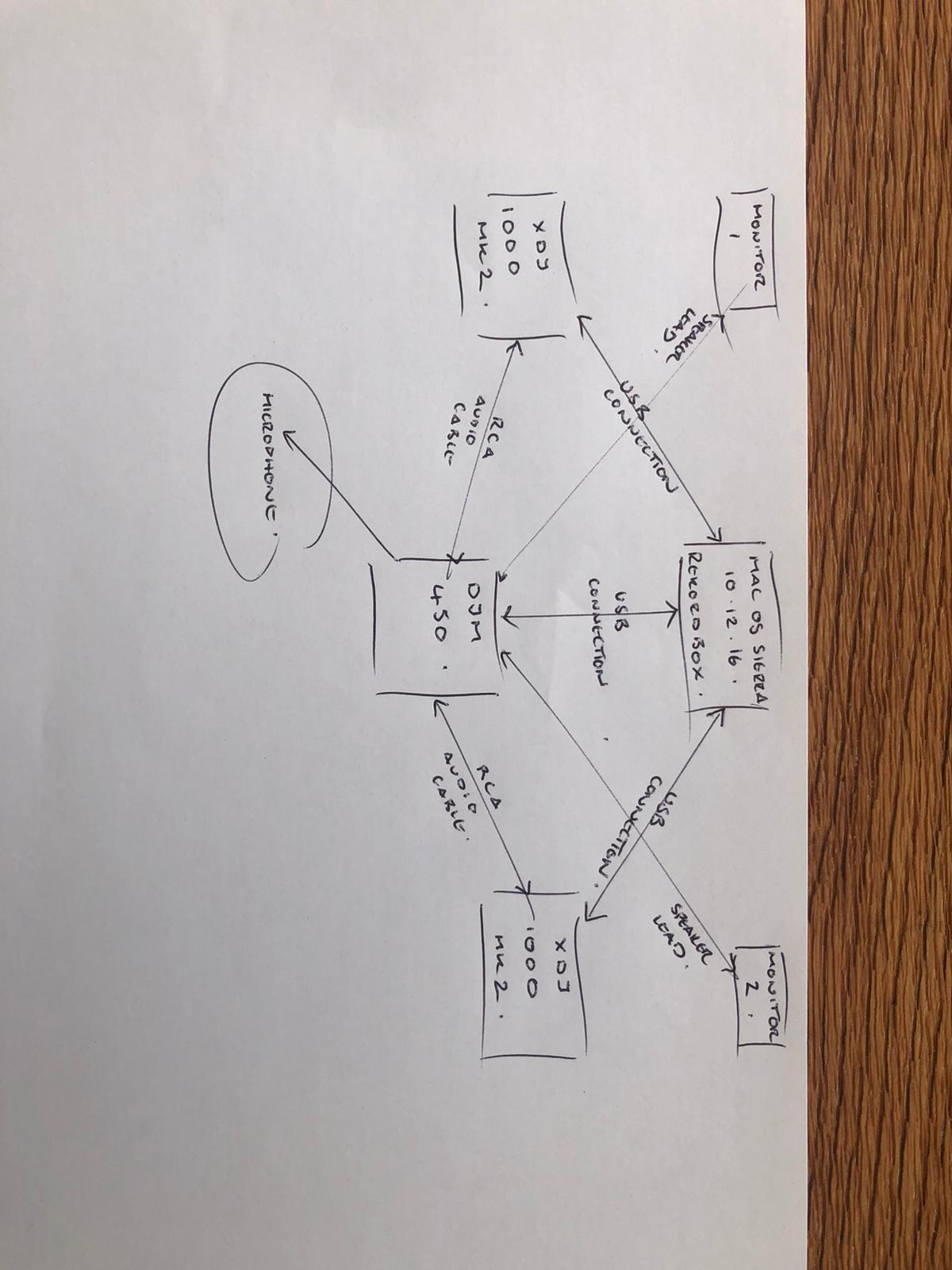
So we drew a picture of how our system is currently set - MAYBE you can see where its going wrong? 


Thanks for the help :)


Clair Lewis 0 votos
Acciones de comentarios Permalink
0
Avatar

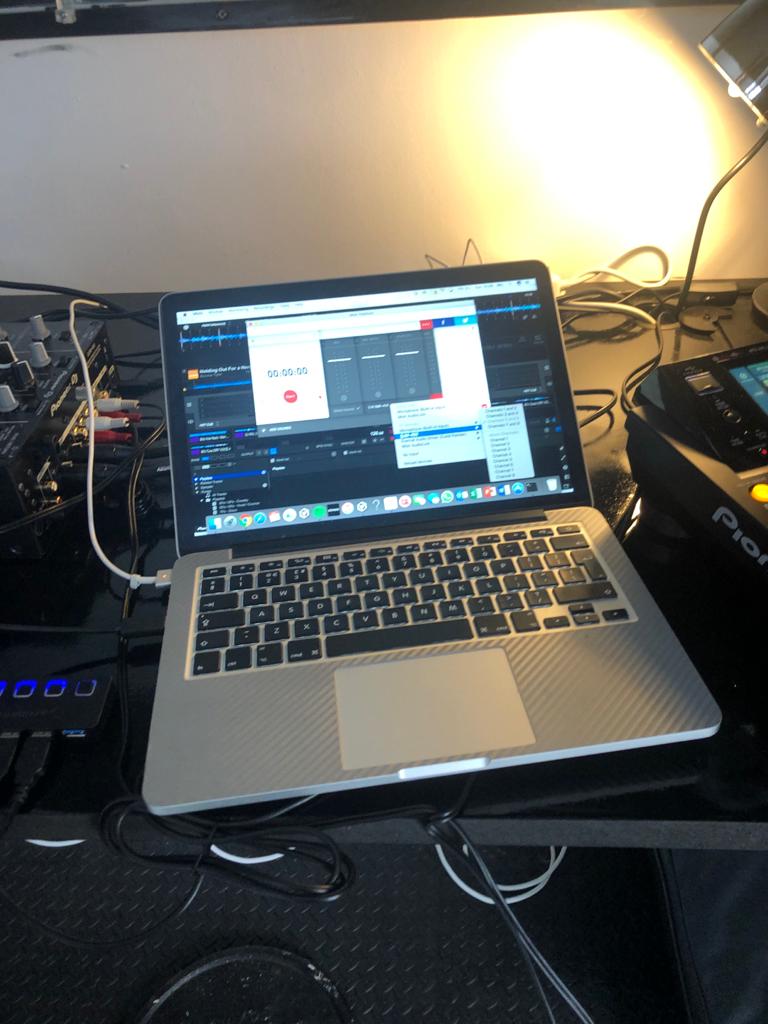
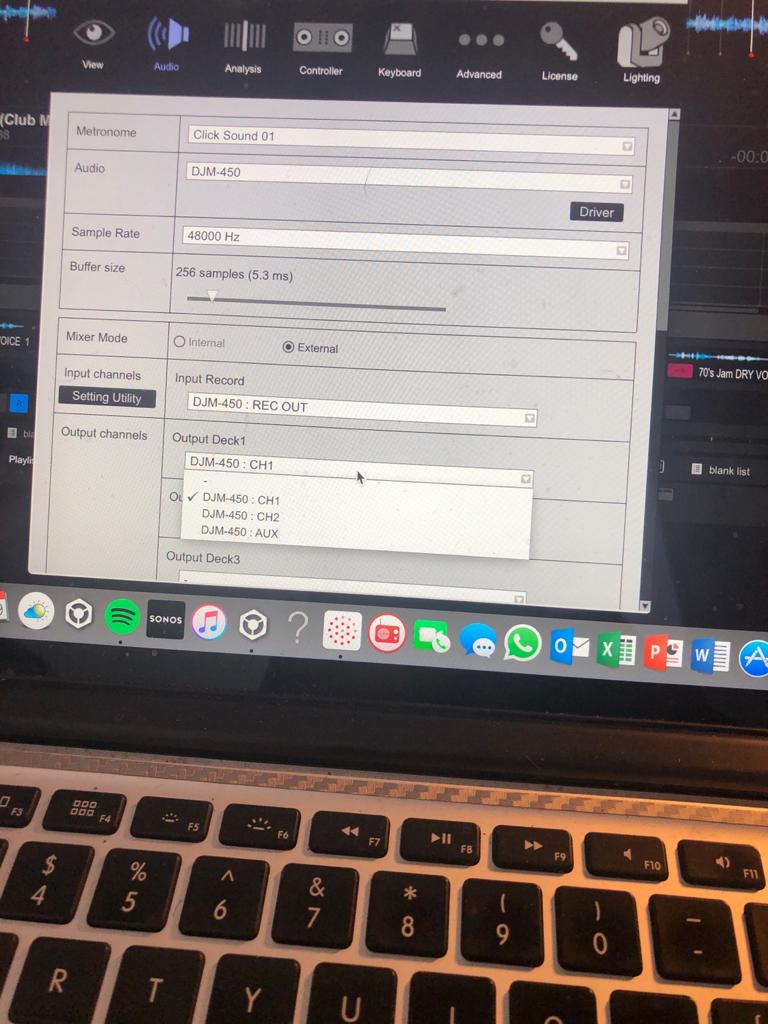
Heres the options we are getting once we've done the suggested in your post

Clair Lewis 0 votos
Acciones de comentarios Permalink
1
Avatar

You need to change the configuration in the DJM-450 Setting Utility; you currently have the 5/6 input set to AUX but it needs to be REC OUT like in my screenshot.

Pulse 1 voto
Acciones de comentarios Permalink