
I used those


Actions pour les commentaires
Newb here,
I try to use master out but there is no sound coming out from,
Is there a simple solution for this?
ty
Cette publication n’accepte pas de commentaire.
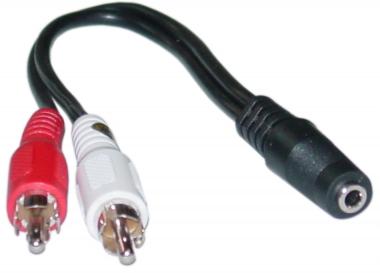
I used those

...to do what?
so the Problem is solved, I just had to adjust drivers. Because there was no effect when I pushed the cue button for the headphones. is there an option where I just hear the song when the cue button is pushed, now the volume is just getting higher and lower when I push the cue button, I would like to end hearing the song when Im offpushing the cue button. I'm using Virtual DJ.
ty
I guess there is this Problem which I thougt it would be solved but it isn't.
I would like stop hearing the song when I unpush the cue buttion.
would should I do next in virtual dj.?
I'm still not clear on what it is you're doing or why you're using that cable?
It's about these buttons:
and this cable helped me to find out that I had to adjust the soundcard in my settings more or less.
now I want to stop hearing the song on the deck when I push or unpush them.
Yes, that's correct - those are the headphone cue buttons... but the cable shouldn't be necessary for regular use.
Yea, I know.
Can you help?
Sorry, I still don't fully understand exactly what the problem is.
I thougt if you put the cue buttons for the headphones, you stop hearing the sound of one deck if you unpush them. But that doesn't do for me, instead the sound volume just gets lower or higher.
Did you also have the MASTER cue button illuminated? Have you read the user manual on operation of the cueing system?
I got it, just head to use the headphones lvl, ty still.