Have a feature request or suggestion? Post your idea here!

Post

2 follower Segui
0
Avatar

Playing tracks with Crossfader

Hi guys,

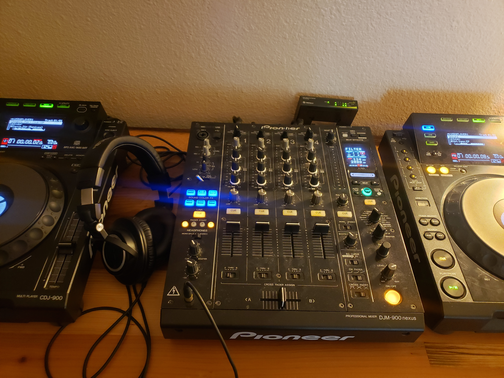
I am confused about how to start tracks with a crossfader.  It seems that it has to do with auto cue button.  I pushed fader start for channel 1 on djm 900 nexus and i pushed auto cue on the cdj 900 I also have a link set up between the players and the mixer.  However, when I move the crossfader or the regular fader on channel 1 the player doesn't start playing the track like it's suppose to.  I've read the manual but I can't seem to find the solution.  Could someone please assist in breaking down this process?  Thank you.

Gennadiy Aleksandrov Con risposta

Commento ufficiale

Avatar

First and foremost, the player number needs to match the channel number it's connected to on the mixer, eg. the left CDJ900 connected to CH1 should have PLAYER 1 in the display.

Second, press the button for the fader start of the channel for which you want to enable fader start:
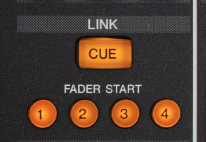
That's pretty much it... but I'm guessing it's the first part you were missing.

Pulse
Azioni per commenti Permalink

Il post è chiuso ai commenti.

3 commenti

0
Avatar

I matched the player number with the channel number 1 and 4 respectively.    I also pressed the button fader as well.  When I move the crossfader I have the tracks cued up but they don't start playing still. 

Gennadiy Aleksandrov 0 voti
Azioni per commenti Permalink
0
Avatar

Do you have a cue point set for the track and does the player have AUTO CUE enabled?

Pulse 0 voti
Azioni per commenti Permalink