
me too i have denon dn-sc2000 ,cue/play ,tempo not working when mapping
the tempo slider works in the opposite way which is wierd and there is no way to change its direction after mapping
コメントアクション

Hello!
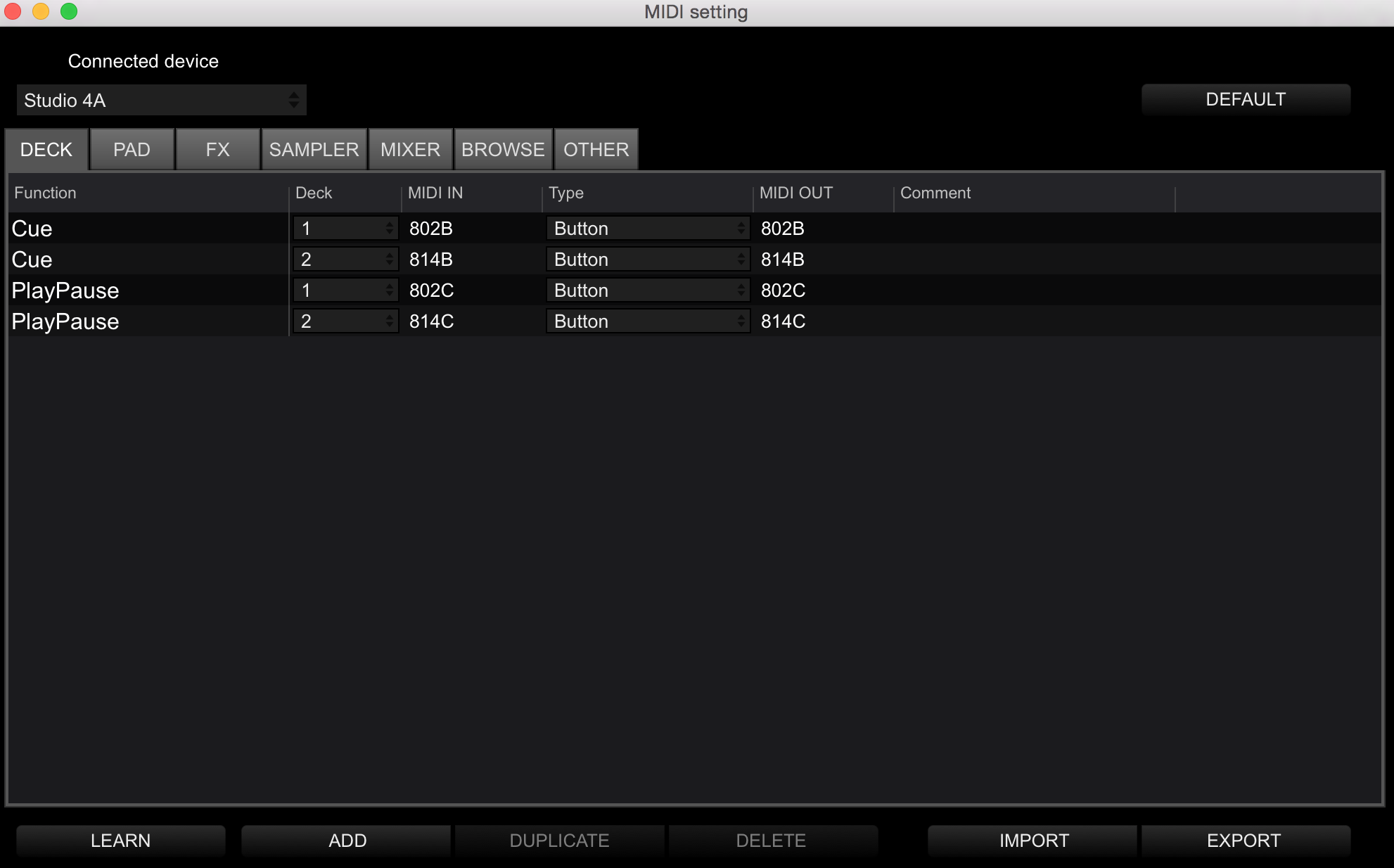
Super pumped that rekordbox added midi learn to the software. I'm having some trouble with the mapping. I can map faders, crossfader, eq knobs, but can't map any of the buttons. Tried Cue/Play etc with no luck. I'm using a Behringer CMD-4A. Also the pitch fader (tempo) resolution was only letting me go + or -3 bpm. Wondering if I'm doing something wrong or is the CMD not ready to be mapped to rekordbox.
Thanks!!

投稿コメントは受け付けていません。
me too i have denon dn-sc2000 ,cue/play ,tempo not working when mapping
the tempo slider works in the opposite way which is wierd and there is no way to change its direction after mapping

There are a few things not working 100% in the first release, I'm hoping they're able to tighten up some of those nuts and bolts to provide a bit more ease-of-use in a future update. Thanks for your patience.
cool! thanks for the response. excited to see what the updates bring :)
@Alika > When you mapped your pitch fader, did you check that it was set to the correct value? There is the option of 0h-7Fh or 0h-3FFFh.
@pulse yes i tried them both ,one shift in opposite way and the second option it shift in large speed not gradually
@Sam > What it tells me is that your DN-SC2000's tempo slider sends a MIDI signal inverse to what Pioneer products do, and the engineers didn't provide a way to invert the control to accommodate for those products... or the DN-SC2000's tempo slider simply doesn't behave as standard MIDI faders do.
i used to mapp the Dn-Sc2000 pitch Fader to serato dj at first it works in invers direction then i press Tab when mapping, it changes the direction and works fine,ithink every software has this invers feature mixvibes,vdj,serato,traktor. maybe coz some controllers sends some invers signal.
i also mapp cue/play buttons they dont work.i was wondering about that too.

"There are a few things not working 100% in the first release, I'm hoping they're able to tighten up some of those nuts and bolts to provide a bit more ease-of-use in a future update. Thanks for your patience."
I also can't map Play/Pause I get that its a new feature but I would expect that a "play" mapping might be a priority for a Dj software.
Apart from that (so far) It's great and once it's working will be very useful for me.
I bought Rekordbox to test for broadcasting in radio studios, bummer back to Traktor until this is fixed.
If it helps I was trying to map with a AKAI MPD32.

i had this issue on my xone:k2
on another forum someone mentioned that when using midi learn, the 'MIDI In' code changes once you release the button you're trying to map. Try turning OFF MIDI Learn BEFORE you release the button, so that it doesn't change. Worked for me!!
Good tip, I have it working now though, sending everything through midi pipe to translate the messages. Works good.
@Ricardo > Thanks for the tip - there are many quirks to the MIDI systems that make this a difficult process for any software. Even Pioneer's own DJMs are having problems with mapping due to the fact they send a BPM clock signal constantly; users trying to map buttons will find they don't work because of the clock signal interrupting any other control when using the "learn" function.