正式なコメント

Did you disable the driver security when installing the driver the first time?
コメントアクション

Hi,
I have an urgent issue. Yesterday I had to play a gig with the internal soundcard of my macbook because rekordbox didn't recognize the internal soundcard of the ddj 1000. (as the picture shows)
Unfortunately I installed Mojave and since then I have the problem. The system won't recognize the audiocard of the ddj 1000.
My Macbook Specs are in the other picture.
I use dvs, lightning and performance mode.
I already uninstalled the ddj 1000 mac driver and installed again. Same with recordbox software 5.4.0.
I already searched the whole forum but coud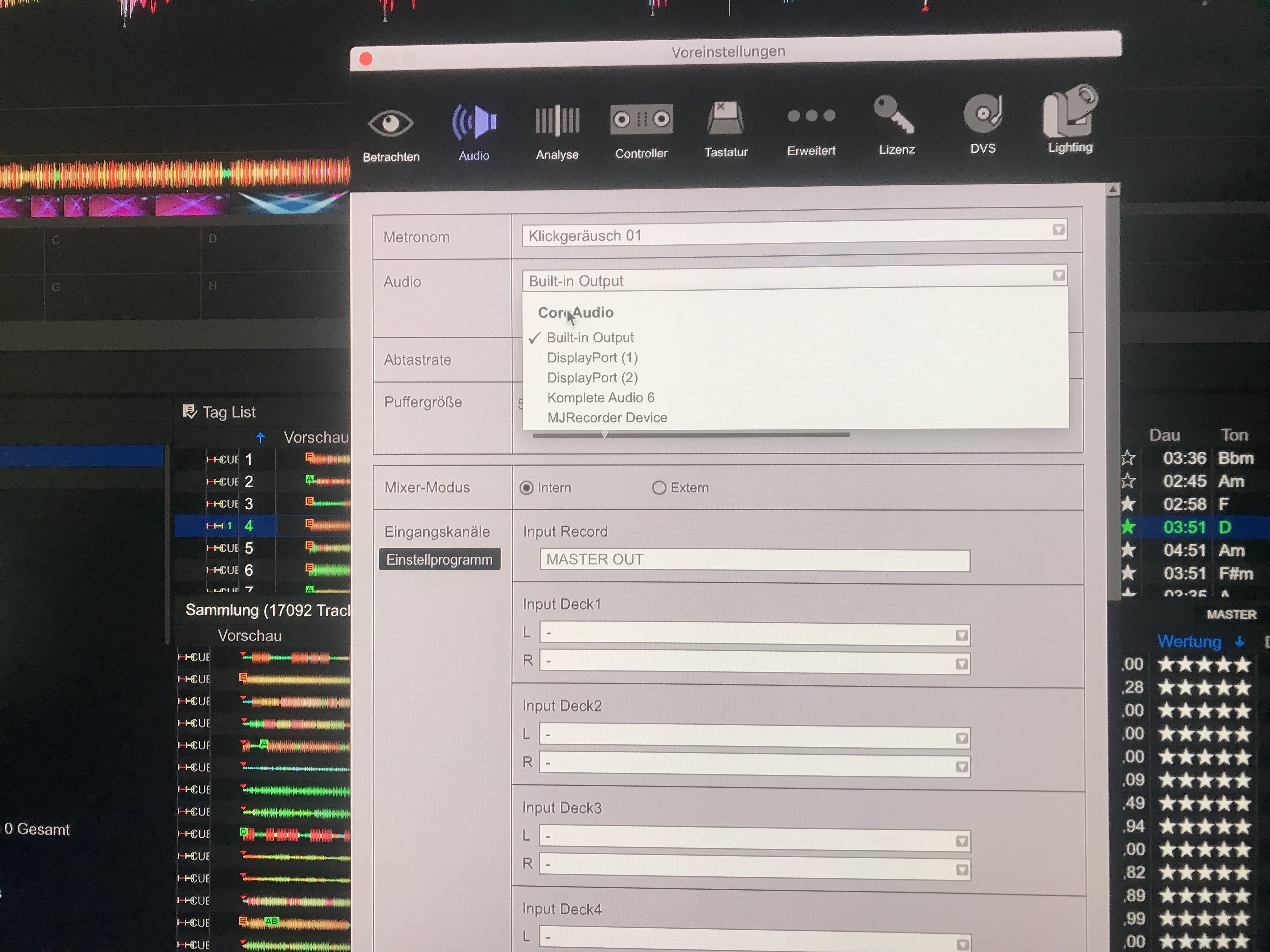

n't finde any advice to this issue.
Please help!
Did you disable the driver security when installing the driver the first time?
投稿コメントは受け付けていません。
i have to add that i just checked the sound preferences of my mac and there you can choose the "rekordbox aggregate device" (see picture) but this doesn't help for the rekordbox issue


I also have this same problem but here the Mac (Mojave) won't find the sound card only the internal one :-(
Help!!!
PS dit all the updates :(
@Philip > Please try Step 2 of this article to reinstall and re-authorize the driver through security.

I have the same issue and it's pissing me off. After spending £1k on the equipment and having a new macbook it's a bit of a kick in the balls to say the least. I've tried everything for the last 2hrs. I can not disable the driver security. The option simply isn't there. If this issue isn't resolved I'll be returning the ddj 1000 for sure
another thing that didn't work is I couldn't log on to this forum using my original log on details. I've had to create another profile just to leave a comment. I expected more from pioneer

^^^ I'm having the exact same issue...
Theres no option to allow 'pioneer'
I've returned on ddj1000 already that was flashing a red light and now sound will only play through my laptop speakers. have tried everything in the forums.

