正式なコメント

There is no PIN; please ensure the DJ app you're using is open at the time you try to connect the device.
コメントアクション

When trying to connect the console ddj 200 via bluetooth by phone or pc, a pop-up message pops up, which is displayed on the screen of the phone or pc. The problem is that in the message I write to enter this pin on the console, where as we know there are no rare numbers or the enter button. How can I connect a ddj 200 to a phone or pc as this pin message pops up? where and how should I enter it? or how to get around it?
There is no PIN; please ensure the DJ app you're using is open at the time you try to connect the device.
投稿コメントは受け付けていません。

I know this post is archived but I've found a work around for anyone who searches this subject after.
Successfully managed to do Bluetooth connect via edjing app, download and within edjing you go into settings, selsct Bluetooth connect your DDJ200,. Once connected return to algoriddim or djay2 where you mix and it will play. I did this on my android tablet, if no sound don't forget to check your crossfader and volume on both your unit and the app. Only down side is when you use you loop keys, they do not get highlighted, but still work.
Hope this helps someone.

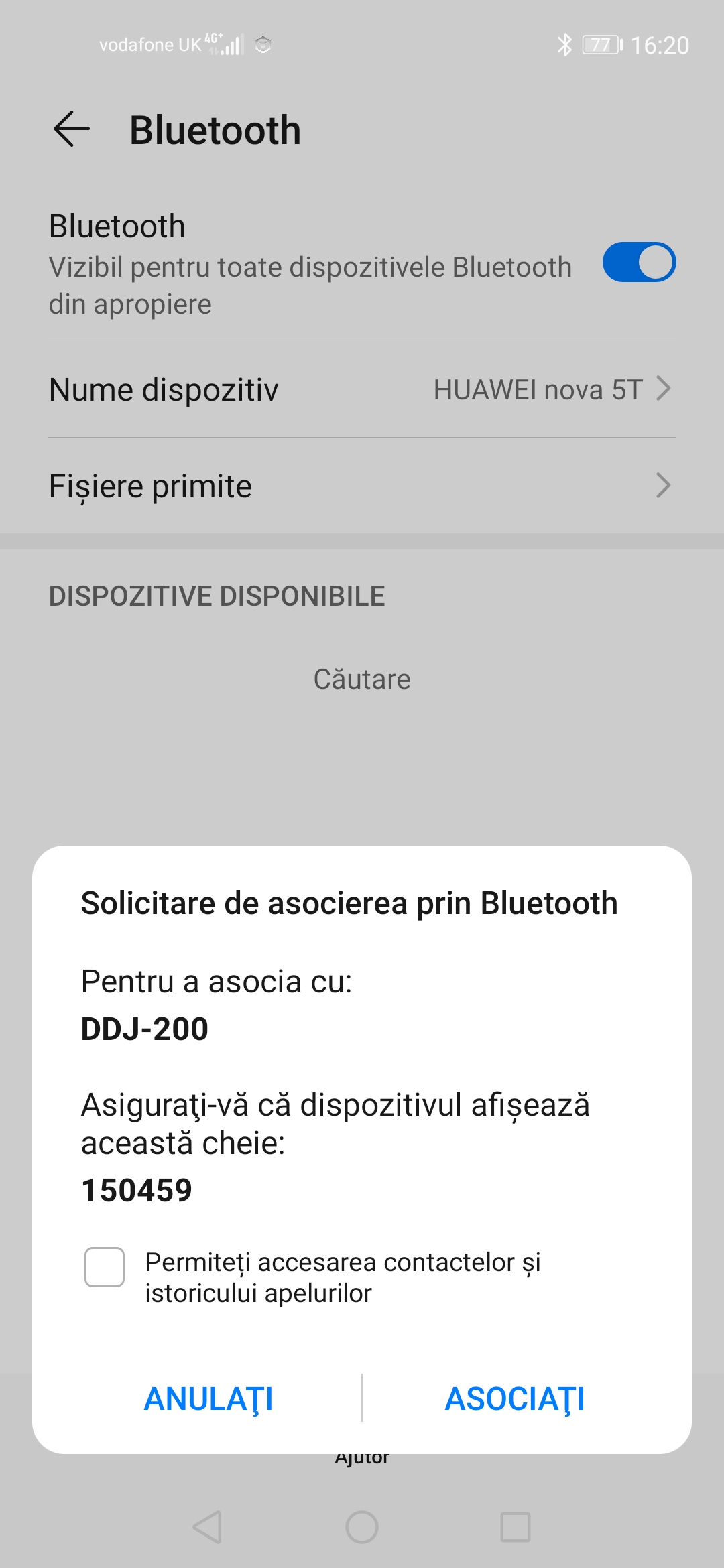
i cant connect android
@sorin > You don't connect through the Bluetooth menu of your device - it's done through the DJ app itself.

I had this issue today. After hrs of trying i found a fix on google. I had to go into my settings on my android phone. General management, reset, then reset network settings. You will have to pair up any devices that you had on your phone again, plus log back into your wifi. It reset my Bluetooth and the controller connected straight away.

I can't connect my ddj 200 to my mom's old imac. can y'all help me?


