
Did you allow rekordbox permission to use the MIC in the System Preferences > Security & Privacy > Privacy ?
コメントアクション

Hello everyone, I am trying to make the following setup work:
- macbook pro 13" 2019, macos Catalina latest
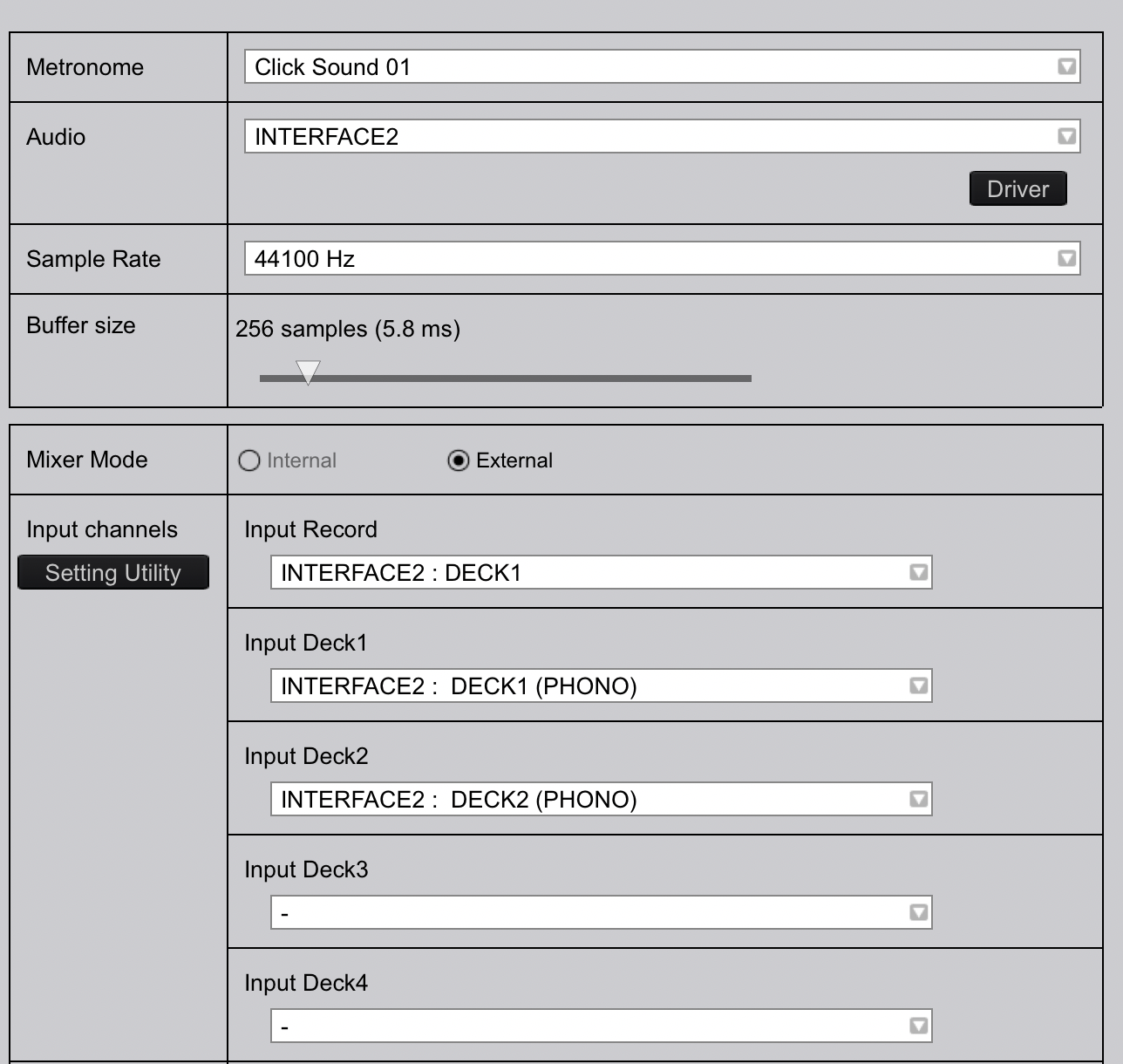
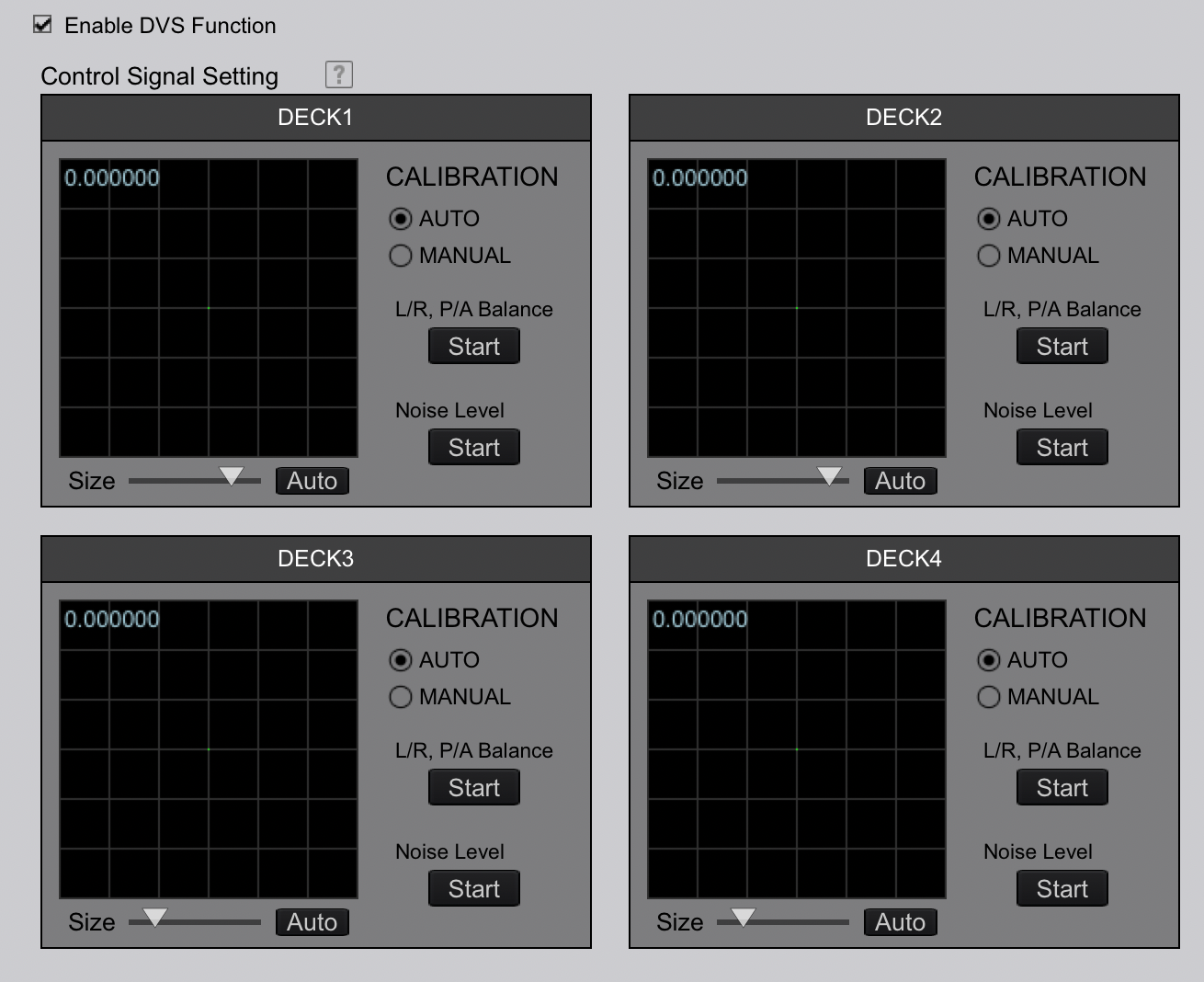
- rekordbox 5.8.4, DVS activated
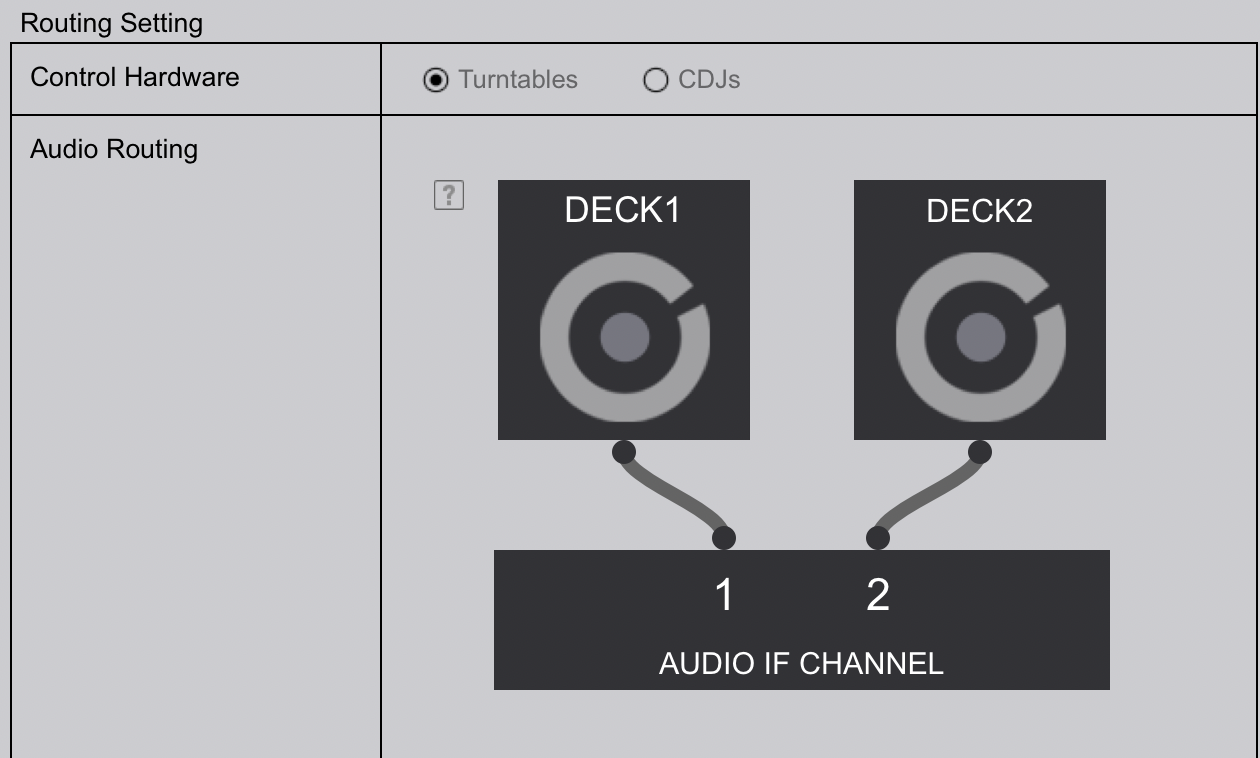
- 2 x PLX-500, outputting PHONO to
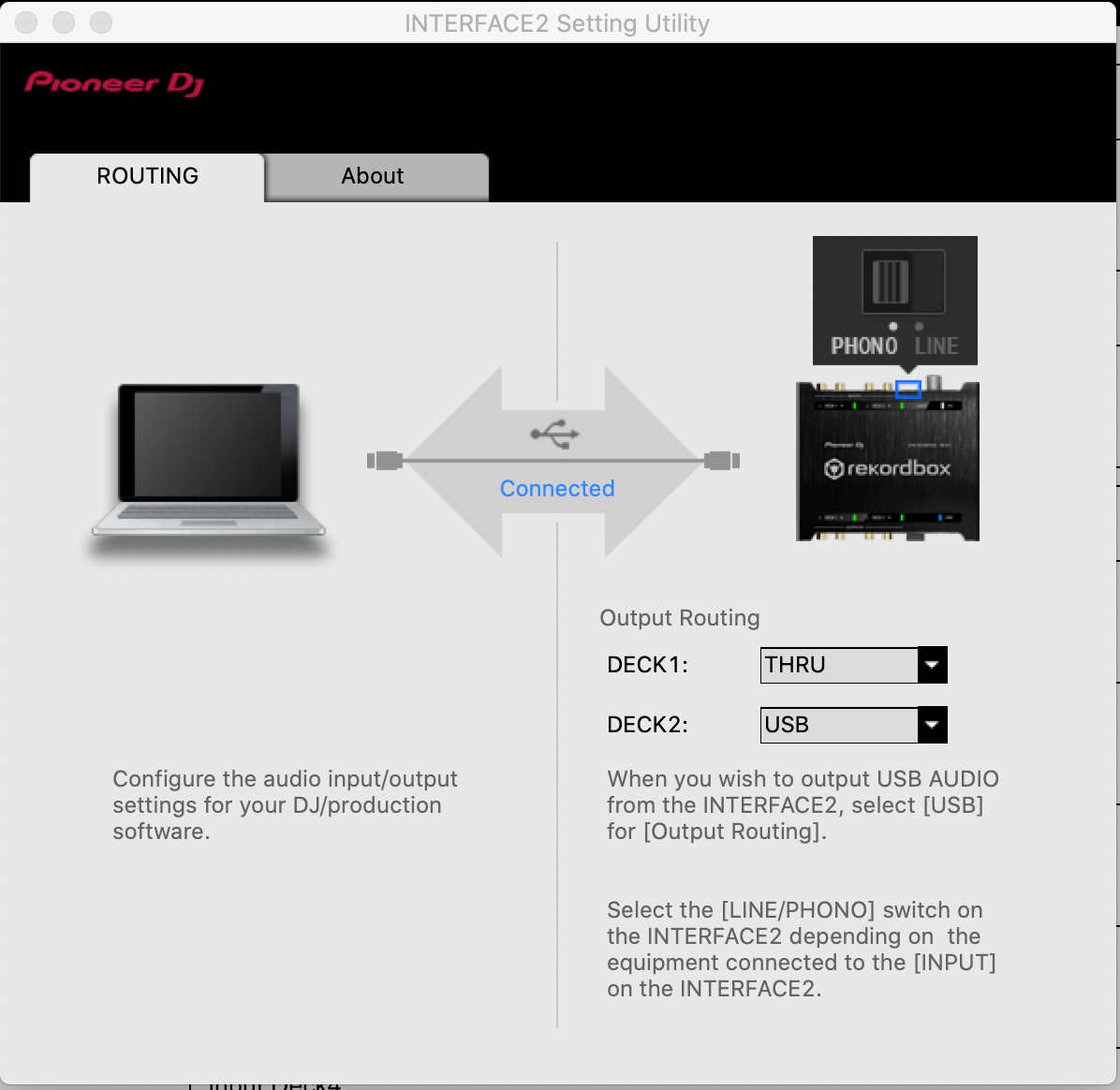
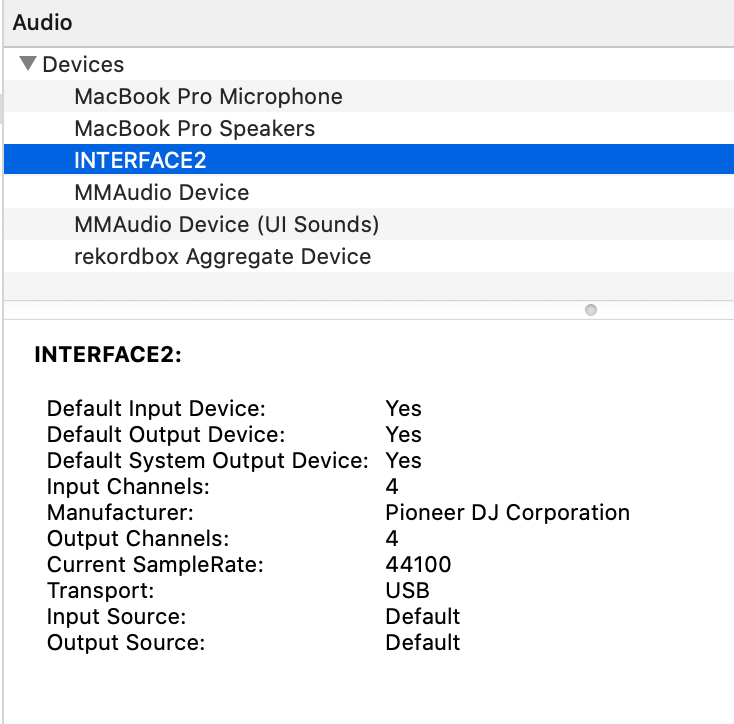
- INTERFACE2 (latest drivers), linked via USB to the laptop
I just can't get any signal form the timecoded (or "normal") vinyls into rekordbox. The exact same setup, but on a Windows laptop, works perfectly.
So I assume I'm missing something on my mac. I have followed all troubleshooting instructions (i.e. uninstall, reboot, reinstall etc.) a couple of times. However I never get those warning popups, no pioneer app appears blocked by macos security etc. Everything seems to (un)install properly.
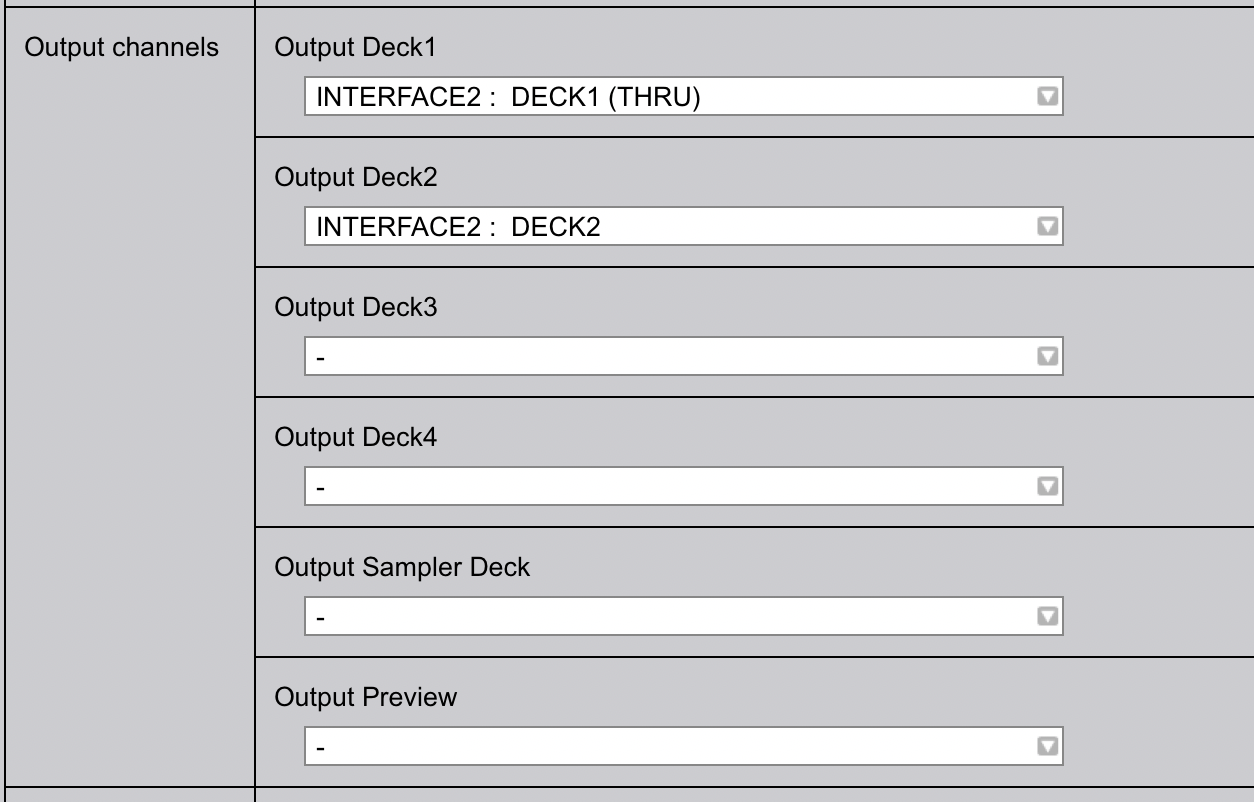
I have also attached screenshots of the current rekordbox config, similar to the windows one that works (of course I tried probably all other possible combinations as well on the mac).
Hope I did not miss anything, any suggestion is welcome.
Thank you in advance for your help!
kD
投稿コメントは受け付けていません。
Did you allow rekordbox permission to use the MIC in the System Preferences > Security & Privacy > Privacy ?
Not until I read your reply.
This solved it, a thousand thank you's, kind sir (or m'am).
Cheers!
kD
It's sir, and you're most welcome! Enjoy. :)

Thanks! Fixed it for me too.