Have a feature request or suggestion? Post your idea here!

Publicação

7 seguidores Seguir
0
Avatar

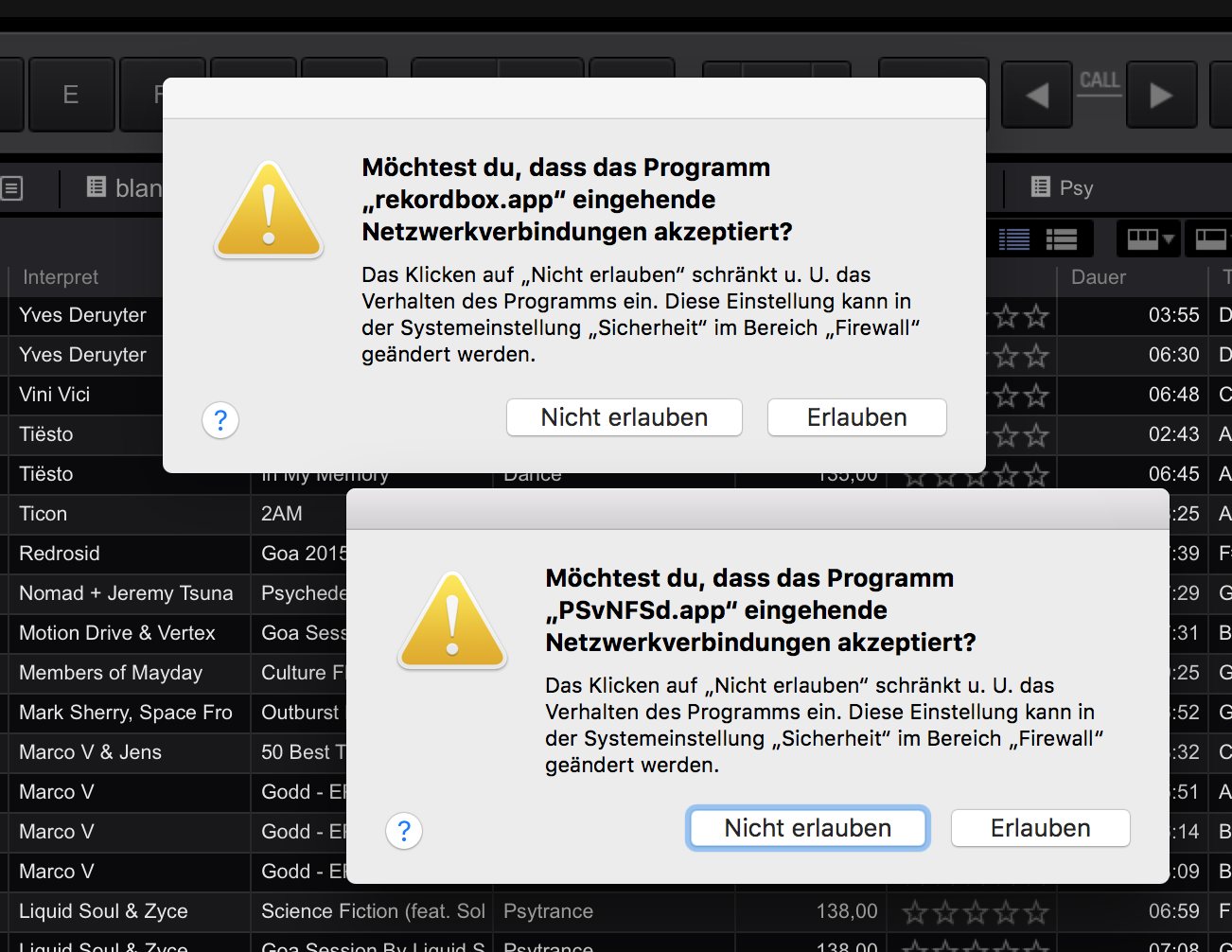
[MAC] 4.2.5: Firewall keeps asking everytime for PSvNFSd.app

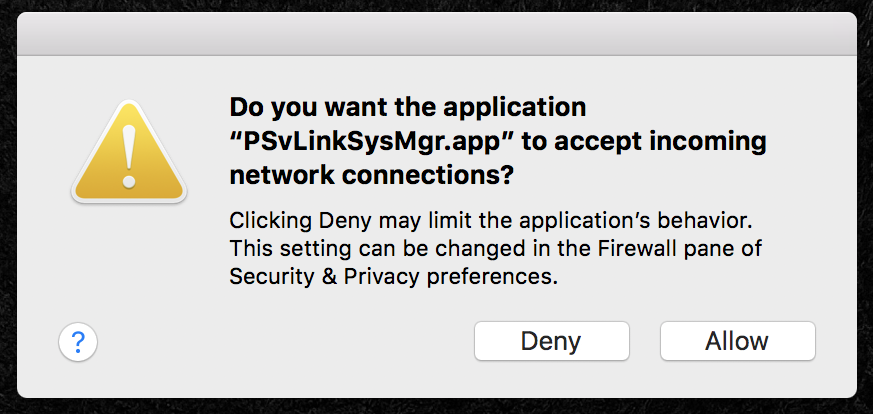
Since updgrading to 4.2.5, macOS' firewall keeps asking if I want to allow access to the apps „PSvNFSd.app“ and „rekordbox.app". I click allow, but it asks me again every time I launch rekordbox and my XDJ-RX is connected.

MacBook and XDJ are connected directly via a ethernet cable. LINK works fine, only the reccuring popups start to get bugging...


All systems are up to date: rekordbox 4.2.5, macOS Sierra 10.12.2, XDJ-RX Firmware 2.20


I also opened an inquiry.

Plangin

Comentário oficial

Avatar


Try manually adding the exceptions to the firewall:

1) Open System Preferences > Security & Privacy > Firewall > Firewall Options

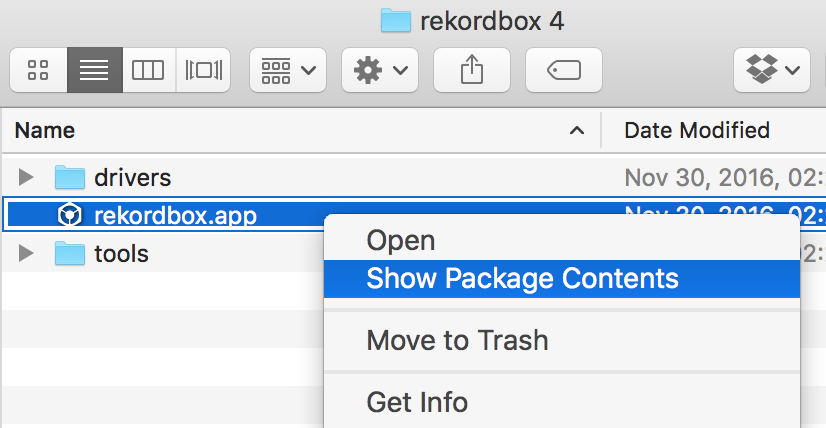
2) Open Finder and navigate to the rekordbox app, right-click and click Show Package Contents.
3) Navigate to the Contents > Mac OS folder.

4) Select the following files:

  • edb_streamd
  • PSvLinkSysMgr.app
  • PSvNFSd.dapp
  • rekordbox

...and drag-and-drop them into the firewall window.
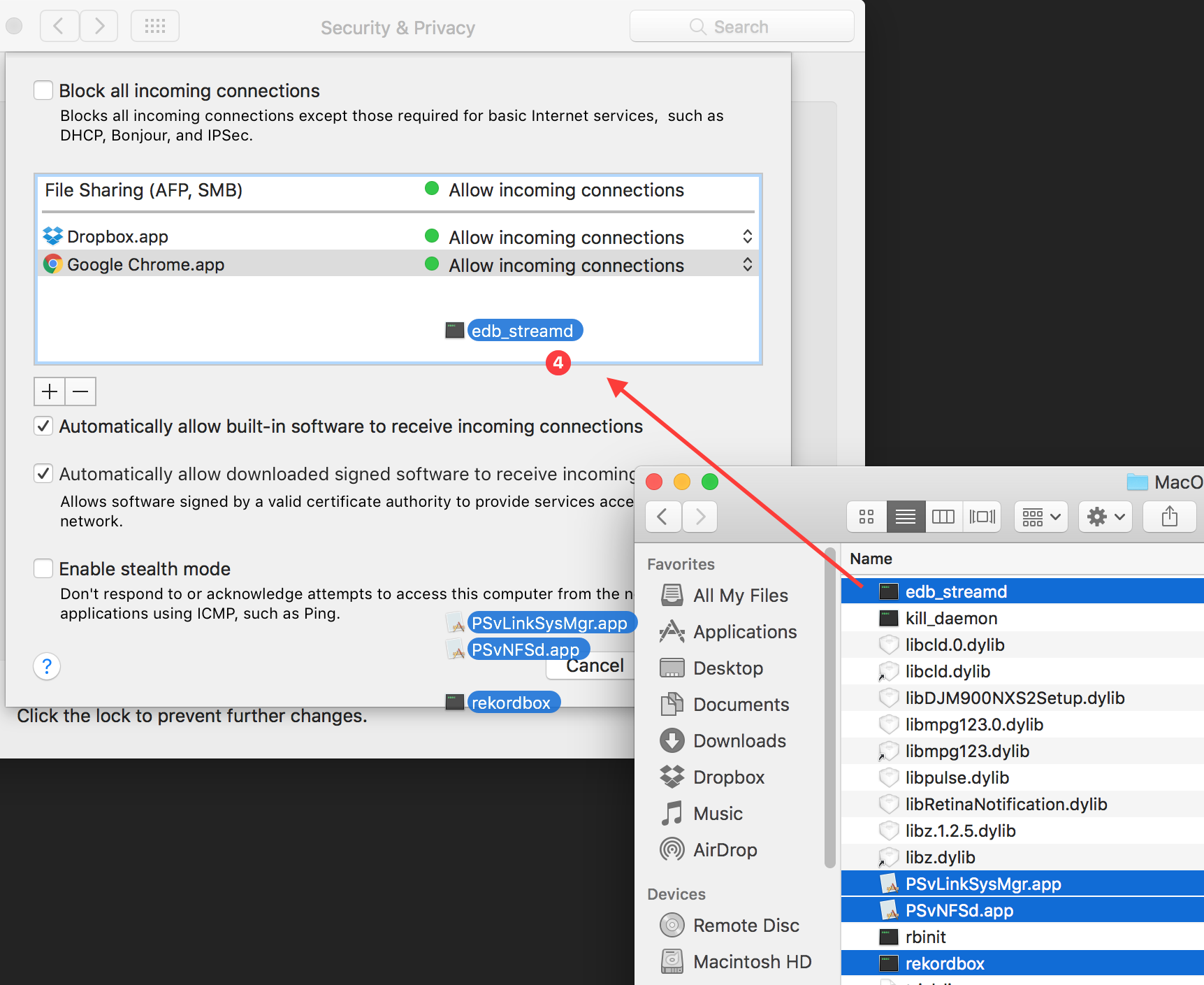

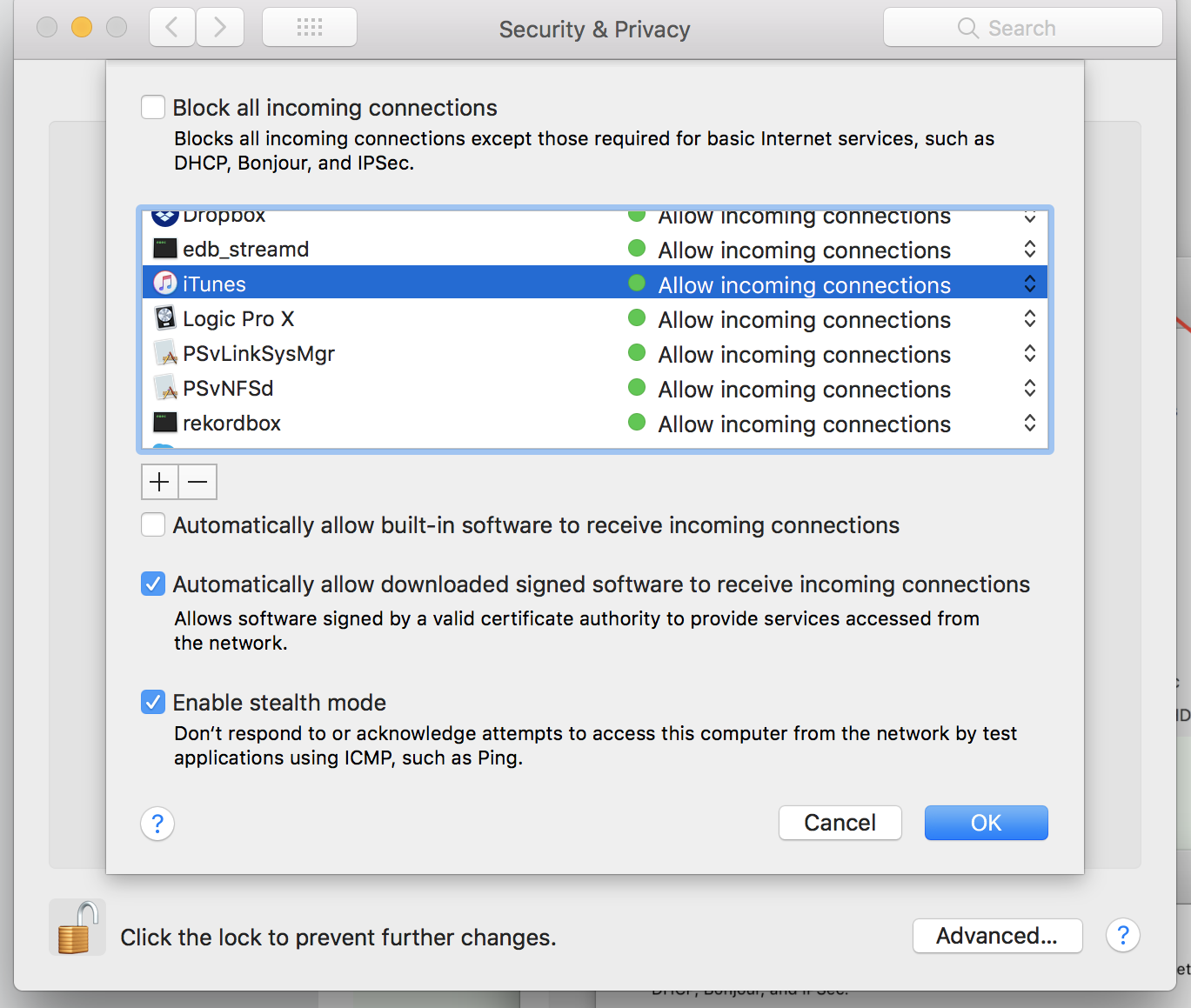
You'll see those items added to the firewall exceptions list:
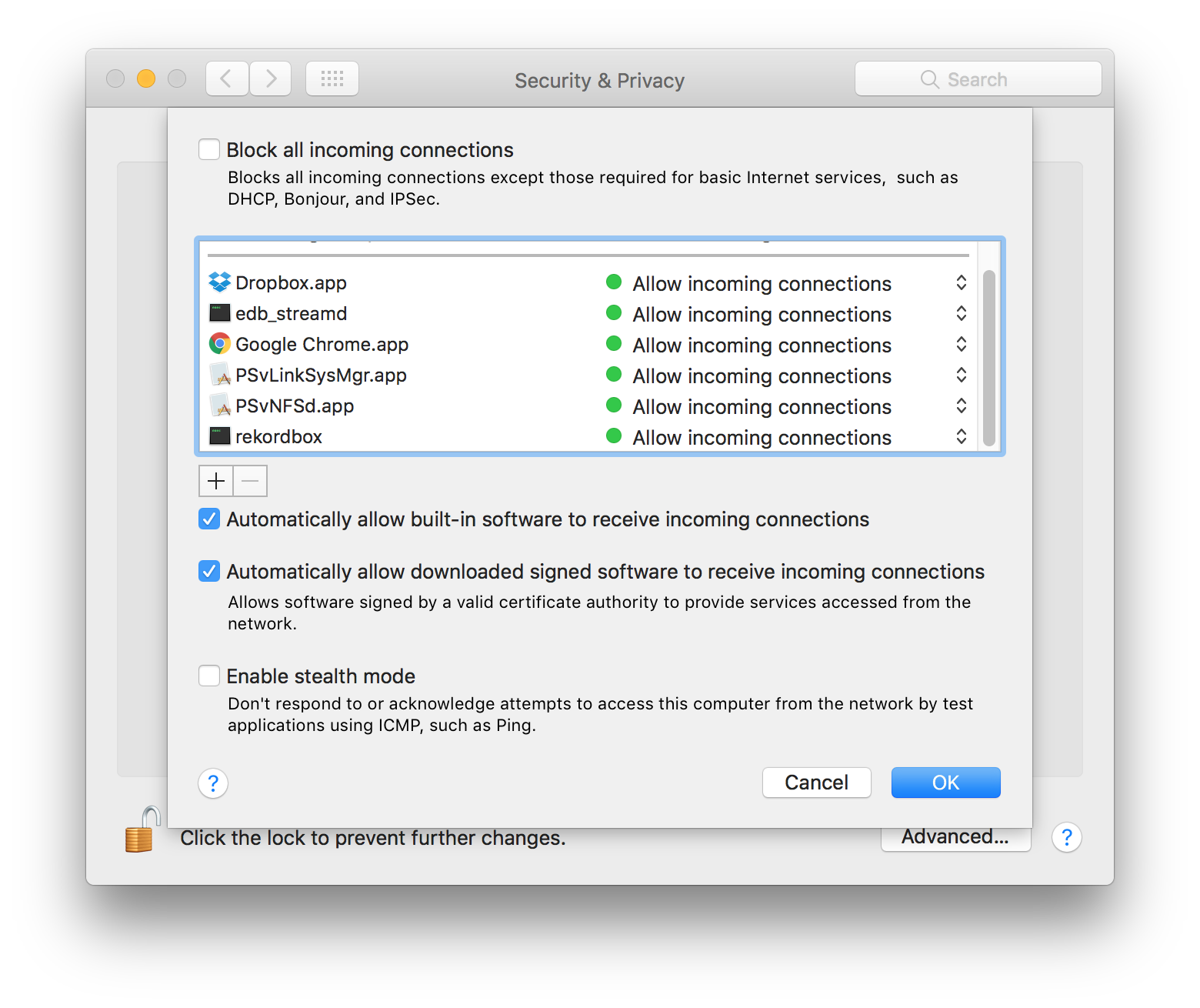
5) Click OK and close the Security & Privacy window.

6) Launch rekordbox.

7) Profit.

Pulse
Ações de comentário Permalink

Publicação fechada para comentários.

15 comentários

0
Avatar

have this same issue, curious to see what they say

Matthew Hamm 0 votos
Ações de comentário Permalink
0
Avatar

YES

I've had this issue since the frist version 4.0.1 :(

Pulse says he can't replicate it but there are plenty of posts about this.

This has bugged me everytime I start RB.  Disabling the firewall is not an option on a computer that gets connected to the internet to download tracks, etc.


DJ Chase 0 votos
Ações de comentário Permalink
0
Avatar

4.0.1? Really?

I habe to admit, 4.2.5 is the first version I installed on my firewall enabled MacBook. So this slipped through here in the past.

Plangin 0 votos
Ações de comentário Permalink
0
Avatar

The solution is quite simple: Disable Firewall. Open Rekordbox. Enable Firewall (if you so choose). Best practice is to disable all Firewalls/Virus software/background processes when using your software for optimal performance. Though I'm sure you all know that already.

The reason for the Firewall flag is because of the Network connection being made, it's a Mac OS safety protocol. There's nothing Pioneer can do to resolve this as its a Apple-side implementation.

If you're Terminal-saavy, you can disable the pop-up warnings, but that's quite a bit of effort over something so mundane.

lostnthesound 0 votos
Ações de comentário Permalink
0
Avatar

@ Pulse

Thank you for the instructions, but it did not help. Firewall messages keep popping up everytime I launch rekordbox with the XDJ-RX connected.

After following your steps, rekordbox appears even twice. (Yapp, I chose the rekordbox binary from the MacOS folder).


@ lostnthesound

You are right, I knew this already. Disabling FW is no option for me, this mobile computer is often on road and connected with public networks. Performance is not important, I'm using rekordbox only in export mode (preparing USB sticks / LINK with XDJ-RX).

Plangin 0 votos
Ações de comentário Permalink
0
Avatar

Some progress in the meantime:

I think Pioneer needs to sign their apps. Check Apple's support document:

https://support.apple.com/en-us/HT201642

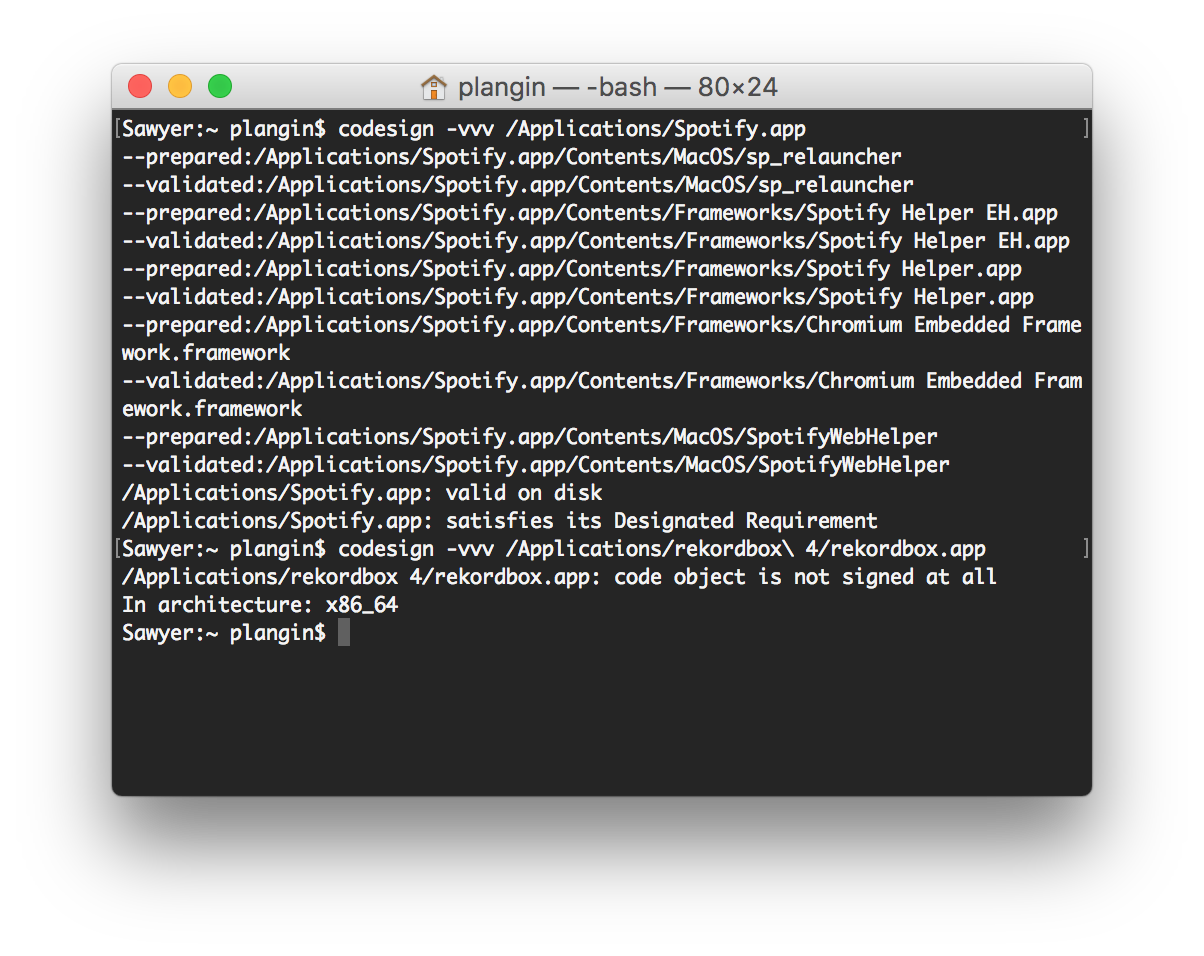
'Some apps check their own integrity when they are opened without using code signing. If the firewall recognizes such an app it doesn't sign it. Instead, it the "Allow or Deny" dialog appears every time the app is opened. This can be avoided by upgrading to a version of the app that is signed by its developer.'

And something goes wrong here. Is something changing the rekordbox.app container on every launch? That would alter the signature every time and lead FW to ask every time.

Check the terminal output, the app is not signed at all.

Plangin 0 votos
Ações de comentário Permalink
0
Avatar

Same issue here. Is there any update on this being resolved? Really annoying to have to override that prompt every time I start rekordbox, even though I did all the firewall white list edits as suggested, and that made absolutely no difference. Every time I start the app, this comes up.

Anton Tumas 0 votos
Ações de comentário Permalink
0
Avatar

@Anton > Did you add it again after updating the version of rekordbox? You have to do that for every update as the application package changes.

Pulse 0 votos
Ações de comentário Permalink
0
Avatar

I JUST did this on 5.0.1 and the issue is occurring every time I start the program. Seems like the reason this is happening every time is your app is not signed by developer?

Anton Tumas 0 votos
Ações de comentário Permalink
0
Avatar

Pulse

I didn't start this thread but can corroborate the findings. Been happening since RB 4.0.0 and on EVERY attempt to start the program on my Mac. Signing would certainly solve the issue.  


DJ Chase 0 votos
Ações de comentário Permalink
0
Avatar

Signed or not, it's got to be something within the settings of your OS installation causing it to occur, as I'm unable to replicate the repeated-requests for the firewall access regardless of my firewall and Gatekeeper settings. Even unsigned apps are able to be allowed through the firewall with a rule created to not prompt every time.

Pulse 0 votos
Ações de comentário Permalink
0
Avatar

Here's a screenshot of my firewall while list. Still get the allow prompt every time. This has been consistently happening across 3 different computers with rekordbox installed.

What is the next step here?

Anton Tumas 0 votos
Ações de comentário Permalink
0
Avatar

@Anton > Again, there is something within your OS installation which is causing it to ask as neither I, nor the engineers, are able to reproduce the "constant request" after allowing the requisite connections through the firewall, either the built-in or Little Snitch. If the connections are not in the list, then it will ask every time, but not when they're added (as you have shown).

My recommendations - disable the firewall, click the pop-ups every time, disable the security verification, or use a 3rd party firewall such as Little Snitch.

Pulse 0 votos
Ações de comentário Permalink
0
Avatar

Finaly I did it. I just had to remove from the firewall all the lines mentioning

edb_streamd
PSvLinkSysMgr.app
PSvNFSd.dapp
rekordbox

 MacOS 10.12.6 Recordbox 5.4.2

Now everything ok. No maggages from Firewall

Dima Kozhuro 0 votos
Ações de comentário Permalink