Comentário oficial

Those are set on your device from within rekordbox.
Ações de comentário

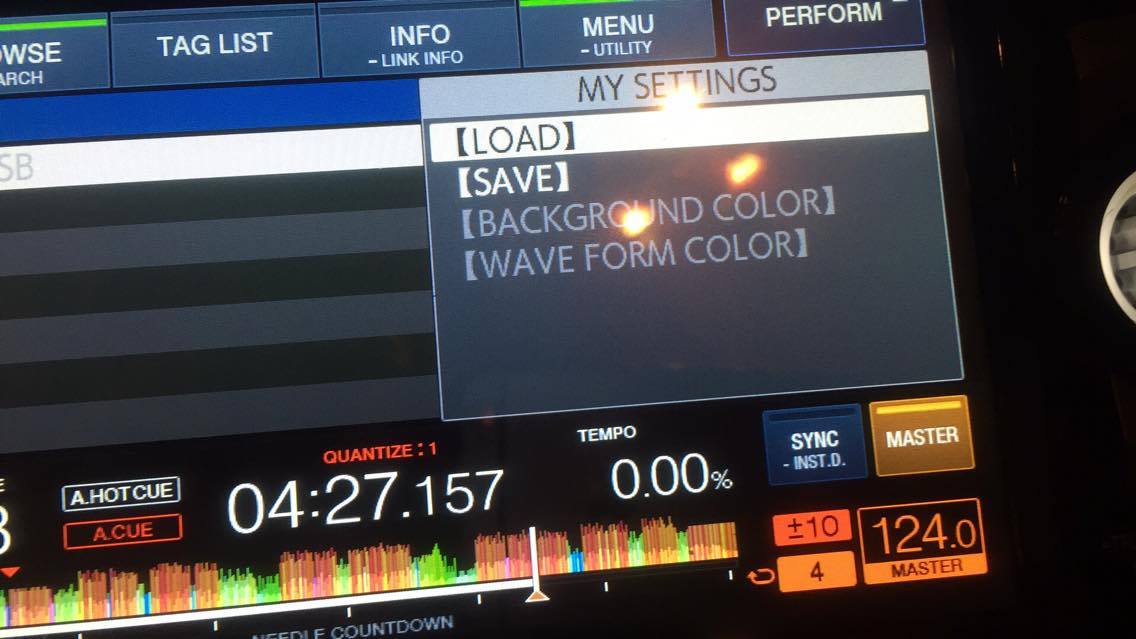
Hi :) I just bought a pair of XDJ 1000 MK2. Im not being able to change the color set in the usb device (background color, waveform color) through the MENU(Utility). The options appear, but are dimmed... Help please
Those are set on your device from within rekordbox.
Publicação fechada para comentários.
Thank you Pulse. Can you please tell me where within rekordbox? I've being looking for it all over "settings" but couldn't found it. Thank you and merry christmas
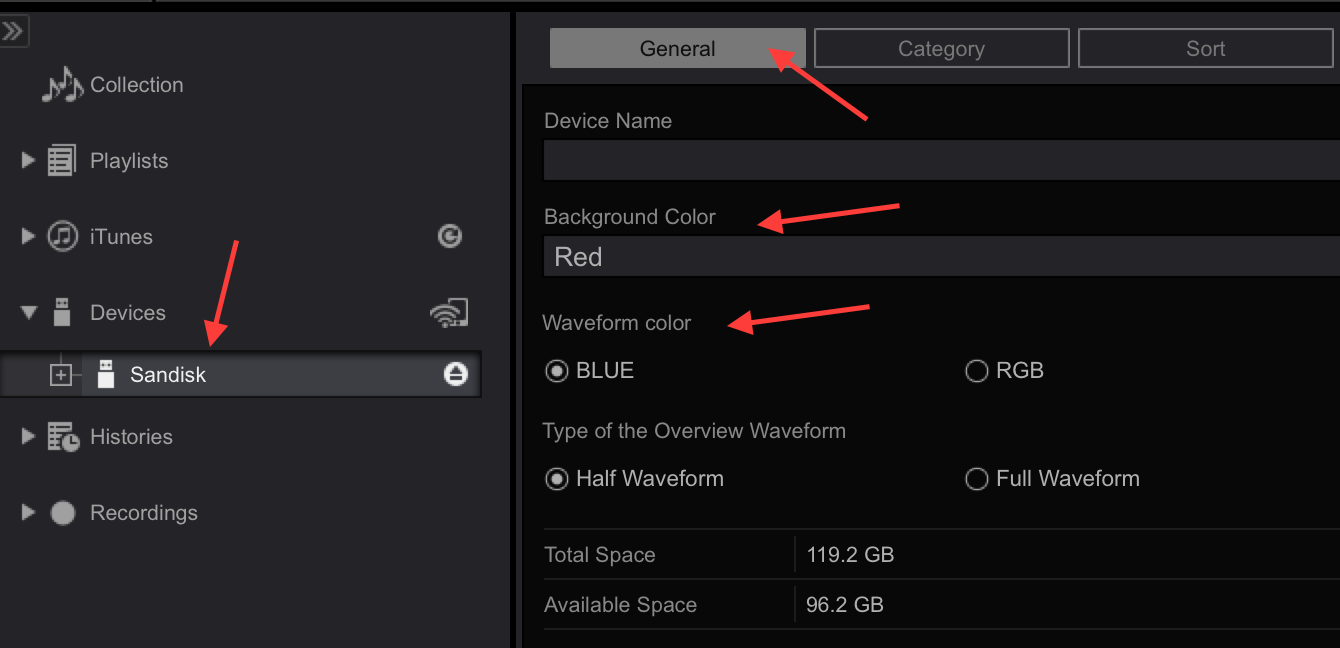
@Arturo > With a USB drive connected, and rekordbox in EXPORT mode, click on the drive from the devices list on the left, and then make sure you click the GENERAL tab, then you can change your device setting and waveform colour preference. Don't forget to eject the drive before removing it.
Thanks Pulse :) Does that also change the color of the USB slot in the XD 1000 MK2? I know this is maybe the less important feature, but I'm very curious about it, as seen on the advertisement. Thanks again!
You bet it does!

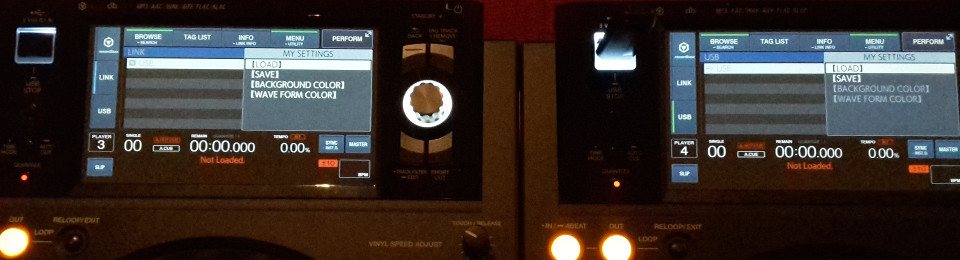
This must be a bug on the XDJ-1000mk2.
On the right is player 4 that holds the usb drive, here the colors cannot be changed. However on the left on player 3 when accessing that same usb drive over the link the colors can be changed.
Are the engineers aware of this bug? (Firmware v1.10)
I don't believe this is a bug, but rather the ability to override it on the linked player. The player where it is connected directly is loading those values from the drive itself, but the linked player doesn't change the USB slot illumination as it isn't connected to that drive.
I don't have a pair on hand to test this myself, but I'll follow-up with the engineers anyhow.
Upon setting the background color for an usb drive from a linked XDJ two things happen immediately: the background color (on the screens) for that usb drive changes on all connected XDJs and the usb illumination changes on the XDJ holding the usb drive.
The ability to set the waveform color is also available through the shortcut screen.
So the bug is that the "background color" and "waveform color" are not accessible in the usb menu. Seems pretty weird if this was intentional as both are configurable through other ways.
Engineers have confirmed that there is an issue which will be addressed in a future update (no timeline), thanks for your patience!


