Have a feature request or suggestion? Post your idea here!

Publicação

4 seguidores Seguir
0
Avatar

DDJ-SX2 play/cue buttons and jog wheel unresponsive in Serato

I just acquired an SX2 today. In Serato it recognizes the controller, I can browse and load from it but I can't get the play/cue buttons or jog wheel to do anything. I can't even get the track to play. Not sure if I'm having hardware or software issues, or maybe a bit of both? I'm running on a 2012 Mac Book Pro, Serato is up to date. Another thing is when I tried to update the firmware it tells me the SX2 is not connected even though it is.

Kristina L

Publicação fechada para comentários.

3 comentários

1
Avatar

***** RESOLVED ***** (received this from Serato support)

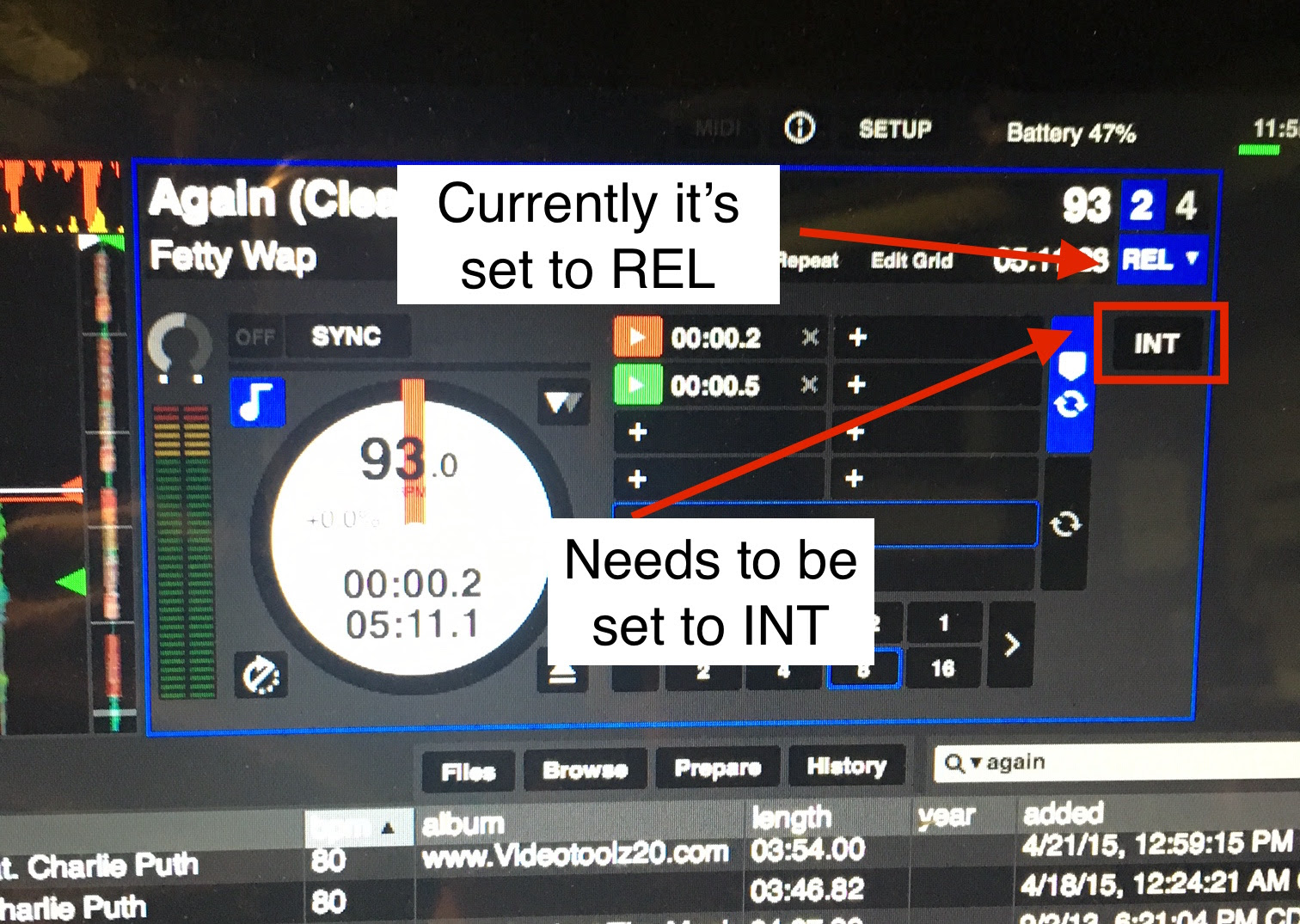
From the sounds of things the reason your players aren't working is because you currently have your decks in 'REL' or 'ABS mode. This is known as relative mode and absolute mode is only used for vinyl systems. Because the DDJ-SX2 supports the use of DVS (it is able to run digital vinyl) the 'Deck Mode' option is made available to you.

To fix this you will need to change all of your decks into 'INT' mode. This is Internal mode and is used to tell the computer that the controller is controlling that deck.

To change the deck modes you will need to click on the 'INT' button next to virtual deck like on the screenshot below.

Angelo 1 voto
Ações de comentário Permalink
0
Avatar

This saved me, I bought a used DDJ-SX2 and thought something might have been wrong with it but I was just being dumb and didn't know about the DVS mode being enabled. Thanks for this!

YZ 0 votos
Ações de comentário Permalink