Comentário oficial

Export devices are not currently available within Performance mode.
Ações de comentário

0) Have you read the "READ ME FIRST" thread in its entirety AND TRIED THE SOLUTIONS THERE before posting: Yes, I swear it!
1) Operating System: OS X 10.12.2
2) OS Type: 64bit / 32bit ?
3) rekordbox version: 4.2.5 rev9056
4) Using LINK: No
4b) LINK Connection method: N/A
4c) Using with CDJs: No
5) Source Hard drive / Flash drive / SD card file system: FAT32
5b) Connection type: USB3.0 adapted to USB-C
5c) Does the device have multiple partitions: No
5d) If it's a flash drive, is it a U3 device: Unsure (SanDisk Extreme)
5e) With what utility did you format the device: OS X
7) Have you scanned your files for errors: Yes
7b) Have you scanned your drive for errors: Yes
8) Is rekordbox crashing at all: No
8a) If crashing, is it resulting in: N/A
8b) If not crashing, are there any error messages: No
9) Are you able to repeat / reproduce the problem: Yes
9a) If yes, can you do it consistently: Yes
10) Does the problem occur with one specific song: No
10a) If yes, please post a link to it:
11) Any other notes regarding your setup only:
12) Provide as much detail of the issue here:
I exported playlists using Sync Manager to a SanDisk Extreme USB 3.0 formatted to FAT32 with a Master Boot Record map using the . This USB drive is connected to my Late 2016 MacBook Pro via USB-C to USB-B adapter. There seem to be no problems on export, and while checking in Export Mode on Rekordbox, I am able to see all playlists just fine on my USB drive under the 'Devices' tab. When I switch to Performance mode, I can no longer access any playlists or music on my USB drive. There is no longer a 'Devices' tab, and I must find my USB drive in the 'Explorer' tab. Attached is a screenshot of the files that I am able to find in my USB drive in the 'Explorer' tab (named WVLF). 
As one can see, the 'rekordbox' folder is empty, and the 'USBANLZ' folder is full of folders named 'PXXX'. Each of these 'PXXX' folders have a few folders named with seemingly random characters, which are also empty. There are no other folders visible except 'Artwork' (which doesn't contain my music either).
When viewing my USB drive in Finder, it contains two folders: one named 'PIONEER' that has all the aforementioned "nonsense" files, and another named 'Contents' that contains all of my music organized by artist, but unfortunately no playlists. 
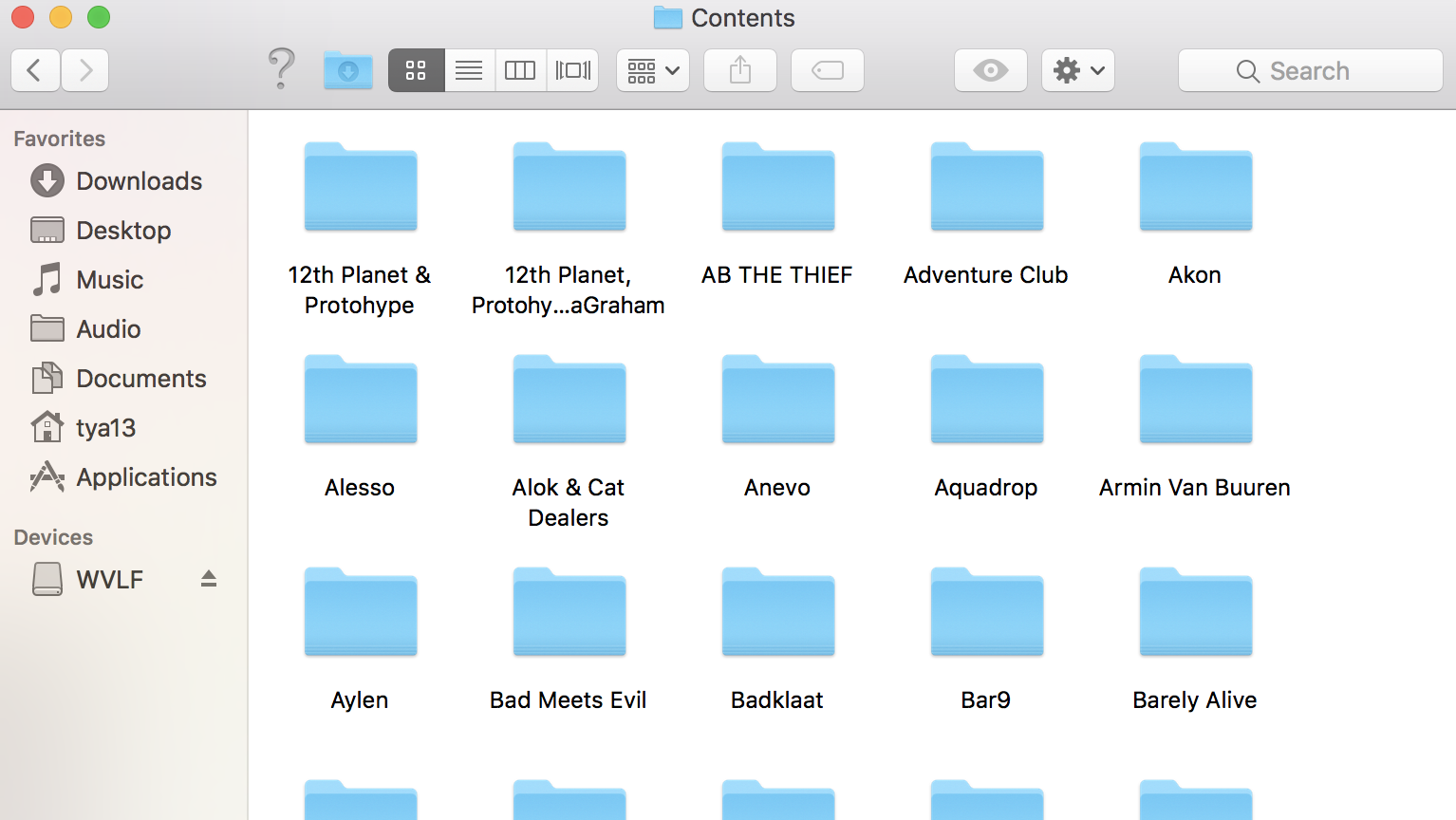
Please get back to me and let me know what's going on and how to solve the problem. Thanks
Export devices are not currently available within Performance mode.
Publicação fechada para comentários.
So I can't take my USB prepared in Rekordbox and plug it into my friend's computer??
The only way you could do this would be to have your music source and database stored on the same external drive.
Does exporting to a USB drive not allow that drive to act as a music source? If not, then what exactly is the point of exporting to a USB drive, and how should I set up a flash drive so that I could plug and play into a friend's computer or CDJs?
No; exporting to a USB is preparing your music for use with a CDJ or XDJ unit.
If you want to use your library on someone else's library, please see my article on moving your music and database for more information.

Having this issue on a $3k (!) DDJ-RZX and established DJs don't want to work with my hardware. They'd rather use their own lower end devices. Everyone is amazed that you can;t plug your thumbdrive directly into a $3,000.00 Pioneer controller with three screens. WTF pioneer? No wonder Traktor is growing so rapidly.
I could have saved my reputation and a thousands bucks just buying the lower end. So the only way a DJ can work with me is to bring a laptop of their own and allow me to rip their music? Does Pioneer have DJs in their staff? Please consult with them before anymore releases.
@Denni > I appreciate that, however please consider that a single CDJ-2000NXS2 is $1850...
And no, if a DJ wanted to play with you using their USB drive, all they do is connect it to your computer and load songs from their drive within rekordbox on your computer.