I had a really long reply typed out, but accidentally closed my browser window and lost it all ... so the short reply is "Not currently, but we're working on it."
I may have a work-around to post for you later.
Hi there,
please help me out: At most gigs, I do only play audio files, but video files are also listed in the browser window.
I have been trying to find settings to exclude video files in browser view, but to no avail.
Maybe one of you has got an idea how to do this.
Thanks a lot!
Best,
Marc
Publicação fechada para comentários.
I had a really long reply typed out, but accidentally closed my browser window and lost it all ... so the short reply is "Not currently, but we're working on it."
I may have a work-around to post for you later.
Hi Pulse,
How have you been? Yeah, happens a lot, then one click and everything is gone.
Please let me know about the work-around if you can spare the time.
Thanks and best regards,
Marc
@Marc > Here's the work-around:
Select all files in your collection and create a new My Tag, call it In Collection - tag all of the songs with this new tag.
Create a new intelligent playlist and call it In My Collection, with the criteria of My Tag Contains "In Collection."
Because the playlists don't currently allow mixed-media, you'll find that only audio songs have been added to the list.
Select all files in the playlist and create a new My Tag, call it Audio - tag all of the songs in the playlist with this new tag.
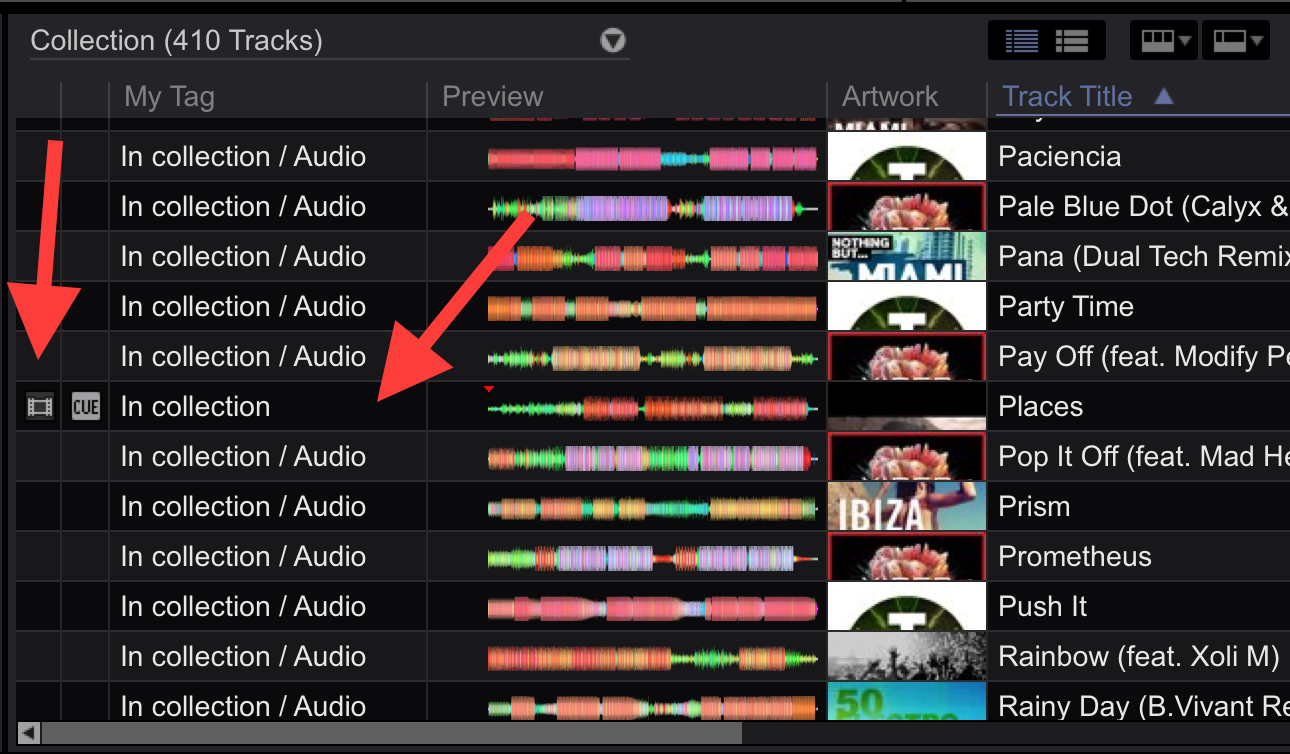
Here you can see the one video I have in my collection does not have the Audio tag:

You may be asking "Great, so why not just use the playlist?" Well, if you have more songs in your collection than rekordbox allows, that won't work - so you may have to repeat these steps multiple times, making slight adjustments to gather and tag all of the non-video files. The intelligent list method is a simple and effective method otherwise.
So here's what you do to now browse your entire collection without seeing the video files...

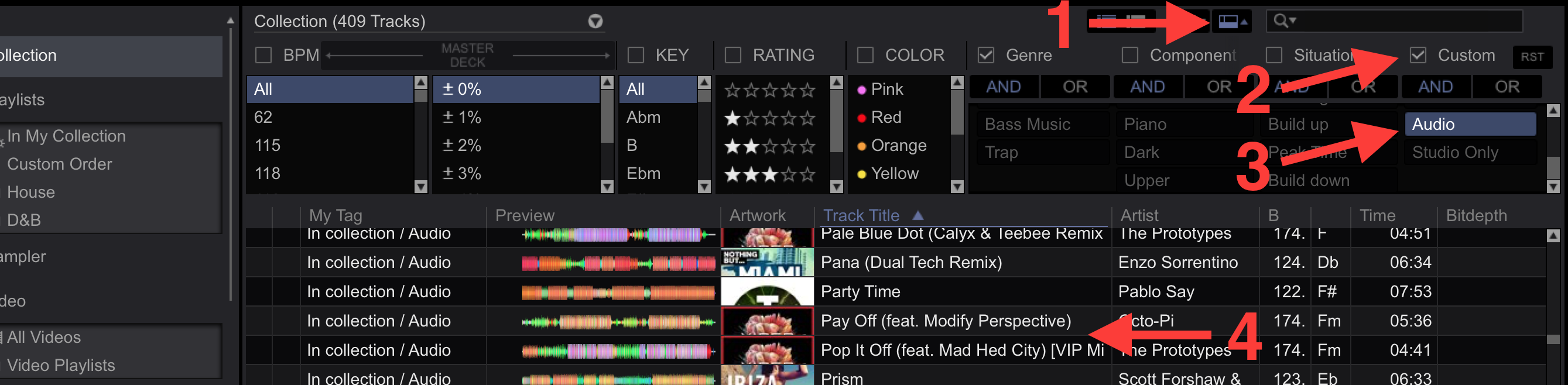
1) Open the Track Filter
2) Tick the box to enable custom My Tag filtering
3) Select the Audio My Tag
4) The tracks will be filtered down - #4 shows where the video (titled "Places") would be without the filter.