
Do you possibly have QUANTIZE enabled?
Ações de comentário

I always set the Que marker to the first beat, and when i come back the
que marker is always a little before the point iv'e put it.
Why is that and how can i change that?
Publicação fechada para comentários.
Do you possibly have QUANTIZE enabled?
Quantize is off. If i enable it the marker is on the right point.
But it should work without it right? If i perform with my DVS system i don't
want Quantize to be enabled
So you're using dvs? That would have been useful information in your original post! ;)
What exactly is it you mean by "when I come back ... the marker is before where Ive put it" -- are you meaning the marker on the waveform is in a different place or the vinyl position doesn't align to the marker as it did previously?
i use dvs but im talking about export mode. when i put the que marker on the first beat
and go on and click the next song, after that i click the song ive pt the marker on the first beat the maker is in front of the first beat.
Like this:
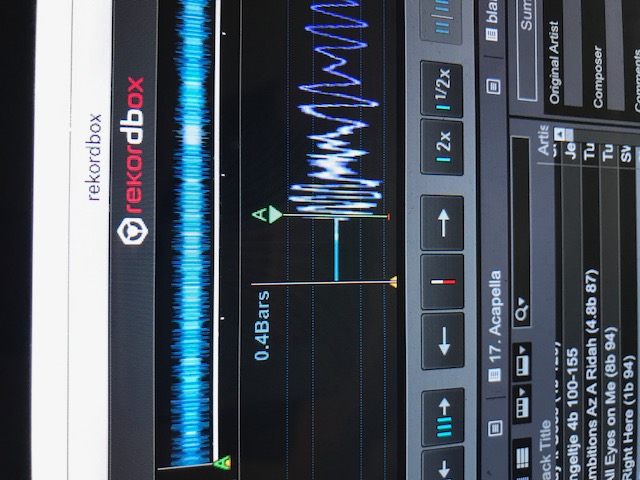
and in DVS its also the same. always a little before the point i put it on
Ah, see, it was a problem in terminology!
You have set a hot cue at the first beat, but the main cue is at the 0:00.00 point of the song. If you want to have the main cue at that location, either change your preferences to load the first hot cue / memory point as the main cue, or manually move it to that point, then press the CUE on that deck to set it.
yes i always do this manual. drag the song on the marker and click que.
so there's the problem
Check this please:
https://www.youtube.com/watch?v=OInvraNsahY&feature=em-upload_owner
YouTube says the video is unavailable...
yes sorry, i changed the settings. its available now!
As I said in my previous post:
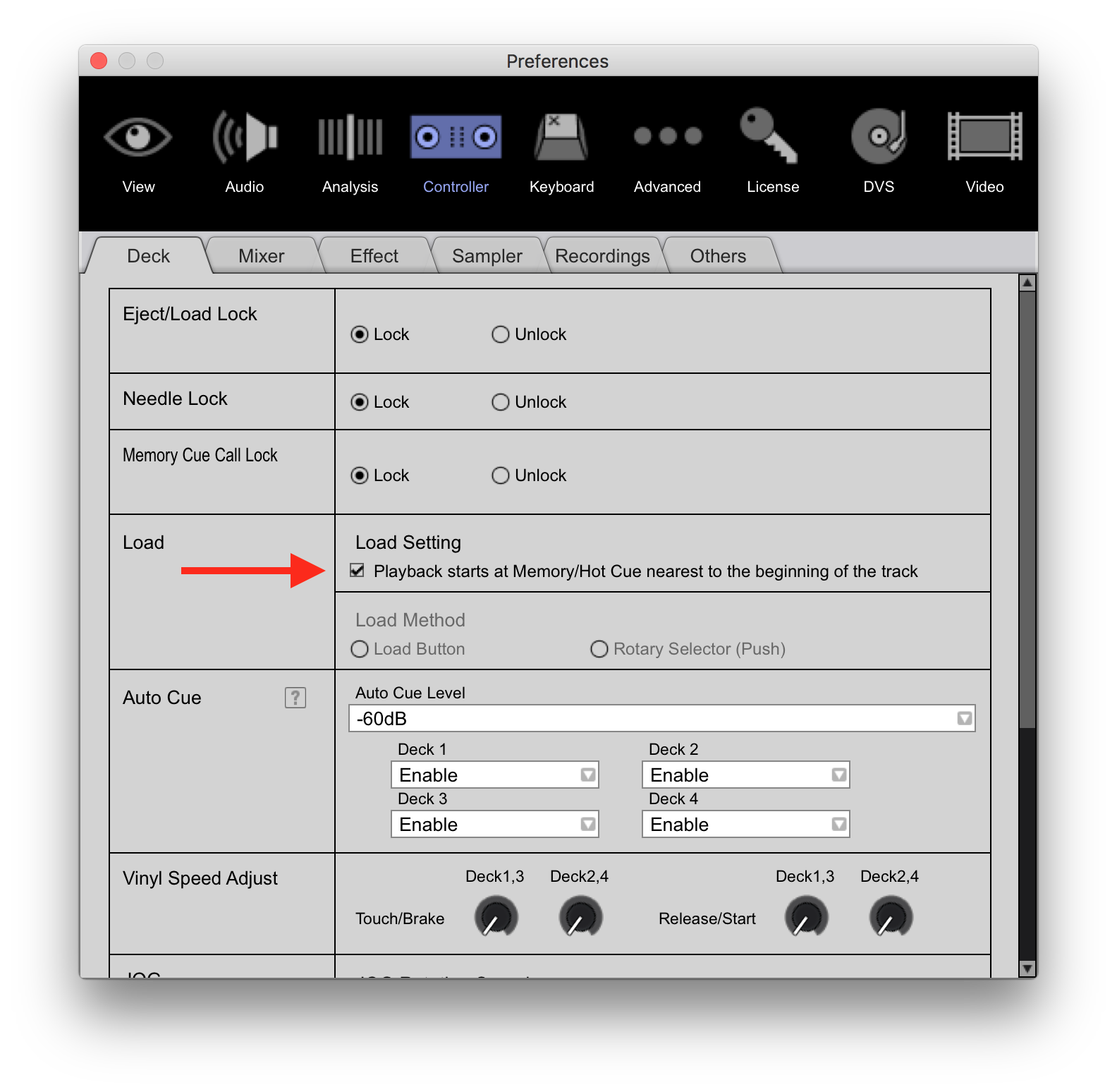
nope thats not it...
If i look only in export mode, the que is always of like in the video.
If i switch to performance mode and click the setting you say and switch
back to export mode the que is still off.
Can I ask you why that matters in EXPORT mode? You're not there for performance, and aligning the track / pressing the CUE button only sets the deck's temporary master cue, so what is it you're trying to do that's so important to have the track start at that point in export mode?


