
Comentário oficial

Well, first and foremost, do you have the Video plus-pack activated and active?
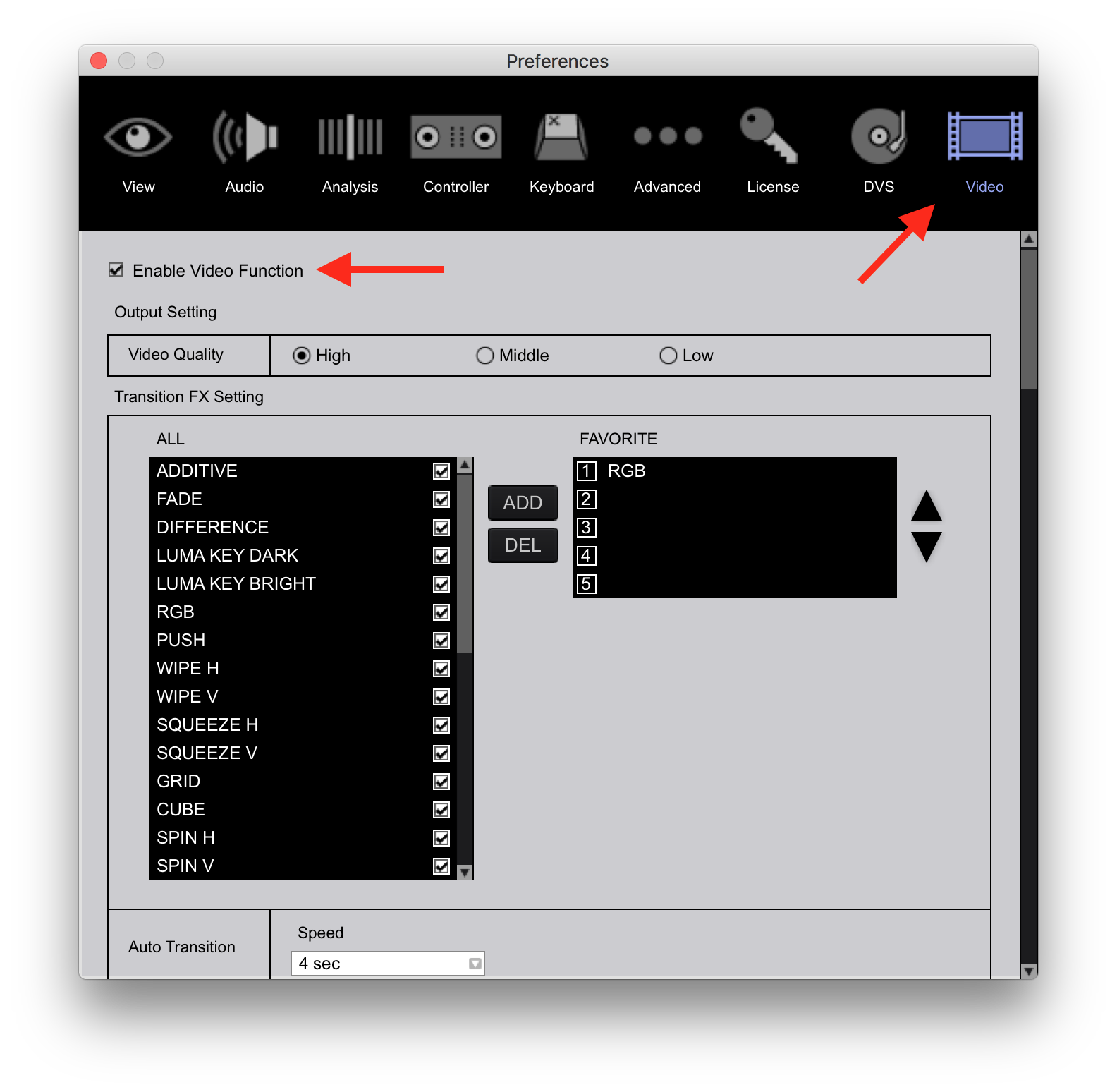
Go to the rekordbox Preferences > License and scroll down to the rekordbox video section and confirm that you've activated the license. Once you have, a Video icon will appear at the top of the preferences. Click that, next, click the Enable Video Function check-box.
 Now you'll see a video section appear on the left tree:
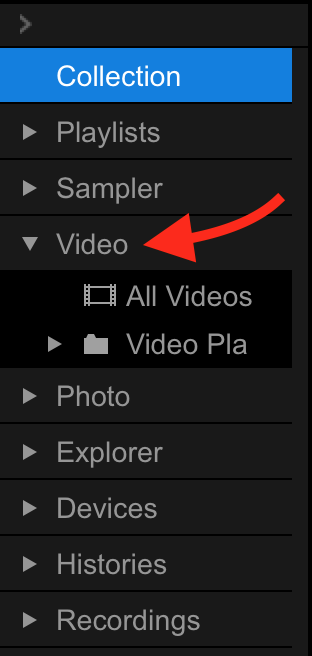
Click Videos to open it, then click the All Videos line and you should be able to see any videos you've previously imported, or add new ones by drag-and-drop, or by using the File > Import functions.


Ações de comentário