
Comentário oficial

Try this...
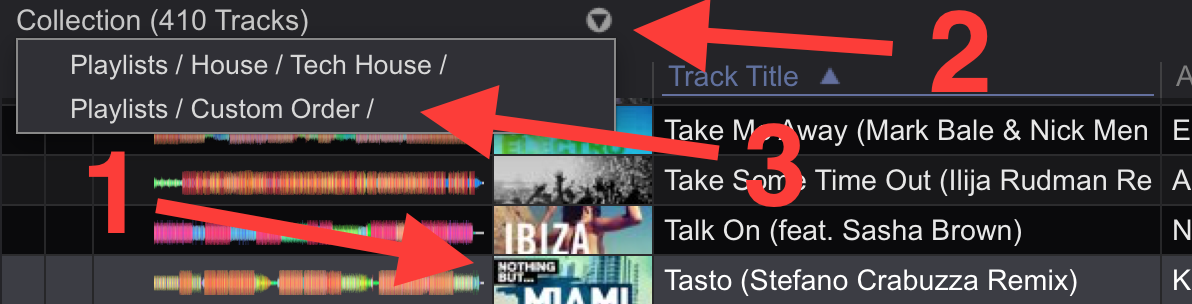
1) Click a track
2) Click the drop-down to see which playlists the track is in
3) Click that playlist name and you will go to that playlist with the track already selected; click delete.
Really, it's only one additional click from what you're asking.
For your second question - yes; but you need to ensure that every song in your collection has at least one tag (this is a quirk with regards to intelligent playlists).
First, select all tracks, and create a tag (you can call it In Collection) and tag all songs.
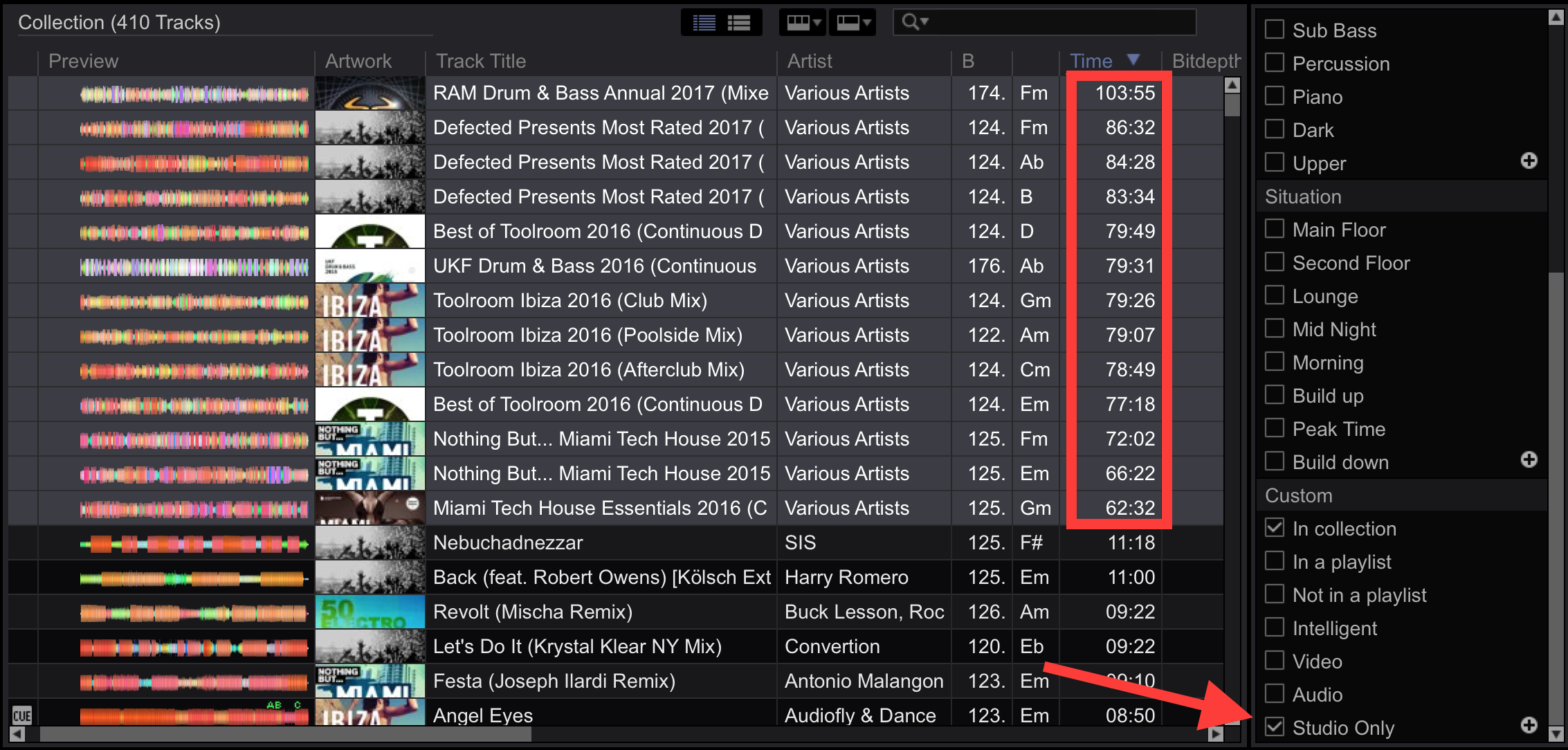
Next, create a custom tag Studio Only and then tag the files. Here, you can see I'm tagging all mixsets as Studio Only.
Now create an intelligent playlist with the criteria "My Tag does not contain Studio Only."
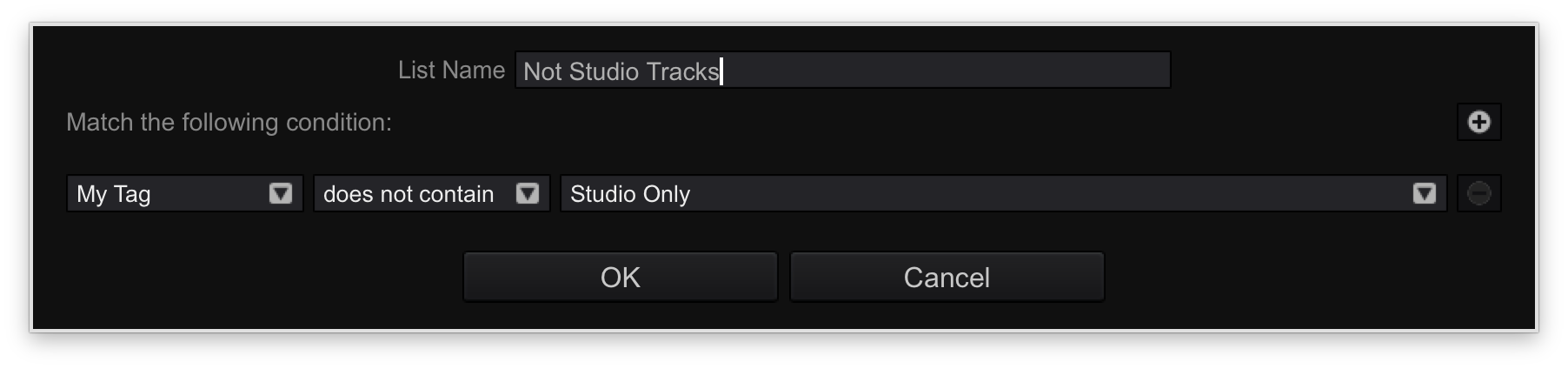 Here you can see my "Not Studio Tracks" intelligent playlist has 396 tracks; that's down from the 410 in my collection.

"But Pulse!" you say, "You selected 13 mixsets and 410 minus 396 is 14!" You are correct; there is also 1 video in my collection of 410, and as we all know, rekordbox doesn't currently allow for mixed-media playlist.
So there ya go; all of your non-studio tracks in one playlist... but you may want to use other criteria as well since there are limits to the number of tracks you can store in a playlist (intelligent or otherwise).


