Have a feature request or suggestion? Post your idea here!

Publicação

5 seguidores Seguir
0
Avatar

Rekordbox playlist export to USB suddenly extremely slow

Hello,

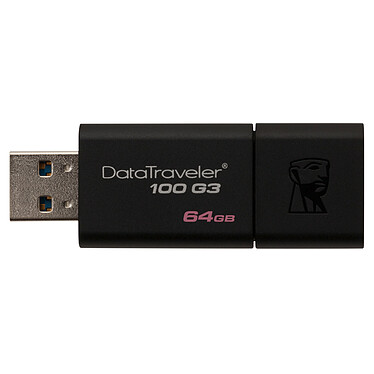
I have 3.1  32MB Kingston USB sticks, files transfer are very fast on these both mac and windows. Export from RB to these USB sticks was fine to recently. All of a sudden, this is not the case. To edit, delete or export takes extremely long time. The sticks still work fine in normal file transfers.

I purchased these 3.1 USB sticks only for the purpose of not wasting time transferring playlists and editing playlist as with old 2.0, and there is no difference if not even WORSE in Rekorbox. I took me now 30mins to delete 90 tracks!

My system RB DJ 4.3.1, MacOS Siera 10.12.4

What is going on please? Any updates to expect or that I must do?

Thank you,

Maria


Maria K Respondido

Comentário oficial

Avatar

Can you tell me which model of Kingston drive it is? Just because a drive is of USB 3.1 standard, doesn't mean it necessarily has fast read/write speeds for masses of small files - this is typically where many drives fail to shine, and this small file management is what's happening when the collection is being updated on your export drive.

Also, let me know what format the drive is - FAT32 or MacOS (HFS+)?

My first recommendation would be to try reformatting the drives and export all the contents anew. See if subsequent exports / edits suffer the same problem.

Pulse
Ações de comentário Permalink

Publicação fechada para comentários.

16 comentários

0
Avatar

HI Pulse,

thanks. The format is MS-DOS (FAT32), so I should reformat to MacOS then I suppose. I never paid attention to that. I use the USBs on different Pioneer CDJs in clubs from 850s to nexus2000 for an example , and my xdj rx at home. So of course, one question would be if reformatting would affect playback on pioneer CDJs.

The exact Kingston USB model is DT micro 3.1 32MB (http://www.kingston.com/datasheets/dtmc3_en.pdf)

The funny thing is that I came upon a forum where there was a similar query, data transfer was once fast, and now all of sudden slow and that it has something to do with analyzing tracks and exporting at the same time. I tried turning auto analysis under track menu off but no change. I do notice that when the device (USB) shows in RB, it takes time to scroll up and down a playlist , click on another playlist, transfer songs between playlists etc... and this was not occurring before. I tried changing the display such as dis-activating the preview and artwork but no change. It feels like RB is analysis the tracks on the USB?

Thanks Pulse.
Nice day,

Maria

Maria K 0 votos
Ações de comentário Permalink
0
Avatar

Yeah, looking at the specs for that drive - it's listed as having 15MB/s write-speeds, but real-world testing reviews I found for 4k-256k files seemed to be down in the 2-3MB/s range, which is painfully slow... so yes, these small "shard"-style drives are convenient, but they're seldom speedy.

Yes, if you're browsing the tracks from the drive within rekordbox, it has to read the analysis from that drive - it doesn't keep a copy internally for speedier browsing.

No, there's no problem in reformatting to HFS+ for use with Pioneer DJ products.

Pulse 0 votos
Ações de comentário Permalink
0
Avatar

From personal experience using HFS+ increases not only the transfer speed to USB but also the loading time on CDJ's. I currently carry one HFS+ and one FAT32 formatted stick and the difference is extreme when it comes to both. As you wrote above just deleting a few tracks takes minutes on the FAT32 and instant on the HFS+. While playing on CDJ's, the FAT32 stick have a loading time of about 2 seconds per track, the HFS+ loads instantly.

So why even carry a FAT32 stick? Well, some Pioneer products doesn't play along all that well with HFS+. I've had problems on several occasions with the XDJ-RX, using a FAT32 stick solved them instantly. See linked thread below...

https://forums.pioneerdj.com/hc/en-us/community/posts/206024943-XDJ-RX-USB-reading-issues

The Henrik Maneuver 0 votos
Ações de comentário Permalink
0
Avatar

Hi,

I just tried the reformatted HFS+ on my RX, and it went well. Transfer speed of playlists last night was about 7-8MB/sec, which is a big improvement to what I was dealing with before. I took about 25mins for 8GB, I still feel it shouldn't take more than 10mins and that it was faster before I upgraded and changed the way I manage music in RB.

So thanks for the reformatting tip, at least I have increased the transfer speed, and by the sound of it, loading time on CDJs which I have to try.

I wonder if the transfer speed is affected by how the music is imported into the RB library? Before I kept the music in the same folder as the PioneerDJ folder on my Mac in Music. I have purchased a WEGO4 for mobility and ease of use with iphone and ipad with the WEDJ app, but then this new app will not load music from the rekordbox app but itunes. So I have deleted all of my music, loaded it to itunes, and from itunes imported it into collections. I manage it in RB, and then export the playlist back to itunes so it will work with WEDJ. Not practical at all. Nonetheless, I feel that since then, transfer speed has slowed to USB . Could this be true?

Thanks for the reformatting comment. Helped me save my mac from smashing it against the wall ;)

Good day to all,

Maria

(on a side note:  to the developers of WEDJ, it would be great if you enable us users to pull from the Rekorbox app on our phones and tablets, rather than using different music management software for different applications and hardware. To us users that use RB to manage and prepare our music, now we find ourselves moving everything to itunes, not practical)

Maria K 0 votos
Ações de comentário Permalink
0
Avatar

Glad to hear the reformat worked - let us know how it goes down the road.

The request for the ability to load from rekordbox > WEDJ has been made several times, as it mitigates the need to have the app analyse the tracks, but I'm sure there's a reason it wasn't designed this way.

Pulse 0 votos
Ações de comentário Permalink
0
Avatar

Hi Pulse, yday I used my reformatted USBs with CDJs850... every other song was skipping beats. Could this be due to the HFS+ format of the USBs? Also took some time to load the USBs. First time I used CDJs850 since reformatting. Have been using NEXUS2000 and Xdj RX with no problems.

Tks,

Maria

Maria K 0 votos
Ações de comentário Permalink
0
Avatar

I doubt it was because of the file format - if it was slow to export AND had problems with playback, I'd suspect the USB drive is at fault. What is the make / model of that drive?

Pulse 0 votos
Ações de comentário Permalink
0
Avatar

Hi,

the USBs are 3.1 Kingston datatraveler micro 32MB (https://www.kingston.com/datasheets/DTMC3_us.pdf)

Export was painfully slow from RB, but regular data transfer was fast as expected. I reformatted to HFS+ and export from RB was a lot quicker. Both USBs worked fine on Nexus2000 and XDJ RX.

I just erased everything and reformatted to HFS+. I remembered that RB crashed while I was exporting a new playlist and that may have corrupted the USB sticks? I'll try them again on the CDJs 850 soon.

If the problem persists I'll get in touch again.

Thanks.


Nice eve,

Maria

Maria K 0 votos
Ações de comentário Permalink
0
Avatar

@The Henrik Maneuver I've the same issue, it is extermly slow, it moves 1% every 10-15mins. I just formatted USB to HFS+ (Mac OS Extended Journal) and it is faster, yet not the speed it should be. as I'm copying only a quarter of the full playlist.

I've read from you other article you are using FAT and HFS+ as it seems different CDJs supports different types.

Whats your recommendation here to make exporting faster and ensuring you plug and play without any issue?


Saqer Ja 0 votos
Ações de comentário Permalink
0
Avatar

@Pioneer> you still didn't solve the issue, since there is no straight answer either share a solid hardware specs for both USB and laptop to know what is compatible from both sides or have the software RB compatible to more formats, OSs and hardware. 


Saqer Ja 0 votos
Ações de comentário Permalink
0
Avatar

hi,
Is the HFS+ file system supported from all other CDJ model with USB feature (350,1000, 400, 850...)?

In case I could try to switch to this file system, rekordbox 6 export is really slow.

many thanks

tabache Tabanelli 0 votos
Ações de comentário Permalink
0
Avatar

@tabache > Yes, HFS+ is supported on all players.

What's the make / model of the USB drive?

Pulse 0 votos
Ações de comentário Permalink