Have a feature request or suggestion? Post your idea here!

Publicação

2 seguidores Seguir
0
Avatar

Itunes files missing in rekordbox

Hi, 


I looked high and low so I wouldn't have to post but here goes: 


I had to set up my iTunes library twice on a new laptop and installed and used rekordbox  4.3.1 after the first install and it worked fine.  I was able to even output music to a usb drive (some "media file missing" which I think is a different problem).  

Since then I had to start my iTunes library over and it is working properly wnow however when I pull up rekordbox last to update my lists on the usb drive, I didn't realize the files were missing at that time and did a sync, and I guess it deleted a bunch of music off the usb in the same motion.   

Now as I'm trying to sync my usb drive I realized my iTunes wasn't syncing to rekordbox and discovered my files were all missing.   I tried the relocate function but couldn't get it working properly.  All my iTunes playlist populate and the files show up but without the analyzed waveforms. As I click on any track the orange exclamation point displays for each track.   Can you help with this please?  I have gigs I need to push songs out to the usb drives asap.  Thanks. 

JosephGETTRIGHT

Publicação fechada para comentários.

7 comentários

0
Avatar

If you look at the location path names.. the Gettrightpro is actually suppose to read gettrightone.  I'm not sure where its getting this xml path at this point because My iTunes work normal as I can I tell.  and I deleted and reinstalled rekordbox twice now including deleting the pioneer folding in the user/gettrightone/library folder. 


JosephGETTRIGHT 0 votos
Ações de comentário Permalink
0
Avatar

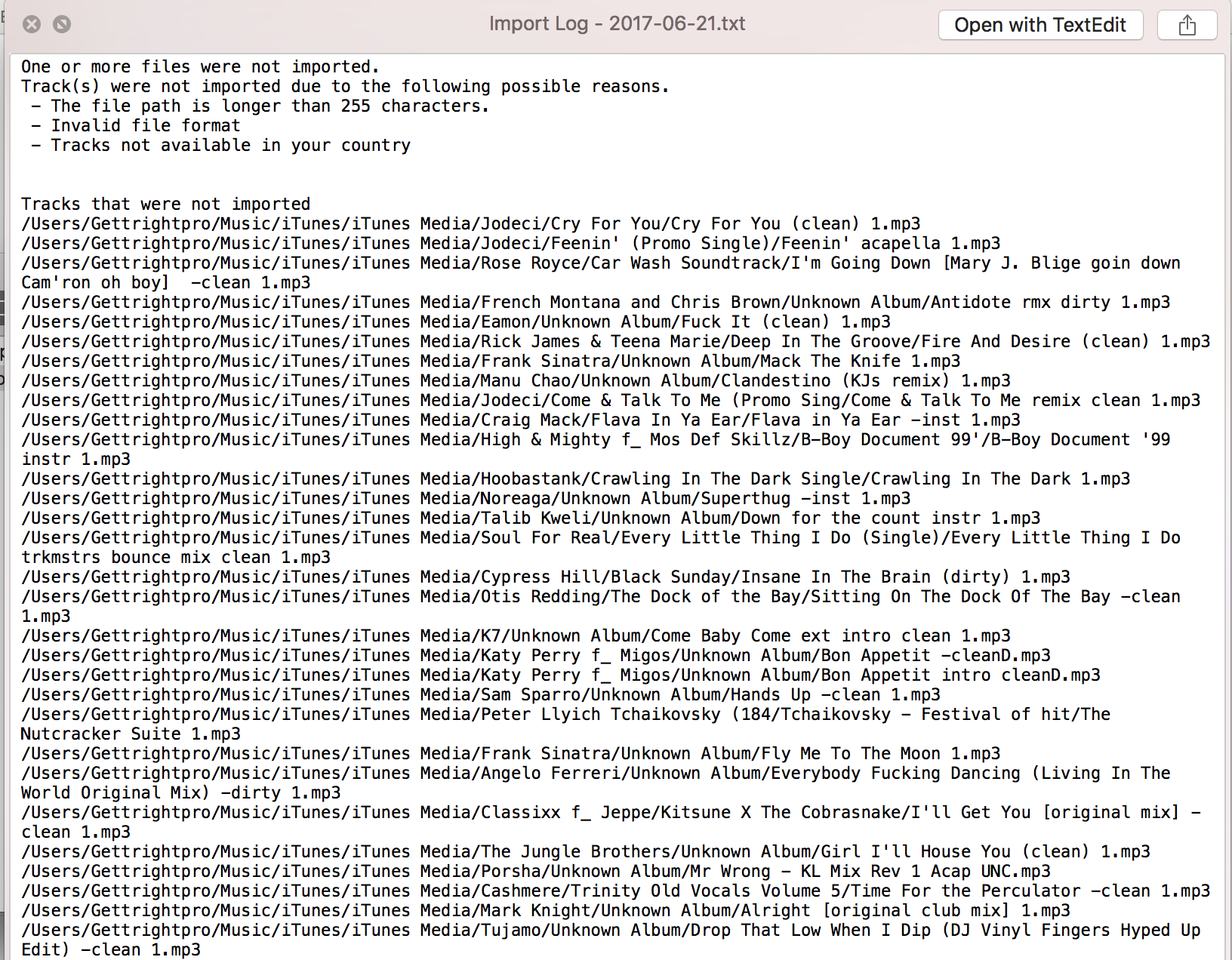
As I try and refresh the library, it keeps saying files not imported and gives me this log.  Every song in my library did not import. 


JosephGETTRIGHT 0 votos
Ações de comentário Permalink
0
Avatar

Anyone?  I would think this is an easy fix and someone can direct me where to go to relink all my files or change the xml file so it will relflect the proper paths to my files.  


JosephGETTRIGHT 0 votos
Ações de comentário Permalink
0
Avatar

Why are you trying to re-import songs that are already in the collection?

What happened when you tried the relocate function?

Pulse 0 votos
Ações de comentário Permalink
0
Avatar

I wasn't trying to reimport songs into rekordbox. I had to replace the library as if it were new to itunes within my new laptop. Because i dragged over the .itl and .xml files from my preexisting laptop, the file paths read as "user/gettrightpro...."  instead of "user/gettrightone..."

However I have figured out where to preferences are to dictate to rekordbox where the library actually is and it had to reanalyze almost 23k files with the correct paths. I basially took the old files that were in theory missing and deleted them.  


My other issue is  when i removed playlists from my drive, the playlist would still show on the usb (as grayed out) but not have any tracks as they were removed.  It was acting weird and not consistent.  I'm not sure If i'd be able to duplicate this again but i can try. 

JosephGETTRIGHT 0 votos
Ações de comentário Permalink
0
Avatar

So here's what happened - when rekordbox read the iTunes files, it brought the duplicate entries (or tried), but denied it because the source was the same.

If you're talking about an export USB device, my advice would be to format it and re-export your contents.

Pulse 0 votos
Ações de comentário Permalink
0
Avatar

I deleted everything on the USB and started again, waited for the songs / playlists to repopulate which took hours.  On the CDj it seems to work fine with the exception of not remember cue points I've set AND, when I plug the drive into my laptop to sync music again, it tells me it wants to delete songs which playlists have been delete from but NO playlists have been deleted since I've started over last.  


Can you help?  I'm using a Mac and don't have a windows based computer to reformat in the dual windows / Mac useable format so I prefer not to reformat that way.  

JosephGETTRIGHT 0 votos
Ações de comentário Permalink