
Did you install the software and drivers after updating to High Sierra, or before?
Ações de comentário

Ok,
Bought the DDJ-RR and downloaded Rekordbox and all on my Macbook (High Sierra, 16gb Ram 2.4 Dual Core, 512 GB SSD).
Ran Rekordbox, Activated with Rekordbox Dj, setup to play out to my Mac for now since I didnt have my speaker at the time. Later on when I wanted to output to my speaker I could not for the life of me get it to do so, no matter what I did it pushed sound out ONLY through my Mac. The Audio settings show Built In Output and doesn't give me another option. I read somewhere online that there is an option to toggle this on the main screen and I do not see anywhere where to do this. I was suppose to swap over to Rekordbox DJ from Serato but this is seriously giving me some issues, Can someone please help me out. I'm legit pushing sound out through my Macbooks headphone jack and it looks SOOOO UGLY!!!


Publicação fechada para comentários.
Did you install the software and drivers after updating to High Sierra, or before?
Hello, I installed software and drivers after updating to High Sierra. I noticed from the Video it shows that the RR is connected and shows as an audio device, in my mac it does not. Although it shows up in my MIDI studio? I will test more as soon as I get home today.
Cool, let us know!
Alright, after getting some feedback from support and doing some of my own research I found the issue. For starters I did not have the latest DDJ-RR Software installed:
Get that here:
https://www.pioneerdj.com/en-us/support/software/
Secondly make sure when you install for Mac and you are on High Sierra that you allow the driver to actually work. MacOs(High Sierra to my knowledge at least) has a security policy that will block Pioneer Dj from running the installed software:
Please read here with instructions what to do:
Once both were completed the DDJ-RR worked perfectly and sound came out from the unit itself with the option to push out my Mac. Hope this helps for anyone that was as clueless as I was!
@Eddie > Indeed, that information is provided on the download page:
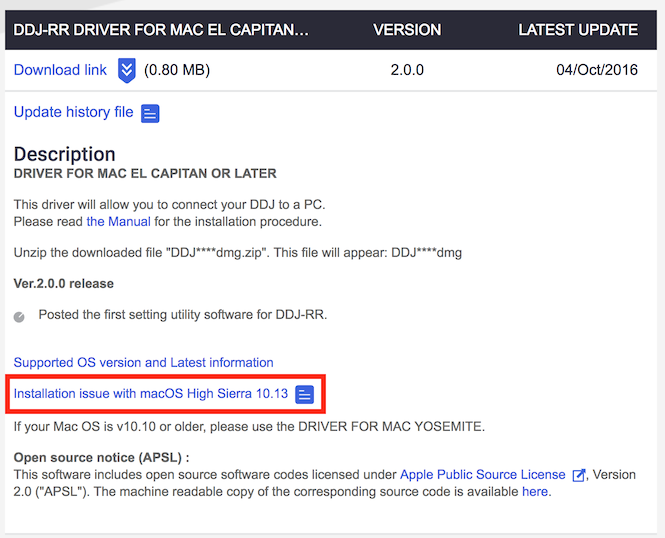
The linked document outlines the steps required. If a user receives that security warning, that's a pretty good indication that the drivers were not properly installed.
Absolutely, I figured it was as easy as plug and play but clearly I missed out reading the instructions, but thats user error on my end, so far everything is running great with Rekordbox DJ and my DDJ-RR! Thanks Pioneer!
Glad you got it working, I also posted that for any others who stumble across this topic. ;) Thanks for writing back.

i've got the same problem on my cdj2000nxs2, please help.. what do I need to download for it in order to work?
P.S im on a macOS catalina 10.15.2
@Son > Unfortunately our product team has not yet completed the verification for the CDJ-2000NXS2 with Catalina (please see the news announcement here), we hope they will have support announced soon.

