
I have "only" 8 GB of RAM. Could this be the cause of my problem (so I do not experience any break in the video) ?
Ações de comentário
Hi everybody.
I am trying rekordbox video in trial to replace an other app for clips mixing.
I have bought a new gamer pc in order to have best berformances : Core I7, 8Go RAM, SSD, Geforce 6Go.
hen i am in fullscreen mode, i can't use menus on the app : no menu and n option of the videos. When I clic, we guess the window, but we can't see the options. It's like if the window is back of rekordbox. Even when I do "F4" in order to leave the app, the window is not visible.
i tried to show it whith screen capture :
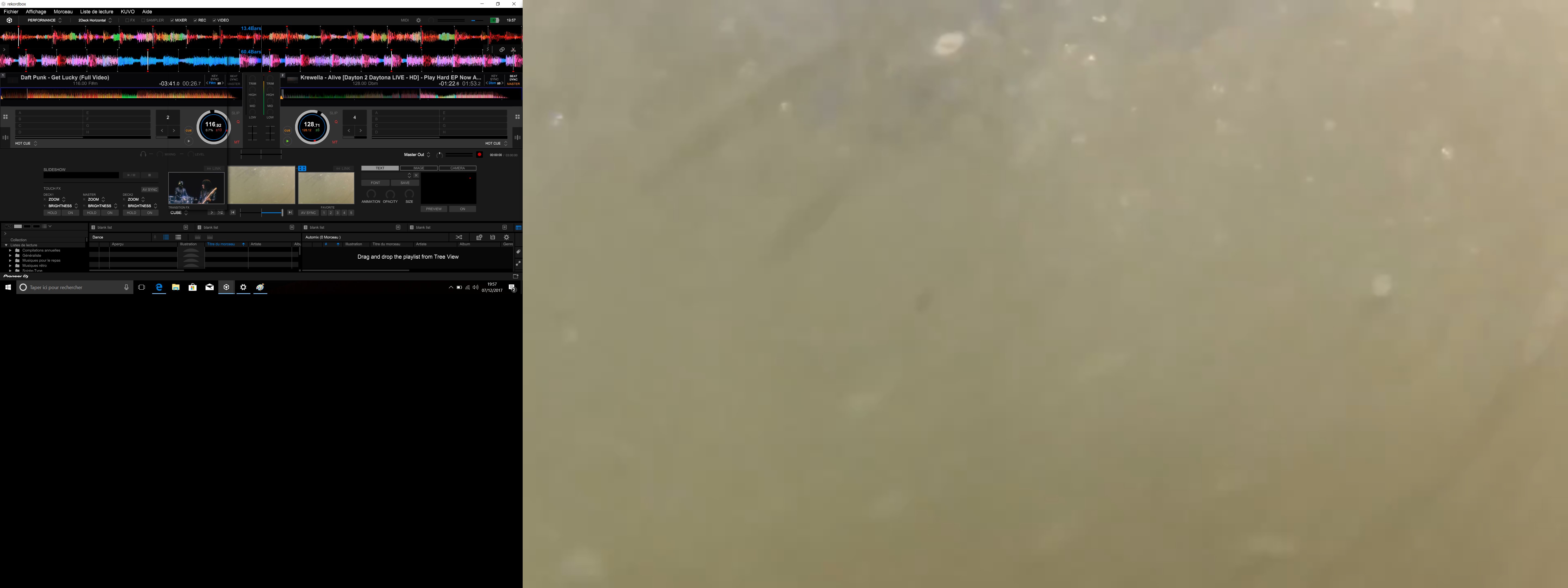
on this screen, i tried to click on "transition fx" on the left : we guess the window
on each side of the left return on video.
It does the same with each menu/option and each menus on the topof the app (like "fichier, etc.").
How can I do ?
Publicação fechada para comentários.
I have "only" 8 GB of RAM. Could this be the cause of my problem (so I do not experience any break in the video) ?
I found the solution !!! in fact I connected my PC sen HDMI on my 4K TV. And my graphics card took the best resolution possible. By forcing the output resolution to 720p (which is more than enough), my menus are visible again! Lol, I made the question and answer on this topic, but if it can help someone ...
and it's not normal that RB reacts like this... so it needs a correction

Well... it's surprising that forcing it to 720 is showing them, as the minimum resolution is 1280 x 768.
if I connect the pc via the hdmi in 4k, I do not see a menu. If I connect to a TV in 1080, I see only part of the menus (still unusable). If I force the output resolution to 720p, I have access to the menus.
I can reproduct the problem as i wish
So ? no correction ?
Still on the list for updates, thanks for your patience.

still not working