"Invalid operation. To retrieve set location to save the recorded file in"
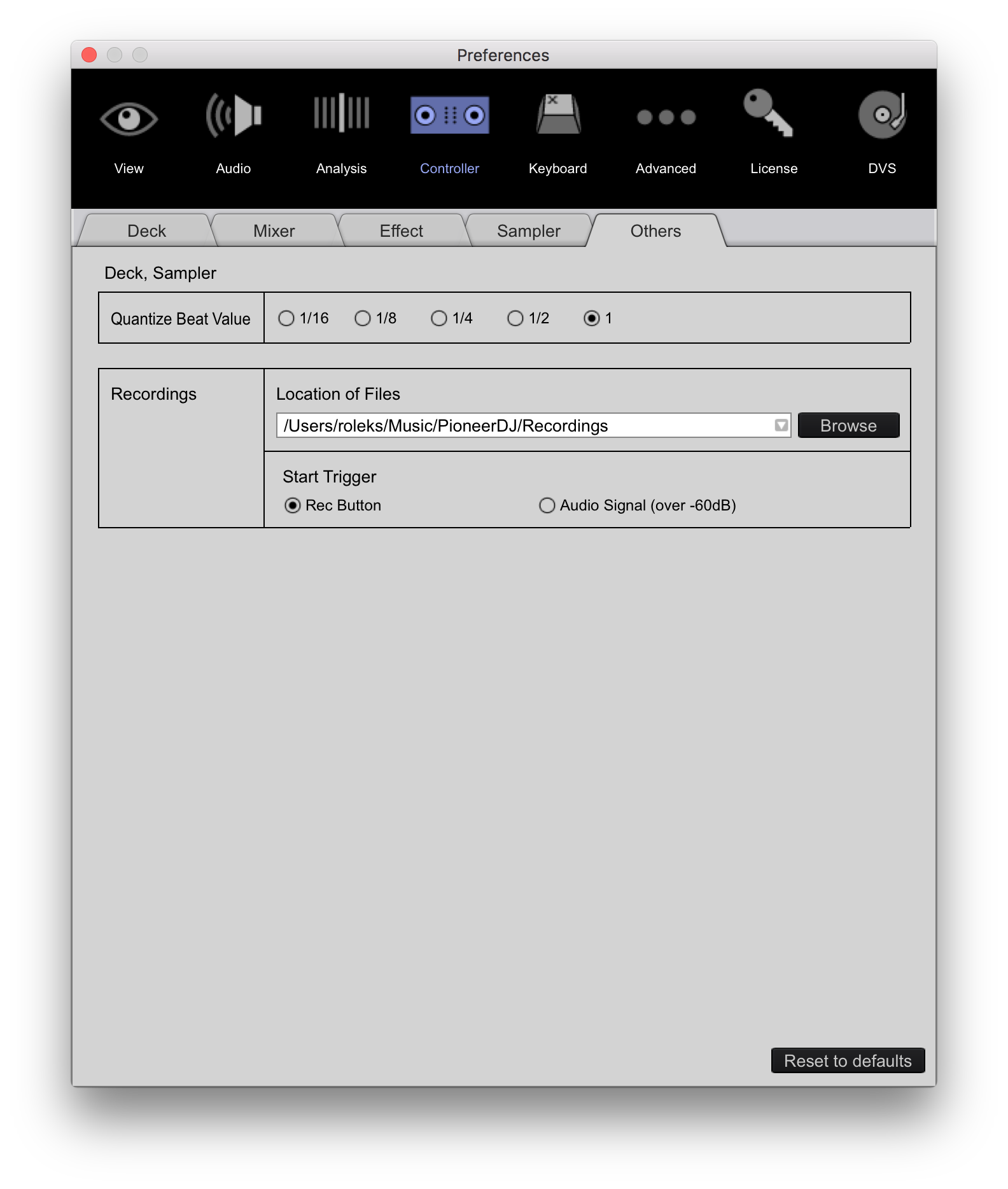
I'm on Mac but I think it's the sam on Windows... Go into Preferences\Others\Recordings and set location to save the recorde file.
I am unable to record a mix using Rekordbox version 4.1.1.
When I click the record button a red bar appears at the bottom of the screen saying:
"Invalid operation. To retrieve set location to save the recorded file in"
I then go into the settings, audio section and click the "Setting Utility" of the Input channels. A message appears saying "Selected audio device does not have a setting utility". The selected audio device is a Pioneer DDJ-SR. Everything else works fine.
I am running Windows 7.
Any suggestions?
Publicação fechada para comentários.
"Invalid operation. To retrieve set location to save the recorded file in"
I'm on Mac but I think it's the sam on Windows... Go into Preferences\Others\Recordings and set location to save the recorde file.

Hey thank you for your suggestion. I feel like I did get a bit further - before it wouldn't drop anything in the location I specified there, but now it is writing an audio file. However these files are empty.
The recording level is not showing any indicator of a signal when I play. The dropdown next to the sampler is set to "Master Out", which is the only available option.
I have a feeling there is some problem with Rekordbox enumerating the USB audio devices....
-Sid
the record option is good but is not recording well.... is having miss jumps - while i listen the last 3-4 recording i did was a queasily- it was quite annoying and i need it to switch to other platform to record it all over again.
same problem after the update to version: 4.1.1
1. recording sounded like there was a latency problem which was not there before on the previous versions. unable to record good sessions now. bad qt.
2. he master output pre-listening switch on the wego 3 has the same issue.