
I have the same Problem at Rekordbox 5.4.0 and the DDJ-XP1. The function is OFF and its not possible to override the Slot
Ações de comentário

not working ! even not with Preferences -> Controller -> Sampler -> Do not overwrite loaded slot = OFF
Publicação fechada para comentários.
I have the same Problem at Rekordbox 5.4.0 and the DDJ-XP1. The function is OFF and its not possible to override the Slot

Can I ask how you're calling the sample to that slot? Drag & drop or ...?
If i add it with the Mouse it works - but with the XP1 it did not work. So during a life session its very bad to use the mouse to overwrite the slot and it needs more time as with the SHIFT+PAD option.
So please fix it soon (AND ALSO THE OPTION TO SAVE A SAMPLER BANK)
i'm working with RB 5.0.4.problem is still there. The soluition should be: SHIFT+PAD should overwrite the slot. even if there is another sampler stored ...
You know SHIFT+PAD is to stop playback, right?
>You know SHIFT+PAD is to stop playback, right?
yes in case the sampler is running.
a Szenario could be: for setting a sampler out of a track (on specific deck)
* defining a loop over a few beats
* Shift+Pad to store the loop as sampler (overwrite if pad-place is occupied)
in case sampler is executing at this time - stop sampler. nice would be if stored sampler would be set to playmode: Lopp (not oneshot)
tnx ;-)
>> You know SHIFT+PAD is to stop playback, right?
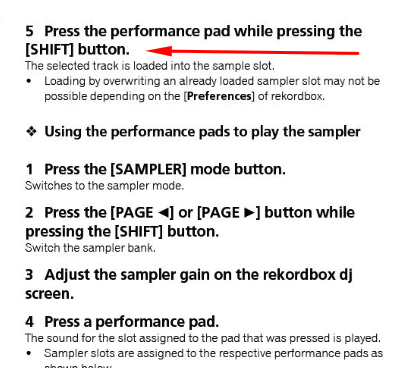
But you know, that SHIFT+PAD add new Sample on a Slot?? In your manual is "Press pad and Shift to load a Sample to Slot" - so there is no other option to add a sample on a slot to overwrite an existing sample in the same slot. Yes, SHIFT+PAD is also the function to stop a slot. So you see - HUSTON WE HAVE A PROBLEM!
not realy - because shift+PAD to stop makes sense only when sample is running.
and shift+pad works now, as long as the place is empty. so the only change would be, that if there is a sampler, this would be replaced ...

I have this problem too, on Rekordbox 6.0.4 for Mac. Drag and drop works.

