Looking for help to get some live streaming going again. I used to be able to do this, but with upgraded software and OS, I'm beating my head against the wall.
I've tried two methods:
Method 1) 2 computers - this would be my preferred method and is how I used to be able to do it
Using my normal MacBook Catalina 10.15.3 + Rekordbox 5.8.4 + DDJ-RR setup;
then a 1/4" to 3/8" from the booth output to headphone / line in jack on a 2nd Mac running OBS. Also tried RCA to 3/8" out of the Master.
No matter what I do, I can't get Computer 2's OBS to recognize the line in from DDJ-RR as audio source. It just picks up through built in microphone. It sees it as a line out in Output under system prefs, but not as Input.
I tried a number of troubleshooting tips per OBS forums, including launching from Terminal, granting microphone access; installing iShowU, nothing seems to work.
Method 2) 1 computer
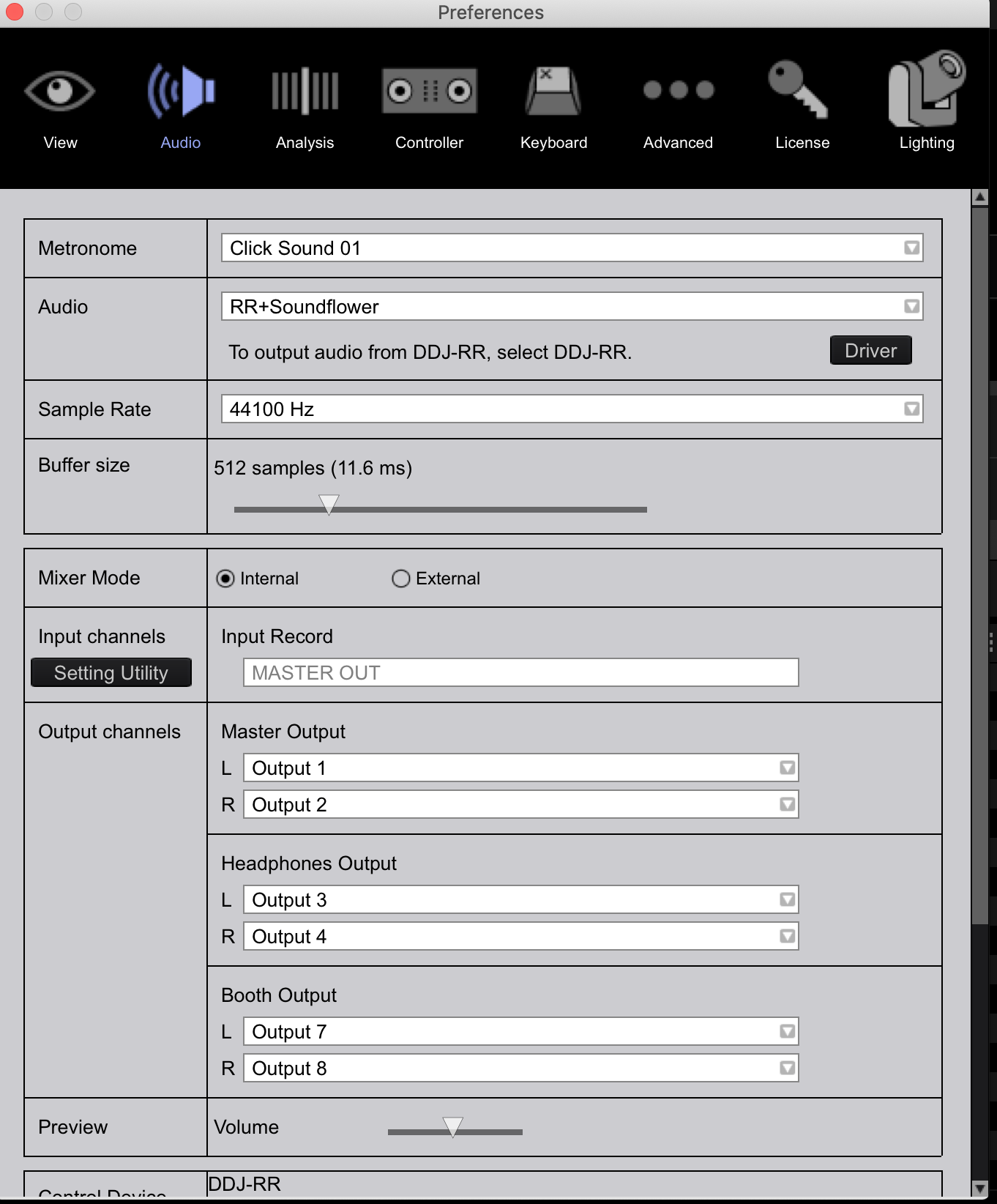
I followed this guide and this did work as far as getting OBS to pick up the Master audio coming from the RR+Soundflower aggregate device; however, every time I hit the Cue button to hear what I want to cue up on the other channel, it plays through the Master sound, even though the volume is all the way down on that channel's fader.
DJ set up / Computer 1 specs:
- OBS 24.0.6
- MacBook Catalina 10.15.3
- Rekordbox 5.8.4
- DDJ-RR
- Logitech HDPro Webcam C920 connected via USB
Broadcasting Computer 2 specs:
- MacBook Catalina 10.15.3
- OBS 24.0.6
- Logitech HDPro Webcam C920 connected via USB
- iShowU Audio - was a recommended "fix" I toyed with but didn't have any impact
(screenshot is of settings in 2nd Method)
Please, help!

