Have a feature request or suggestion? Post your idea here!

Post

3 Follower Folgen
0
Avatar

Disabling "sorting" once it was activated on a column

Hello community,

wondering if anyones knows how to disable "sorting" once it was activated on a column.

That "blue" arrow keeps re-ordering the tracks...

I would like to disable it and allow manual ordering again.

Thank you for your time.

Omar Perez Beantwortet

Offizieller Kommentar

Avatar

@Omar > There is no "default" sort order when in your collection like there is with a playlist because there is no "order number" like playlists have.

Sort it by some criteria, be it song name, BPM, key, date added ... anything, but it will always have at least one sort applied.

Pulse
Aktionen für Kommentare Permalink

Post ist für Kommentare geschlossen.

4 Kommentare

0
Avatar

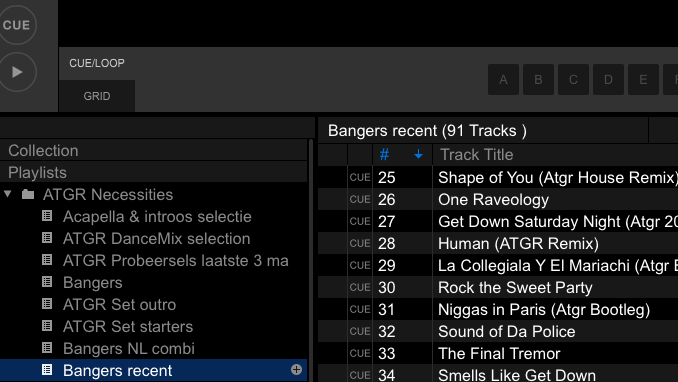
sort on the "#" make sure you got it in the front of your tracks (you can re-order the column header).

MixMasterG 0 Stimmen
Aktionen für Kommentare Permalink
0
Avatar

Hi !

Thank you so much for your help.

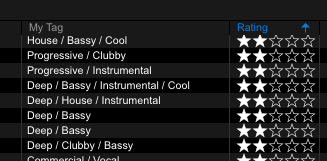
But in my case, the scenario i find myself in is when i enabled the "sorting" using any other column but the one you chose on the screenshot.


Is there any way for me to disable it in the following case below, and not in playlist but when i'm in "my collection"?

Omar Perez 0 Stimmen
Aktionen für Kommentare Permalink
0
Avatar

Alright "Official comment". thank you so much for chiming in.

Now i understand the logic behind it.

Omar Perez 0 Stimmen
Aktionen für Kommentare Permalink