Did you ensure that any old drivers were first removed before installing the new 1.3.0 driver? In the 1.3.0 installation disk image there is an uninstaller tool. Try that, then reboot, then run the installer again.
Hello
I updated my Macbook Pro Retina 13" to OSX 10.11.2 today after reading that the updated drivers were available.
I own a DJM-5000, and I can't get any audio to play after the update and having installed the new driver. iTunes and Traktor just won't start playing. I tried YouTube through chrome, it will play but it no sound on the DJM.
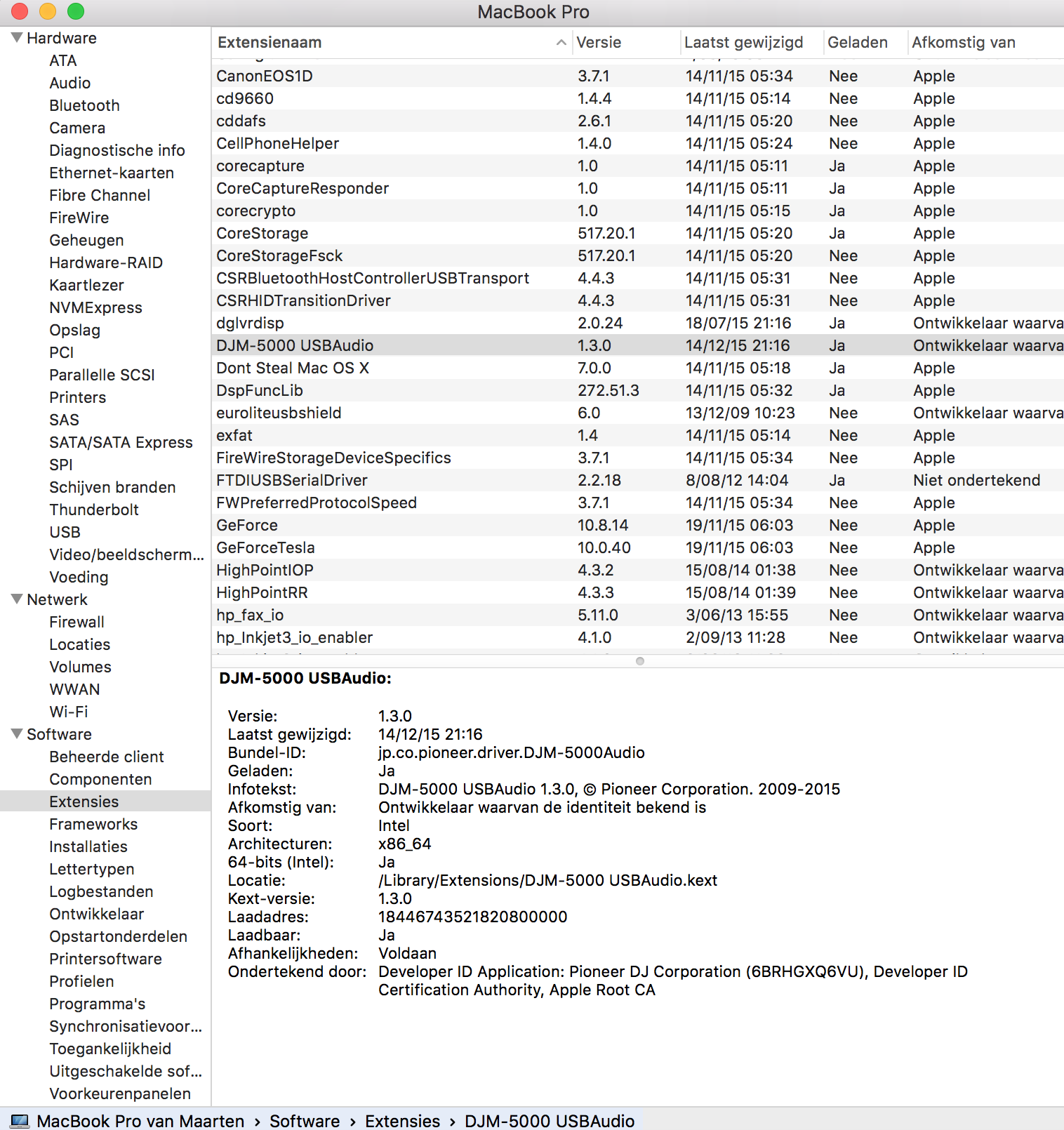
I can select it as an audio device and it's visible in the 'Audio/Midi config' utility. I attached a screenshot from the device info ...

Any help?
Post ist für Kommentare geschlossen.
Did you ensure that any old drivers were first removed before installing the new 1.3.0 driver? In the 1.3.0 installation disk image there is an uninstaller tool. Try that, then reboot, then run the installer again.
I figured out part of the problem. If I plug the DJM's usb connector directly in the MacBook it works. But in my flightcase it's connected through a USB 3.0 Hub because the MacBook only has two usb ports and I also need to plugin other hardware.
I tried switching USB hub's but that didn't work either.
@Maarten > I know that audio devices such as the DJM-5000 are recommended to be connected directly to the computer rather than by a USB hub, if I recall, it even suggests this in the manual.
It used to work under Yosemite ... I know, Native Instruments recommends the same thing, I also need to attach an external hard drive and a usb-to-dmx controller. So ... two usb ports short there ...
Sorry, I don't know, all I can tell you is what the engineers recommend and you're reinforcing that by telling me that it works when connected directly and not via hub.