
it's probably exporting all the new CDJNXS2 data for each track...
Aktionen für Kommentare

using Mac El capitan and everything was fine before 4.0.6 - its the first time for exporting since and it appears to be exporting as if it is a new drive - i have loads of data so its taking forever is this normal ? i have a gig tonight and no way the new tracks will be exported in time... and i have 2 drives! anyway of speeding this up? why is it treating the drives as new drives and exporting everything again..
if someone can move this to rekordbox as i cant now. thanks
Post ist für Kommentare geschlossen.
it's probably exporting all the new CDJNXS2 data for each track...
yeah i figure it is... but thanks for the warning Pioneer.. ha
Ok for anyone else it appears that once you add additional analysis info to all your tracks ready for the NXS2 even if you dont have any.. the export after then seems quicker. still transferring alot of data but no where near as slow..

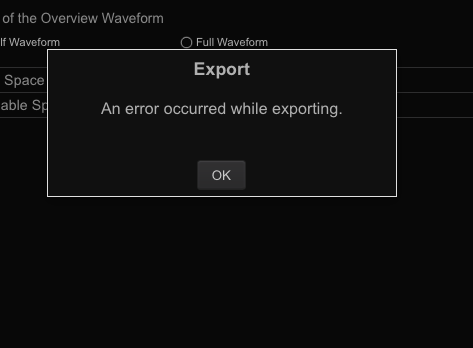
my sync won't even finish now, i keep getting the following error with no explanation why

Correct; if you have re-analysed your tracks, it will be exporting that new data (a lot of small files) to support the new CDJs.
Sorry there is no indicator as to the amount of time an export will take as the speed is based entirely on the write speed of the USB device to which you are exporting.
@BriChi > I wish they were a bit more detailed with those errors, but I do believe it logs that somewhere. I'll see if I can find out where (if it does).
Pulse just an FYI, On the flash drive info in Rekordbox I changed Waveform color to RGB and overview to FULL and then it exported everything fine. Not sure why that would matter but its working ok now after that change
Ok as it said add new information rather than analyse i thought
all my beat grid etc would be ok but i def noticed it changed
alot of my tracks like a dynamic track was amalysed in normal
etc. Please say that is not the case and if it is how can i revert to the last backup
before i added the new info? As i dont have nxs2 can i get away with not adding that
new analysis data..
@Gary > Unless you re-analysed your collection, it would not have changed a dynamic track to normal.
If you want to restore to a previous database version, you can recover PROVIDED you have not closed / opened rekordbox more than 3 times. If that's the case, let me know and I can provide instructions.
Hi Pulse thanks - so if it did not analyse tracks again fully ( like normal / dynamic. ) does it do anything to the beatgrid at all? I def had tracks that were fine before acting out of sync to the start beats of the bar... back to the restoring i only have one backup in the Library location.. MAC you mentioned 3 times does rekordbox auto backup the DB on intervals or is there only one previous.. the one i have is after the add additional analysis task.. is there another location or backups avail?
If you can def confirm the beatgrids / start points dont move then i am not sure what is going on. hence wanting to revert and maybe try turning off RGB on the export settings..
Appreciate this

at least a warning before updateing would be nice Pioneer - happend to me the same way as Cary Stewart - 2 hours before gig I changed the last things in a playlist and synced my 188GB library.... took the system 2 hours! I started my live set with my backup hd - (not synced). PLEASE info next time upfront - thanks!
It's also worth mentioning that it is generally a bad idea to update anything, operating system, apps etc just before a gig....
This is true... however as it was not a major update i assumed it would be ok.. as with many others i expect. If anyone else is noticing differences in the beatgrid after the add additional analysis let us know.. i def had loops out sync when quantize was enabled on tracks i never had issues with... and if there are more than one auto backup as i would like to revert to see if that helps the issue. sadly i only see one backup -

I haven't tried 4.0.6 yet and reading here about possible modifications to the beatgrids and analysis failing I'm less and less keen on trying it.
However, let's say that I want to try it (after manually backing up the collection obviously), my question is: can I run this analysis for the additional data without unlocking the tracks? All my tracks are locked and I'd very happy to leave them that way.
Second question: I do not have nexus2 and I definitely don't see them coming to my desk anytime soon, therefore do I need to run this additional analysis? What are the pros/cons of running it / not running it?
@Gary > Not sure why you would only see one backup in the library location; rekordbox keeps 4 versions, the active version plus 3 backups.
Grid position does not change if you change to RGB or full waveform.
@Julia O > There's no difference either way, you'll either do it now or later.
Ok then maybe i have the wrong library.
I have my master database on an external drive. but i was looking in mac HD \Library
is it in the other library path users\me\library? i will look in both places and see if i can find more than one somewhere. thanks
@Gary > If you have put it on an external drive, you'll find it there and not in the user's library -- and the folder is hidden. Try opening a Finder window, navigate to the external drive, then on the Finder menu select Go > Go to Folder... and type .PIONEER/MASTER (including the . before PIONEER). There you should find datafile.backup.edb (as well as 2 and 3), check the date/time stamps on them to figure out which one you want to restore. First rename your datafile.edb as datafile.edb.current and then rename the backup to the master datafile.edb and re-launch rekordbox.
perfect! ok will rename old backups.. then backup my existing one and restore - so i can compare the before and after - thanks so much for the help..
@BriChi > Can you check your user's Documents folder to see if there's a rekordbox folder which may contain an export log?
Checked, no files in that folder
Ok, thanks.

