Have a feature request or suggestion? Post your idea here!

Post

3 Follower Folgen
0
Avatar

XDJ RX no response with Rekordbox performance mode

Hi,


I have a MacBook Pro running with osx 10.9 mavericks.

When i connect with a usb2.0 cable there is no control possible.

i have checked the video for instructions everything is the same but no luck.

there is sound coming through the XDJ RX but just what you hear. no channel control...

-XDJ RX in midi mode

-USB 2.0 Cable

- Driver installed for XDJ-RX

- 'AUDIO' tab in rekordbox shows the XDJ-RX


Please help :)

Jurgen Ritzen

Post ist für Kommentare geschlossen.

19 Kommentare

0
Avatar

Hi Jurgen,

Sorry you're experiencing this issue.  

Please go to Rekordbox Preferences and click the Audio tab.  In the Audio section, click the drop down menu and make sure the XDJ-RX is selected.  

If it still isn't working, please make sure you have the latest firmware version and updated drivers: http://www.pioneerdj.com/en/product/all-in-one-system/xdj-rx/black/support/#info 

Mark Gallo 0 Stimmen
Aktionen für Kommentare Permalink
1
Avatar

The RX is in MIDI mode, but did you also put the MIXER in MIDI mode through the UTILITY?

Pulse 1 Stimme
Aktionen für Kommentare Permalink
0
Avatar

In the video after 2:13 you would see how to do that.

Pulse 0 Stimmen
Aktionen für Kommentare Permalink
0
Avatar

What do you see at the bottom of the AUDIO tab in the rekordbox preferences, under Control Device Information?

Pulse 0 Stimmen
Aktionen für Kommentare Permalink
0
Avatar

See my first post.  Everything is exact de same as Your instruction movie...

Jurgen Ritzen 0 Stimmen
Aktionen für Kommentare Permalink
0
Avatar

 That didn't answer my last question regarding the Control Device Information.

Pulse 0 Stimmen
Aktionen für Kommentare Permalink
0
Avatar

See in THE video posted above. It shows xdj-rx

Jurgen Ritzen 0 Stimmen
Aktionen für Kommentare Permalink
0
Avatar

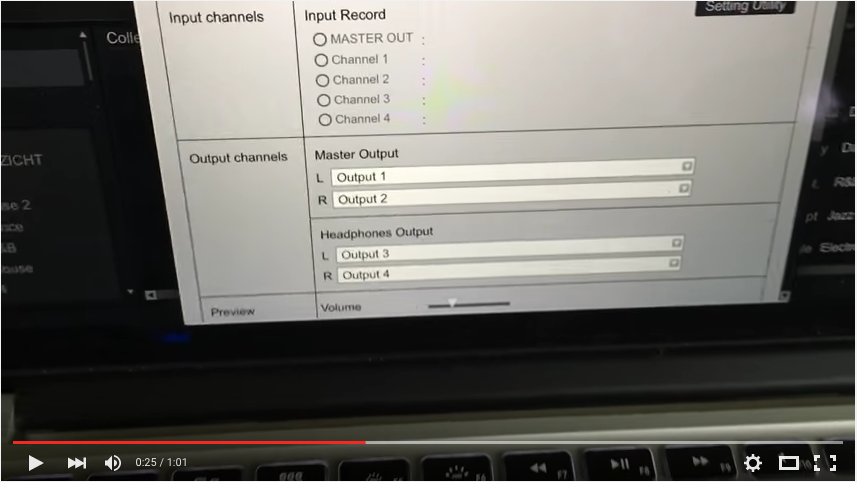
@Jurgen > I watched it, twice in fact, just to be sure I didn't miss it. What you showed was this:

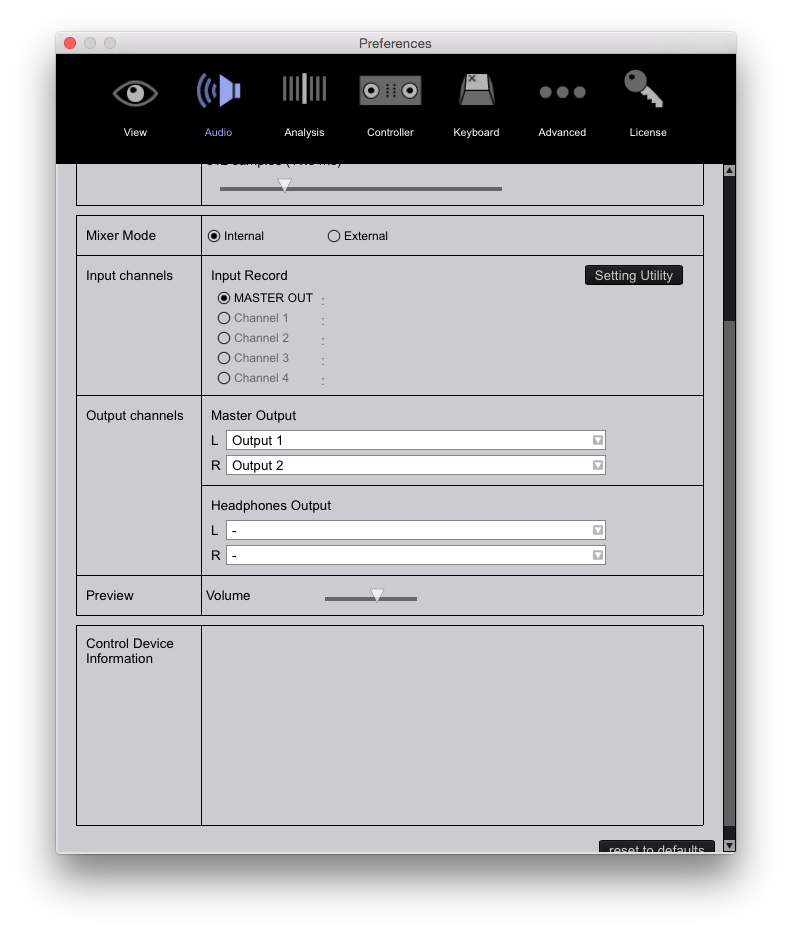
Note that the last line shows Preview, but I've asked you to tell me what it says in the Control Device Information section of the Audio page, which is at the BOTTOM:

See that space below Preview? Mine's blank because I don't have anything connected. With your XDJ-RX connected, what does it say?

Pulse 0 Stimmen
Aktionen für Kommentare Permalink
0
Avatar

Idd your right it is not visible in the video but is shows Xdj-rx.

i can reroute the output channels.

mixer mode is internal..

Jurgen Ritzen 0 Stimmen
Aktionen für Kommentare Permalink
0
Avatar

Here's what I want you to do, and unlike my previous instructions, it's important that you follow these instructions and don't skip any steps.

1) Make sure no other applications are running, certainly not rekordbox.

2) Disconnect your XDJ-RX and shut it off.

3) Download this file - don't use Safari to do it, Safari seems to screw up zip files. Use any other browser.

4) Unzip the file, open the DMG file within.

5) Run the XDJ-RX Uninstaller app. After the driver removal is complete, reboot your computer even if the application doesn't ask you to do so.

6) After your computer reboots, open the XDJ-RX_M-1.0.0 disk image again and run the XDJ-RXAudioDriver package to install the drivers. After the driver installation is complete, reboot your computer even if the application doesn't ask you to do so.

7) DO NOT CONNECT YOUR XDJ-RX JUST YET!

8) Turn on the XDJ-RX and open the UTILITY screen, check that you're running firmware 1.80 (last line in the menu). Not running 1.80? Update the firmware (instructions are in the video I posted, download is here.)

9) DO NOT CONNECT YOUR XDJ-RX!

10) Open rekordbox, go to rekordbox > About rekordbox - if you're not running rekordbox 4.0.6, download it here and install it over whatever you've currently got installed. If you needed to install rekordbox, reboot your computer.

11) With rekordbox 4.0.6 running in PERFORMANCE mode, NOW connect the XDJ-RX and watch the bottom left of your screen for Pioneer XDJ-RX is connected.

12) On the XDJ-RX, press the MIDI button and press both load buttons, the graphic on the RX display should turn all white.

13) In rekordbox, click the MIDI button up at the top right. The MIDI Setting window will open and you should see the Connected device listed as the Pioneer XDJ-RX, and the window should be full of MIDI control commands.

14) Close the MIDI Setting window and try to use the select knob to move through your collection.

Let me know where you get stuck.


Pulse 0 Stimmen
Aktionen für Kommentare Permalink
0
Avatar

Ok thx for the instructions i try it later this day. 

You answered at the same time my next question. 

The list for midi commands is empty at the moment. 

Jurgen Ritzen 0 Stimmen
Aktionen für Kommentare Permalink
0
Avatar

Ok i did everything you said.


when i connect The xdj-rx it shows in the bottom left screen. "Connected midi device"

in the audio tab it shows "xdj-rx"

bottom line in audio tab with control device information it shows "USB midi device"

Right top screen at the midi button. Connected device "USB midi device" empty list. 

Jurgen Ritzen 0 Stimmen
Aktionen für Kommentare Permalink
0
Avatar

OK, 

I hooked it up with my iMac... works perfect...


Why not the macbook??? is it because osx 10.9????

Jurgen Ritzen 0 Stimmen
Aktionen für Kommentare Permalink