
Hi,
I have made a video of the DDJ-SP1 working with it and the midi section seems easy enough to amend. Will see what I can do..
https://www.youtube.com/watch?v=AAmk_9tk11E
Cheers
Dan
Aktionen für Kommentare

Is it possible to make a video about how to remap controller buttons and knobs available with the original mapping factory and give them new roles Our choice
I am working with ddj-sx and cdj400 and i want ro map the sync buttons and the play buttons in the Sequencer in the ddj-sx
Post ist für Kommentare geschlossen.
Hi,
I have made a video of the DDJ-SP1 working with it and the midi section seems easy enough to amend. Will see what I can do..
https://www.youtube.com/watch?v=AAmk_9tk11E
Cheers
Dan
Hi Dan Thank you watched the video you uploaded charming and professional respect, the problem that everyone has another gear that he wants to map Can you please upload a video describing and explaining in a simple way how to remap buttons pressures and especially when there is already an existing mapping factory that I want to change

it will be nice to see an video with instruction on how to mapp our controllers... in traktor i was able to chenge/mapp various buttons/knobs very easy and it will be nice to have the exact layout of our controller... for ex i have xdj rx and i dont have 8 pads to be mapped... i would like also to mapp buttons that engage the pads to my need's for ex loop slice and shift pad's i would like to be use in different way... i saw olso that now u can analyze the tracks in the way u need normal or dynamic ;) 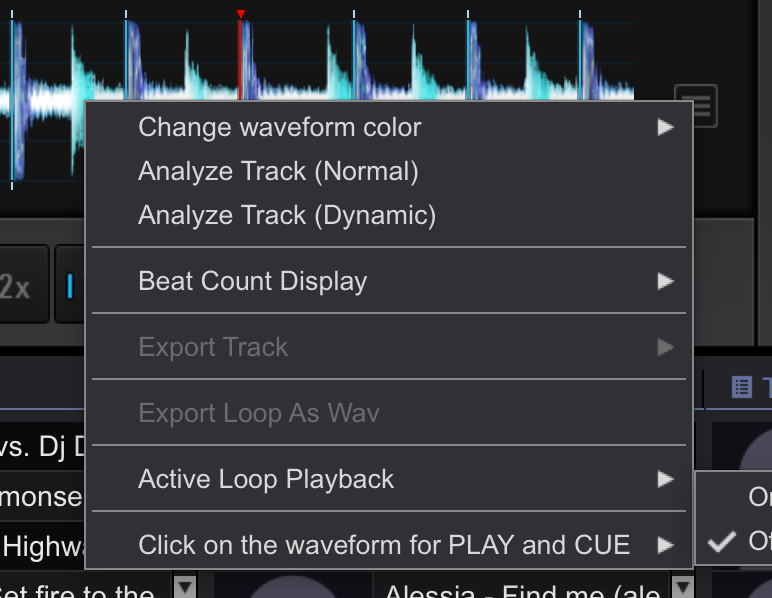
See attached video, I was able to map a few controls on the Traktor Kontrol X1 easy enough :-)

I literally spent 3 minutes playing around and figured it out. Granted, I'm a bit of a tech-wiz, but it's not terribly difficult to configure a MIDI device to perform functions within the software.
Personally, I wish it was configured differently for better ease-of-use for "I want this control (button, knob, fader) to do this thing <click>," but it could get better in future updates.

Pulse, is the DJM-900 buttons mappable via the USB connection on top? I plugged it in and DJM-900 comes up in the midi section of 4.0.6 but nothing will map, do you have to use the MIDI port in the back of the 900? For some reason I thought midi worked off the USB port too, i could be wrong though
ok, i got it, kind of, the 900 seems to be buggy with the "learn" process and has to be manually mapped by using the codes in the owners manual.
I attached a video: https://dl.dropboxusercontent.com/u/1184069/iShowU-Capture3.mov
if you hit LEARN the DJM900 puts out F800 at all times, if u use a scroll knob you can see the new learn number appear but not stick, once you stop moving it it defaults back to F800. If i turn LEARN off and type in B004 which is the knob i was turning, it saves and works

Plugged in an s9 into performance mode.........i could get the crosfader to work and music come outta the headphone channel 1.......but nothing else!
anyone have a midi file???
its not a midi file you need to get the audio working right, you have to set the audio in Rekordbox to external mixer and depending on your computer, setup the devices properly using Aggregate devices and stuff
@BriChi > The mixer isn't buggy; F800 is the CLOCK signal, and as it's persistent, it overrides any other signal rekordbox is listening for. I've reported it to the engineers and hopefully they can ignore or filter-out that signal so users can press-and-learn.

