
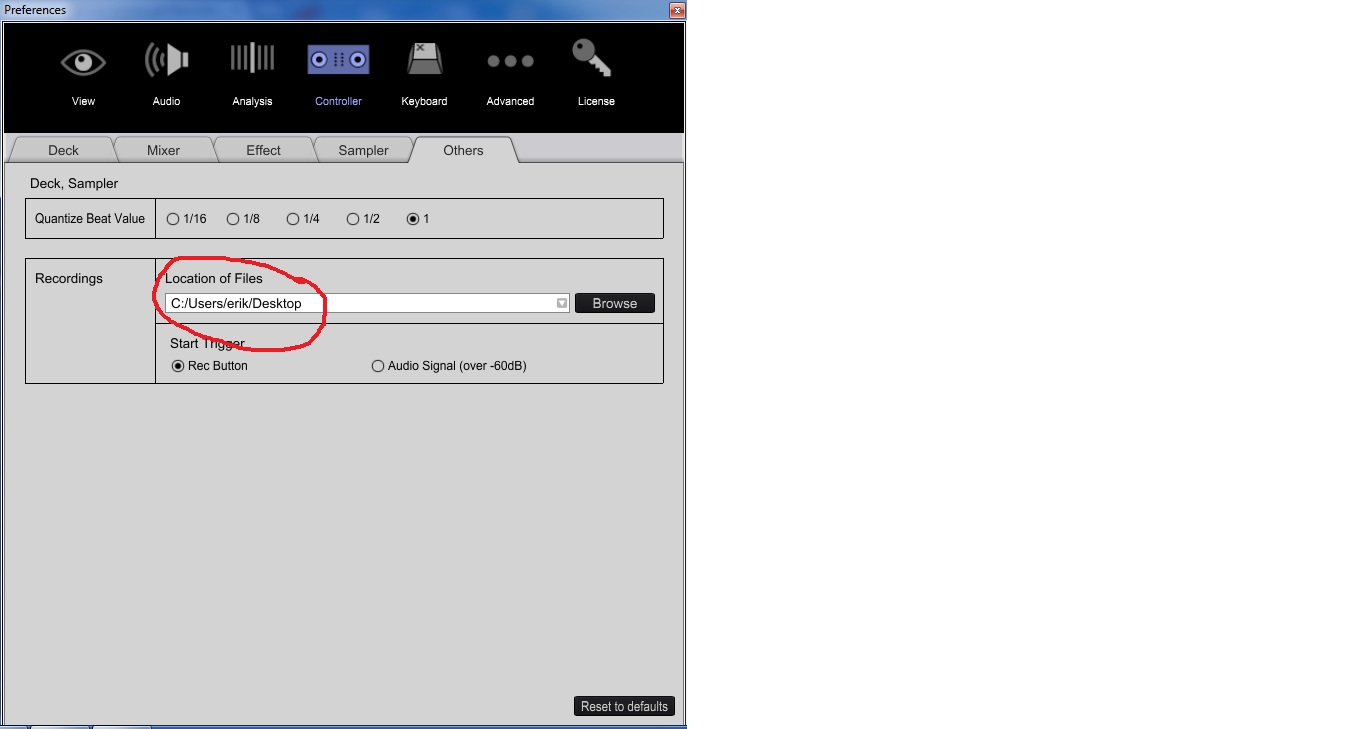
 change locations of files,works for me


Aktionen für Kommentare

I'm currently running Rekordbox 4.0.6 with a DDJ-RX. I've had the equipment about 2 month now and I want to start recording my sets. I've followed all instructions but there is nothing in the WAV when opened after the recording.
I've noticed that when the recording is started that the level meter within the record setting does not respond when dialed either way. I've reinstalled the software but same problem persists.
Post ist für Kommentare geschlossen.
change locations of files,works for me
Thanks for reply but already tried that one. Made no difference. Wav records no audio.It's almost like it's nut recording any output even though it says master out.

do you have the proper audio drivers on your laptop?
My settings are on Master out. Or try to record without controller.
In device manager it states that ddj rx is installed installed as an audio device. It's baffling as the record output doesn't show anything when activated
Could this be a memory issue. I notice yesterday that at certain points in 4 deck mode that it would struggle to play and controller would slow down. I'm running quad core i5 with 4gig ram windows 10. I'm not over clocked but I could take it over 3 ghz I'm on 2.6 no over clock. Think another 4 gig might help performance side but still stumped with recording

Hi.
Check the Audio Tab, if the RX Asio driver is aktive.
if, and it's still not recording, try an external Programm, like Audacity, but you have to switch to the RX Speaker in the Audio Tab.
HTH
Iceley

@Stuart > It's not a memory issue for recording; are you using the ASIO driver in the settings?
Right I'm now up to 12gig of ram and all is well regarding the slow downs I was seeing I'm in middle of testing as we speak. Asio driver is selected and showing ddj rx as audio device. For some reason it just does not record from within rekordbox. Audacity works perfect.
Just to reiterate I can go through the motions of recording ie press record but no level I'd ever down at the side of button. Also the wav is created just no audio in the file. Many thanks for all you responses
@Stuart > Have you properly selected the recording source? Can you please post screen shots of your driver settings (output) page as well as the rekordbox audio page?
right i've solved the recording issue. Not the best answer but i did a reinstall of windows and all rekordbox software and drivers and now i can record. I'm still experiencing the slow downs in 4 deck mode (even though on a less powerful laptop it works perfect).
I've noticed another user with same issue so i'm going to tag onto that thread.
Thanks for all your help