Offizieller Kommentar

If you go to your preferences and disable DVS mode, that button will disappear and the software will be forced to INT mode.
Aktionen für Kommentare

In rekordbox 4.2.1 i can only set another tempo range on deck 2.
There is also only the cue button available on deck 2.
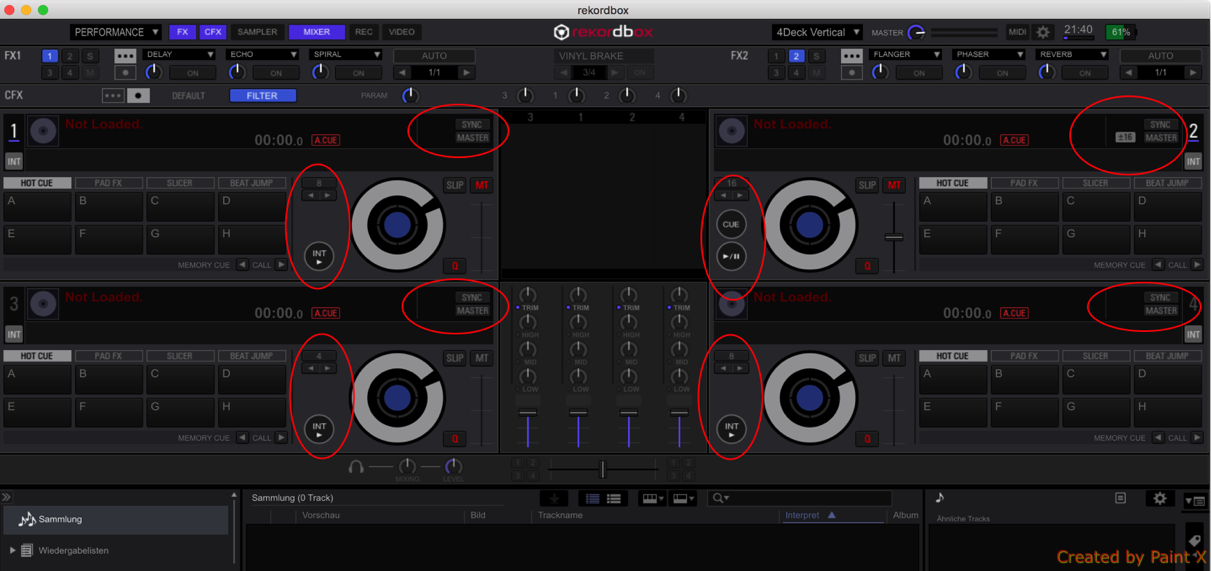
I completely reinstalled rekordbox, but it doesn't help.
If you go to your preferences and disable DVS mode, that button will disappear and the software will be forced to INT mode.
Post ist für Kommentare geschlossen.

Sorry to hear about this issue.
Would you try to press "INT> button" on deck 1/3/4?
If it does'nt help, would you try to uncheck "Preference -> DVS -> checkbox(Enable DVS Function)"?
Thanks, this was the solution for me.
But I do not understand, why only deck 2 works with enabled DVS function.
Can tell me?

What hardware are you using?
DDJ RZX, but it doesn't matter if the controller is connected or not.
@Chris
Cue button & Tempo slider aren't available in RELATIVE or ABSOLUTE MODE.
Cue button & Tempo slider are available in INTERNAL MODE.
In your case , Cue button & Tempo slider aren't available in INTERNAL MODE.
So this is a software bug. Sorry.
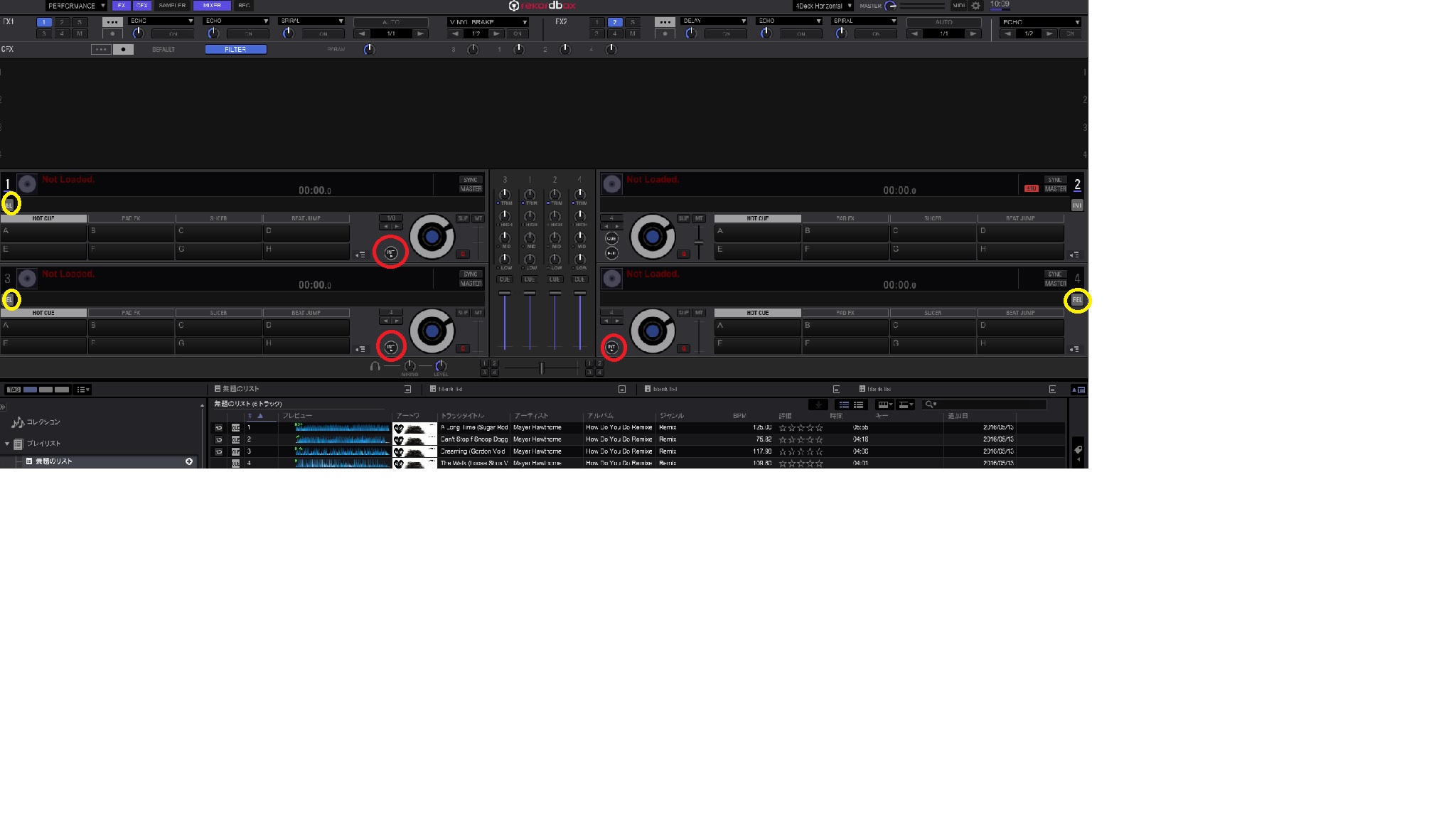
①Wourd you press "Int>" Button ( in red circle ) on deck 1 / 3 / 4 with enabled DVS function?
If you press "Int>" button, DVS MODE will change to INTERNAL MODE.
②If it does'nt help, would you press "DVS MODE" Button (in yellow circle ) several times with enabled DVS function?
If you press "DVS MODE" button, DVS MODE will toggle between RELATIVE MODE & INTERNAL MODE. ( REL -> INT -> REL -> INT -> .....)
Point 1 doesn't work, the point 2 was the solution for me.

