
can anyone help me at all?
I really want to start using this mixer
Aktionen für Kommentare
Hi can someone please help get this working:
I have just purchased the DJM S9 and I am running Win 7 Pro.
I have downloaded the DJM S9 drivers and also done the Firmware update
Then I downloaded Serato Dj Pro
But it wont connect or show up when Serato DJ is open? The mixer just says "please connect to Serato DJ"
In the Pioneer setting utility it is showing as connected for both input and output.
Any ideas?
The manual says that there is no need for DJM S9 users to purchase the Serato license but its not giving me any other choice?
My system spec is:
Sony Vaio F1
Quad Core i7 Q740 @ 1.73GHZ turbo to 2.5GHZ
8gb RAM
Win 7 64 bit Pro
No other USB devices running - just the S9 plugged in to one of the USB ports (it has 2 in total)
DJM S9 is running the latest firmware 1.07
So far I have tried:
Post ist für Kommentare geschlossen.
can anyone help me at all?
I really want to start using this mixer
Does anyone even read these posts? I just want to get this working if anyone can help or at least point me in the right direction that would be great.
Please can someone help?

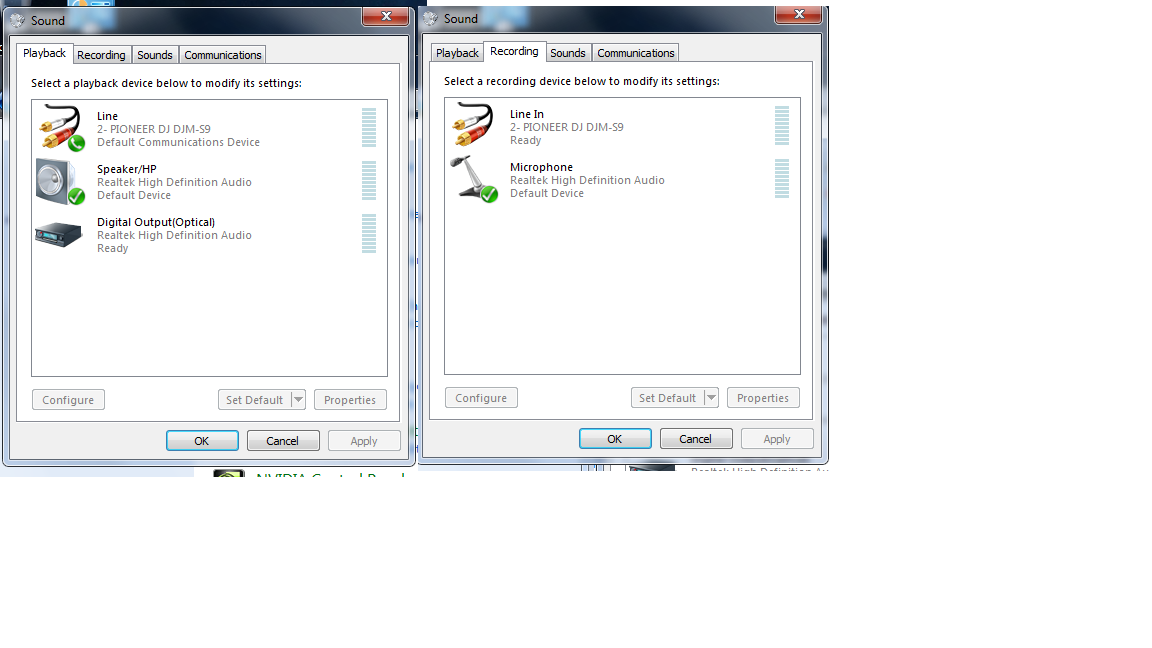
I'm not too familiar with Serato, but shouldn't the Playback device be set to the S9 since that's where you want your sound to be output from?

I'd first verify that you have all the service packs and latest updates available for your operating system.
Next, with the S9 connected, launch the S9's Setting Utility application from the Start Menu and verify that it's connected and detected properly. Let me know what you find.
Hi Pulse
Yer I have got all the Win 7 updates installed. The utility app is showing it as connected too, just nothing happens in Serato Dj.
The S9 works perfect on my desktop (also win 7) just not on the Vaio
How is the S9 showing up in the Device Manager? Same as on the desktop?
it currently is like this (I think its same as desktop) but will have to check when I get home
Sorry, not the Sound Device, but the system device manager. Looks like this (not mine, just grabbed from Google):

ah right lol sorry miss read it.
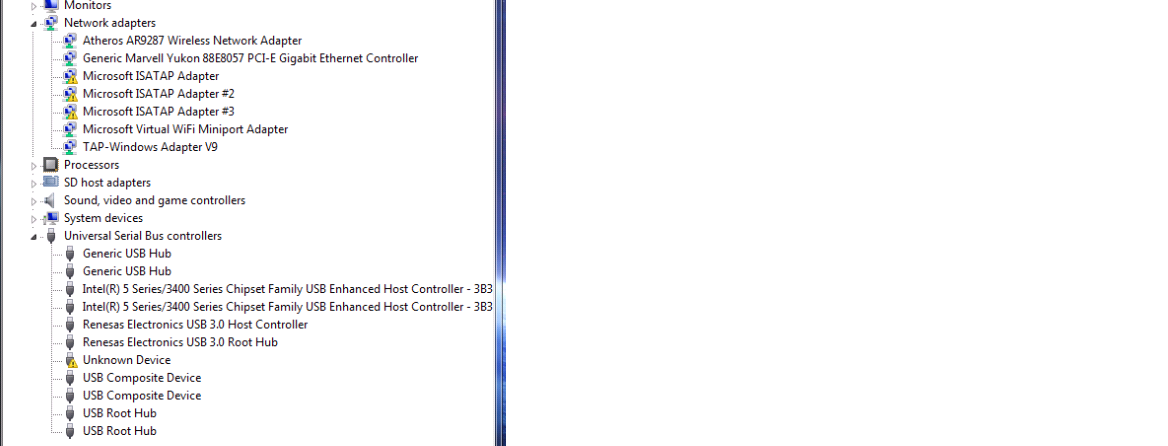

What is listed under the Sound, video and game controllers item?
Have you tried connecting to the B-port of the S9?
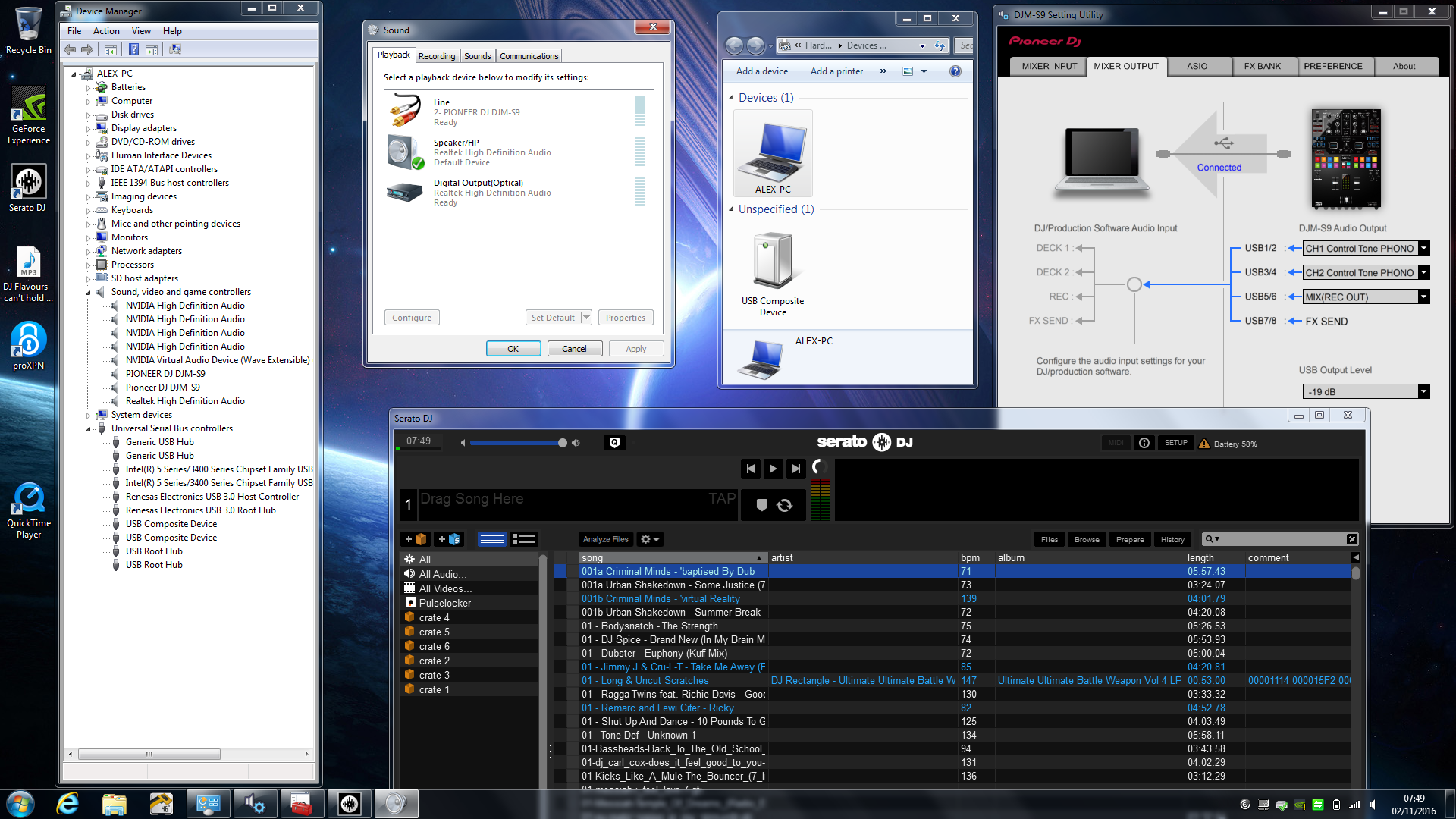
sorry for late reply I have been on holiday. The screen shot above hopefully shows everything. The Serato DJ just looks like that when everything is connected. I have done all the Win 7 updates available, and still cant get it to work on the Laptop. The only difference I can see from Vaio and the Desktop is that in devices it just says 'USB Composite device' on the Latop, but on the desktop is says 'Pioneer S9' ?
The fact it works on one computer and not the other shows the S9 itself isn't the problem.
You should have a "Pioneer DJM-S9" showing in the Devices & Printers > Devices page.
I would recommend connecting the S9, then go to the Device Manager, right-click on the PIONEER DJ DJM-S9 and Pioneer DJ DJM-S9 entries and Uninstall both of them.
Disconnect the S9, reboot your computer, then download an reinstall the S9 drivers - run it in Administrator mode (right-click), then reboot your computer, connect the S9 and try again.
I tried the above but it still just shows as 'USB Composite Device' in Devices and Printers. I also made sure I uninstalled it on both USB ports, and i also checked the 'uninstall driver software' when I right clicked the 2 entries in Device Manager
I then pulled out the USB cable, restarted, right clicked on the S9 driver, clicked 'run as administrator' let it do its thing, restarted again after that.
Plugged in the S9 into the USB port and it is the same as before.
Under device manager it is shown as DJM S9 (2 entries) but in Devices & Printers just list it as USB Composite device?
The Laptop worked perfectly well with Serato scratch live + SL1, I just cant get it to work with Serato Dj. Its kind of a bummer it not working on the laptop :(
Wow I got it to work! ok so I figured that it had to be the USB driver/controller on the laptop causing the issue. Problem was that I had already gone on the Sony Vaio help site and downloaded 'their' latest drivers.... but this was the problem all along, their drivers for this laptop are either conflicting or just not up to date.
So I Googled Renesas USB 3.0 drivers and downloaded it from: http://plugable.com/drivers/renesas/
and it worked! If anyone else has the same issue as me then try that link and update the USB 3.0 drivers from that link - don't do it from the Sony Vaio download site


