Have a feature request or suggestion? Post your idea here!

Post

3 Follower Folgen
0
Avatar

REkordbox link to xdj-rx2

Hi 
I want to link my rx2 to rekordbox (export mode)

I downloaded USB CONNECTION (LINK EXPORT) drivers

but still it is not working

even though i connect them with USB port after downloaded the driver, still there is no signal and change.


What should i do?


Also I tried to connect them as a performance mode.

but Beat Jump on RX2 doesn't work but Slip Loop on Rx works as a Beat Jump


How can i correct it?

Thanks 

희종 노 Beantwortet

Offizieller Kommentar

Avatar

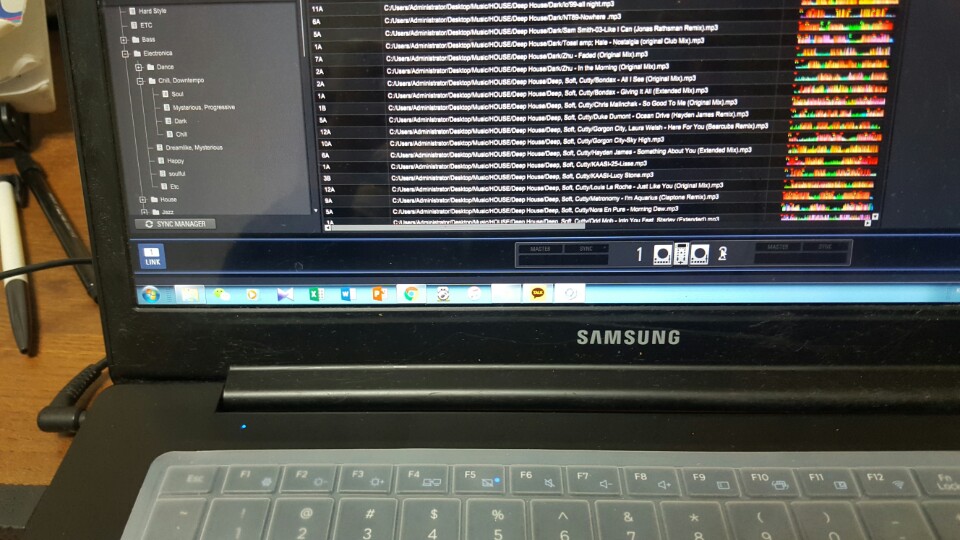
With rekordbox in EXPORT mode, you would press the rekordbox button on the RX2 itself, then you should see a LINK box appear at the bottom left of the rekordbox application window. If you don't, please follow the tips in this guide to allow the application through your firewall.

Pulse
Aktionen für Kommentare Permalink

Post ist für Kommentare geschlossen.

3 Kommentare

0
Avatar


I did it with EXPORT mode and pressed the LINK button.

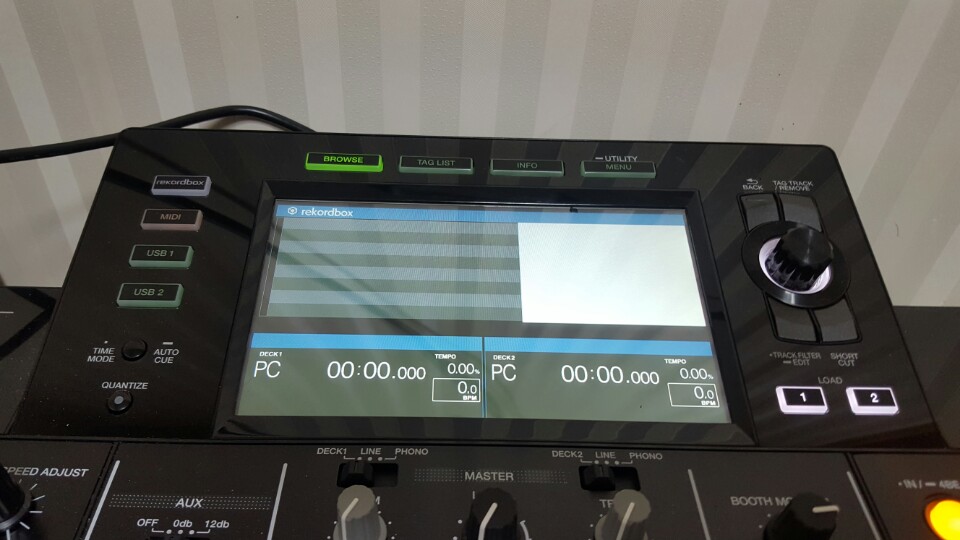
That the screen above has shown. And then after that if i press other buttons such as  Tag list of Info the RX2 says " Wait" and never change.

What should I do?

Heejong Noh 0 Stimmen
Aktionen für Kommentare Permalink
0
Avatar

Try configuring your firewall to allow the traffic through. Here's what you need to allow through the firewall (Windows or otherwise):

C:\program files\yourusername\rekordbox version-number\edb_streamd.exe - TCP
C:\program files\yourusername\rekordbox version-number\psvnfsd.exe - UDP
C:\program files\yourusername\rekordbox version-number\psvlinksysmgr.exe - TCP
C:\program files\yourusername\rekordbox version-number\rekordbox.exe - TCP

You need to configure this each and every time you install a new version of rekordbox if your firewall is not set to alert you to new connections, otherwise you'll see a pop-up alerting you to the connection and you simply allow it through (and set it to remember / always allow it).

Pulse 0 Stimmen
Aktionen für Kommentare Permalink