
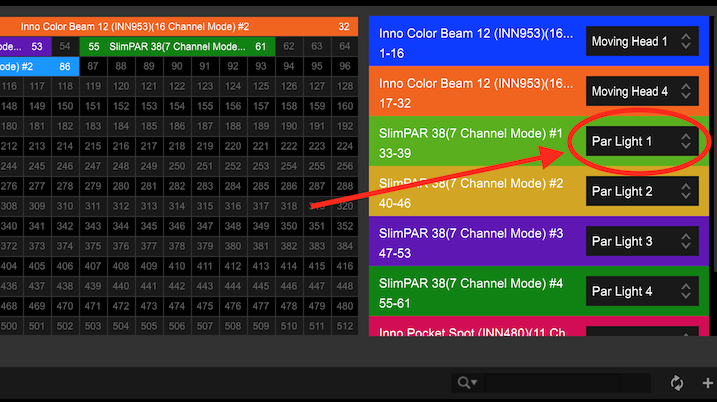
Are the two fixtures shown (the green and blue ones) selected as Par Light 1 and Par Light 2 in the Fixture Library tab?


Aktionen für Kommentare

I created a custom scene in rekordbox (2 lights alternating red and blue over 4 bars), but could not succeed in using it: I added it to a piece of music, and all light signals are down to zero, lights are dark, until it moves out of the segment to which I assigned my new custom scene.
Any hints..?
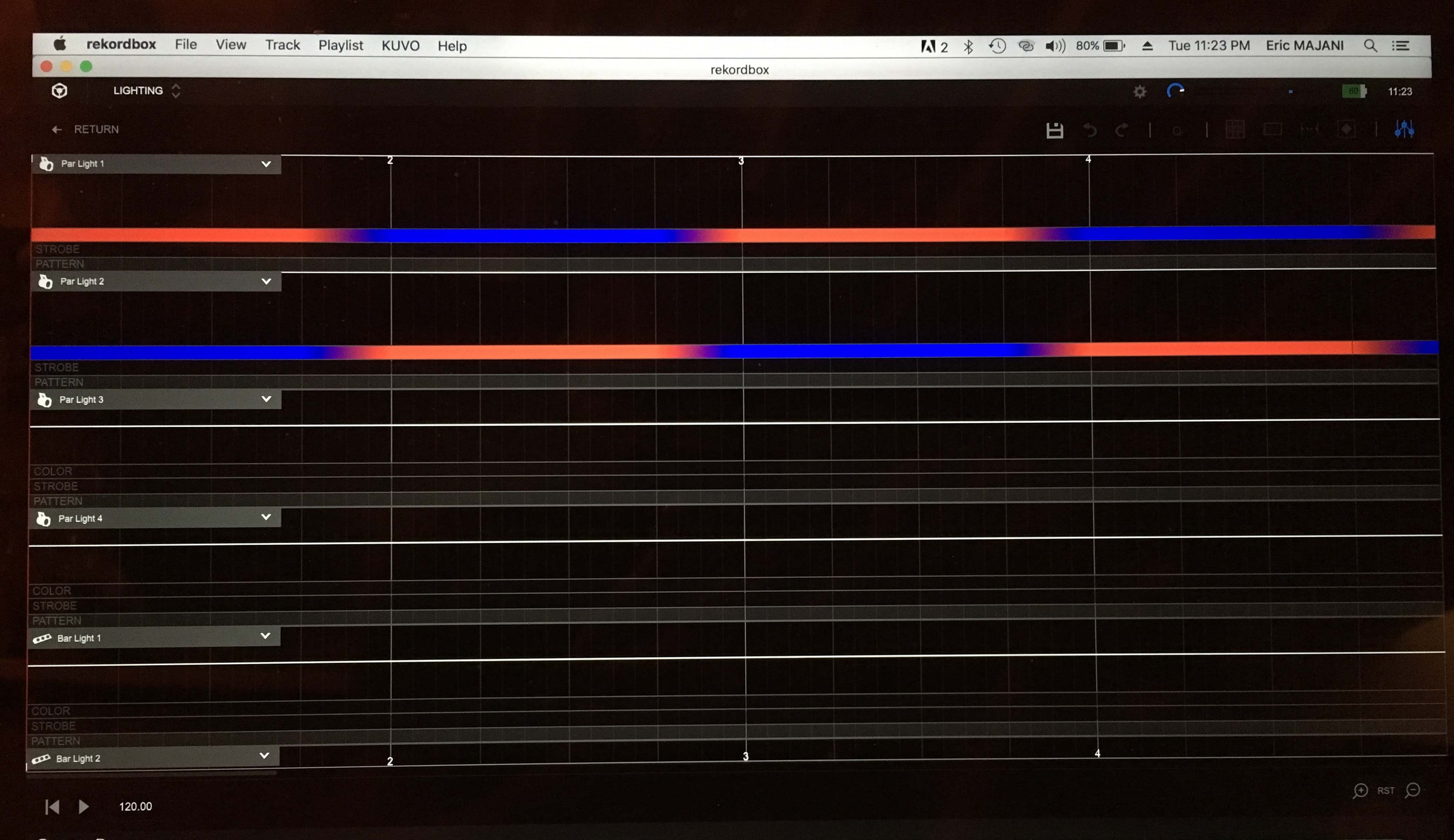
(1) Here is the custome scene I created
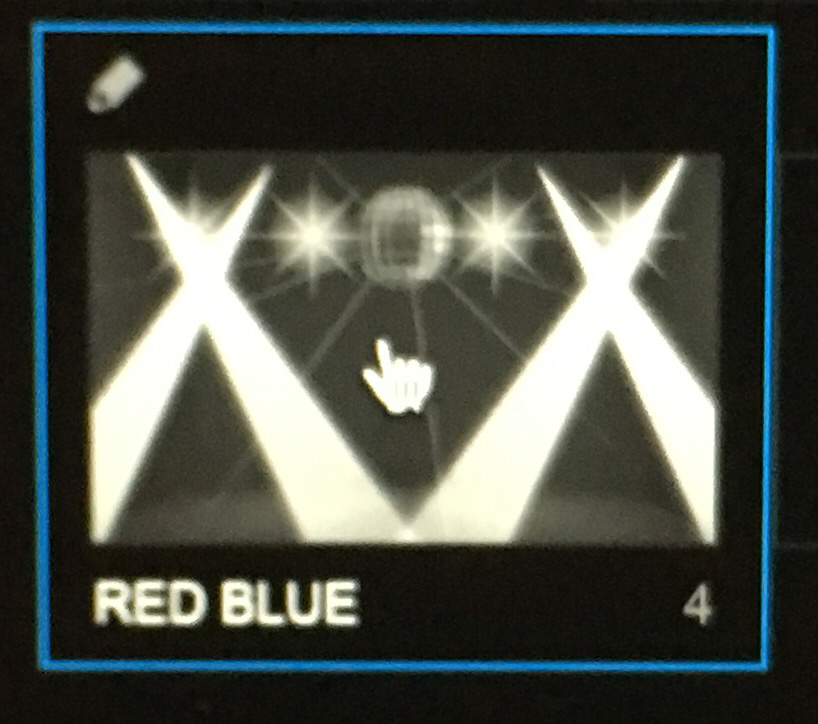
(2) I saved it and named it RED BLUE
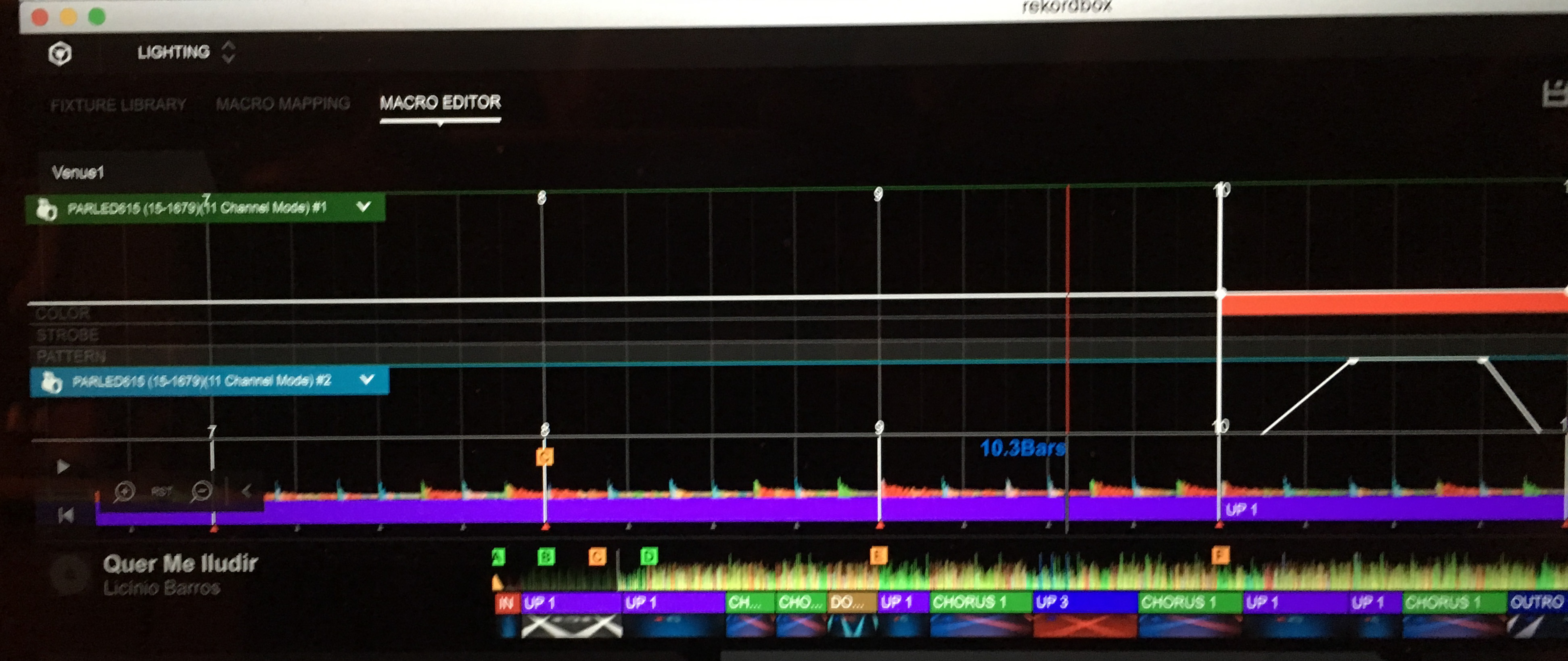
(3) I added it to a piece of music, and then when playing the song, the lights are dark during the section assigned to my custom scene (in Lighting mode / macro editor, but also in Performance mode)
Post ist für Kommentare geschlossen.
Are the two fixtures shown (the green and blue ones) selected as Par Light 1 and Par Light 2 in the Fixture Library tab?
Yes the green and blue fixtures are selected as Par Light 1 and Par Light 2. The fixtures work perfectly well in the segments of the song which use PioneerDJ preset scenes. They do not function in the segments of the song which I have assigned to my custom scene.
As you can see in my Figure (3), to the left of the thick white bar is the segment assigned to my custom scene (no intensity level, no color, nothing), and to the right of the thick white bar is a segment to which a PioneerDJ preset scene is assigned.
What should appear to the left of the thick white bar are the patterns of my custome scene as in my Figure (1), i.e. alternating between blue and red, at full intensity.
Thanks, I had to confirm because if they were set as another Par Light number, they wouldn't illuminate.
Can you try changing that macro segment to another macro and back to your custom macro?
Thanks Pulse. I just went back in the software, and actually, my answer was incorrect. My lights are selected as Par Light 1 (simple) and Par Light 2 (simple), under my (wrong) assumption that it was the same thing. I changed them to Par Light 1 and Par Light 2, and it works perfectly.
So clearly, the (Simple) mode works with preset scenes, but not with custom scenes (all lights are dark). Is this correct?
PS1: I appreciate the quick feedback and support fromPioneer DJ, thanks :)
PS2: there seems to be some issues with login: although I am logged in, it requests me to login again in order to reply to your post. I logged out and back in again, it seems to have solved it for now.
After more fiddling around, I can use custom scenes with the (Simple) modes, which are actually not modes but separate settings to be created.
But now my lights no longer take into account light intensity profiles, on custom or preset scenes, the intensity is full blast all the time: any hints as to why that might happen? It worked perfectly well before.
Thanks
Awesome - glad you figured out they were set to the wrong fixture type and that it works!
The "simple" fixtures are different and will be used more in a later update. You could also edit the lighting instruction for those fixture types in your macro. Did you customize those lines as well as the standard PARs?
Your intensity would be the white line across the top of the macro; you can edit that:
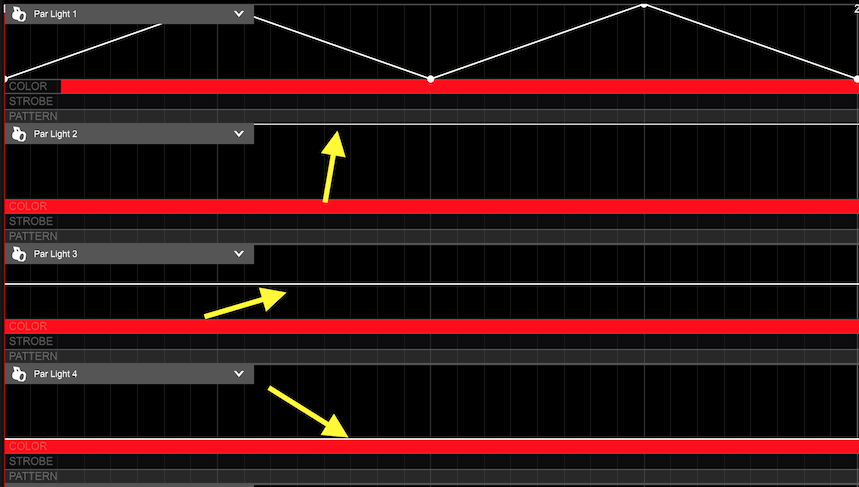
Here you can see PAR 1 fades in and out, PAR 2 is full, PAR 3 is mid-intensity, PAR 4 wouldn't illuminate at all, the "fader" is at the bottom.
Re: the forum issues, log out, clear your cache and delete all cookies for pioneerdj.com, gigya.com, and zendesk.com, and that should clean that up for you.
Yes, I did also customize the Par light 1 (Simple) and Par Light 2 (Simple) settings.
I understand about how to modulate the intensity. It so happens that since I started playing with the settings yesterday, the lights are now continuously at full intensity, regardless of the actual modulation. It worked perfectly before.
So it is either the software, the RB-DMX1, or the lights. Is there a way to reset either the software or the RB-DMX1 to bring things back to normal?
Here is an illustration of what is happening:
(1) 3 out of the four fixtures should be dark according to the positions of the white line
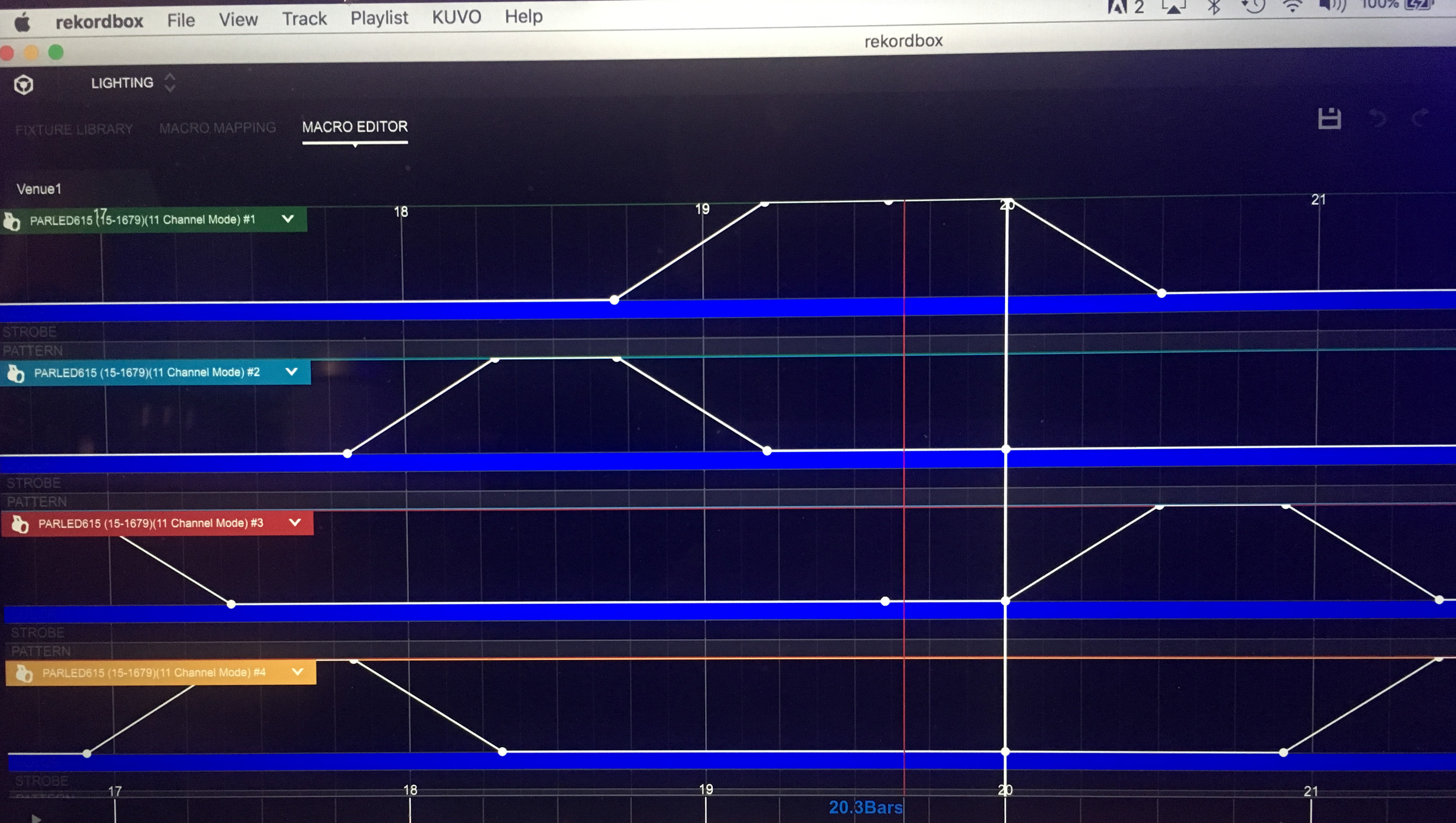
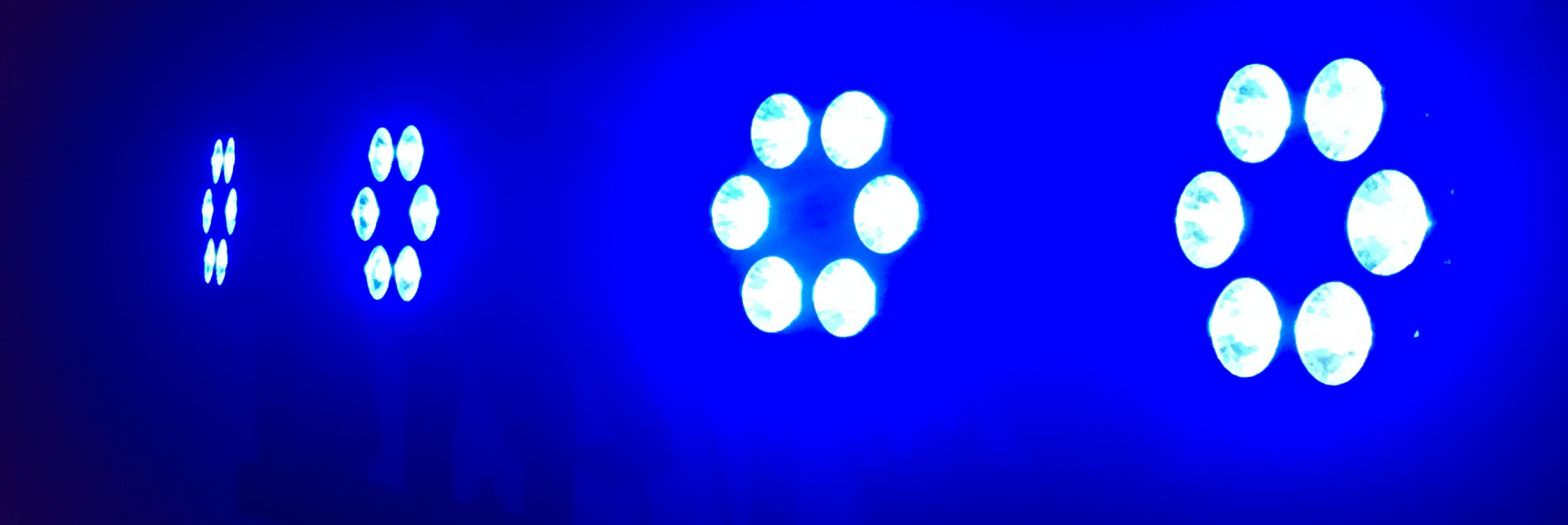
(2) However all lights are at full intensity; this happens regardless of the song, the part of the song, the light show simply ignores the position of the intensity white line, but it follows all the color changes and everything else (the picture of the lights matches exactly the graph (1) above)
Can you confirm that you have properly addressed those fixtures both in the grid and on the units themselves?
Yes, Par Light 1 is addressed at 1, Par Light 2 at 13, Par Light 3 at 25, Par Light 4 at 37.
On the units, and in the grid.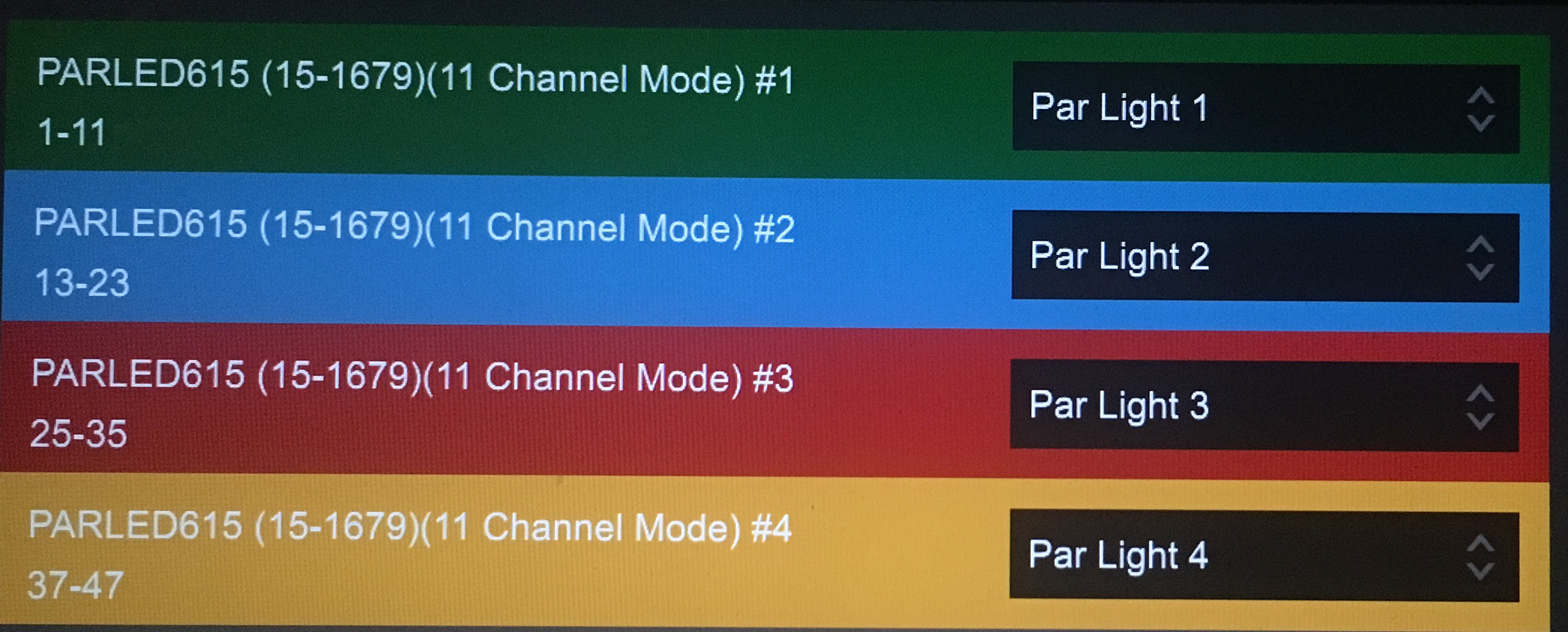
Hello Pulse, problem solved! Actually you were very close. The issue was not the starting address, but rather the Channel mode (number of channels). My lights were initially on the 11-channel mode, and as I turned them off and back on, they defaulted back to the 5-channel mode. I found out by adding a new set of lights, which were working fine, therefore the issue was with the lights (being on the wrong mode).
Thanks for all the help, it seems I am getting past some of the traps for beginners.


