Then the question is ... what did you do to move them? How did they move relative to their original location that they are not all in the same scope (thus unable to mass-relocate)?
Aktionen für Kommentare

Hello
Just returned from holiday and 832 of my tracks are suddenly unable to be located. I know how to relocate files individually but i want to do it en mass. I've followed the process by Pulse on YouTube but every time i hit relocate based on the successful location of a file it finds 0 files. All my files including the files that do work are in the same folder. Please help!
Post ist für Kommentare geschlossen.
Then the question is ... what did you do to move them? How did they move relative to their original location that they are not all in the same scope (thus unable to mass-relocate)?
Absolutely nothing. All my files are all in the same location. Just randomly some are ok & some need to be relocated.
If they're in the same location, they wouldn't be missing. Can you post the paths of the locations as reported by rekordbox vs. the actual full path to the audio file?
RB c:/users/end user/music/itunes/itunes media/music (then followed by artist/album/track)
Computer c:\users\end user\music\itunes\itunes media\music (then follows by artist/album/track)
This is exactly for tracks that are working
Thanks
Are there any differences between the two in capitalization on ANY single letter?
There’s no difference. I am able to relocate if I do it individually but just not en mass. Strange.
There's got to be some difference between the tracks or, as I said, they wouldn't be missing. Are you certain the paths are identical? If you right-click on one of the missing ones to show it in the Explorer, does it open that location?
Yes it does.
I can’t attach the screen images / pictures but If I could attach it I would show you.

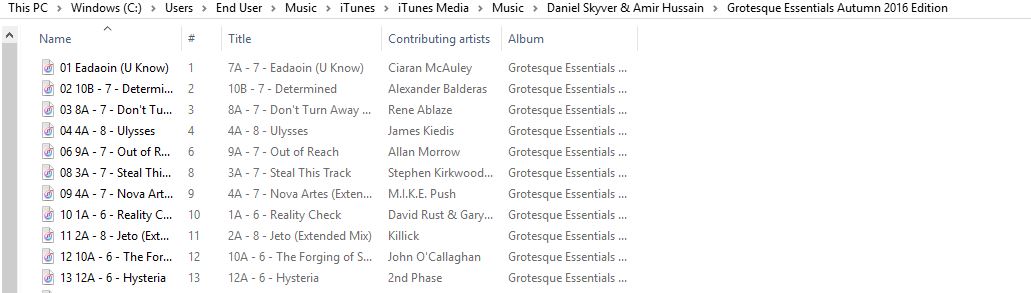
Hello Pulse, can you help?
Found the problem...
The filename in rekordbox is 13 Hysteria.m4a, the filename in the folder is 13 12A - 6 - Hysteria.m4a
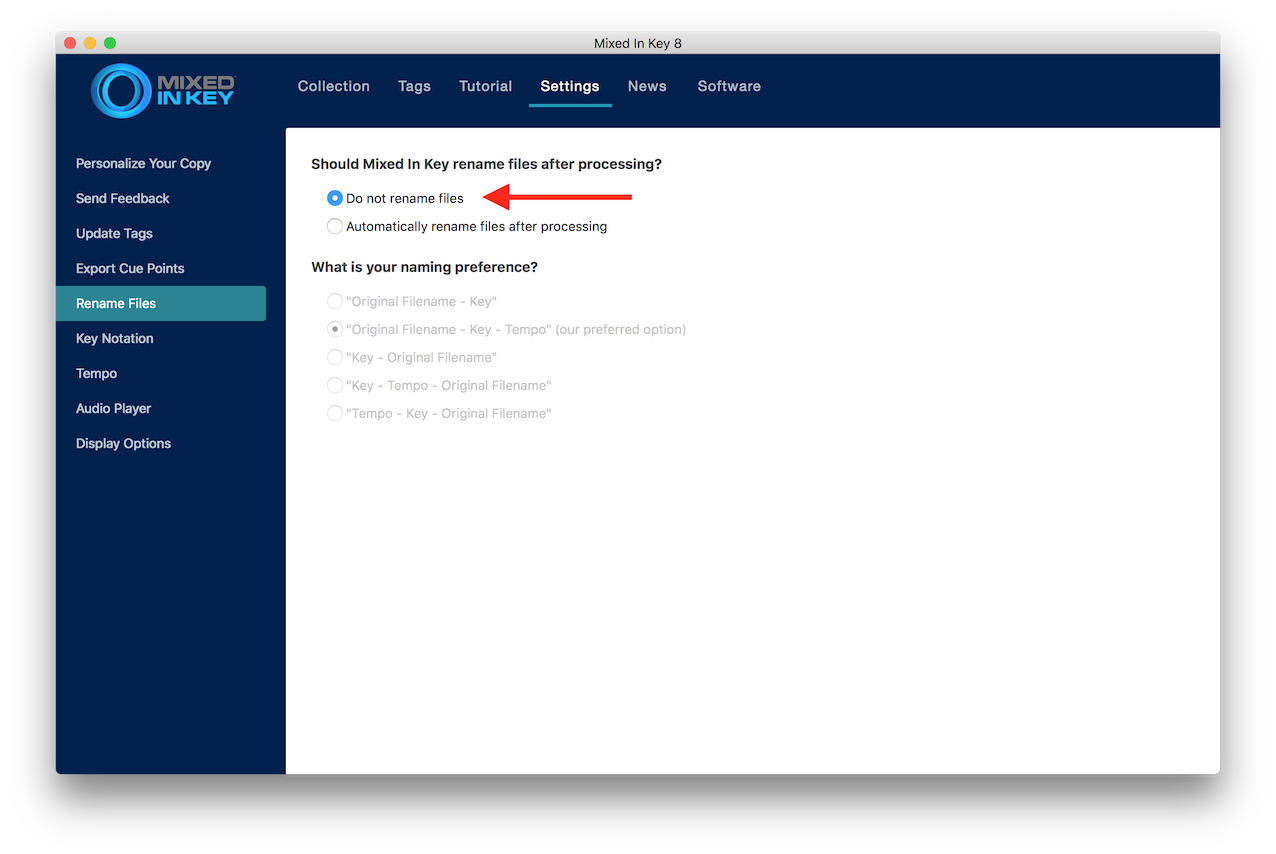
You've used Mixed in Key or Platinum Notes, haven't you.
I started running all tracks via MIK about 18 months ago & have had no issues until now. Is there a solution? Seems odd that some tracks are fine and some arent.
Probably because you changed the setting in MiK, or an update changed it.