
Offizieller Kommentar

It requires a bit of finessing, there's no simple PDF output, but I prefer the power of how this data is set.
1) If you want, change the visible columns in the playlist you want to export - this will affect which data is output.
2) Right-click on the playlist on the tree and select Save Playlist Info > *.txt, pick a location to save it.
3) You could just go with this, but it might be a bit sloppy, so open Excel and open that text file.
Walk through the steps:
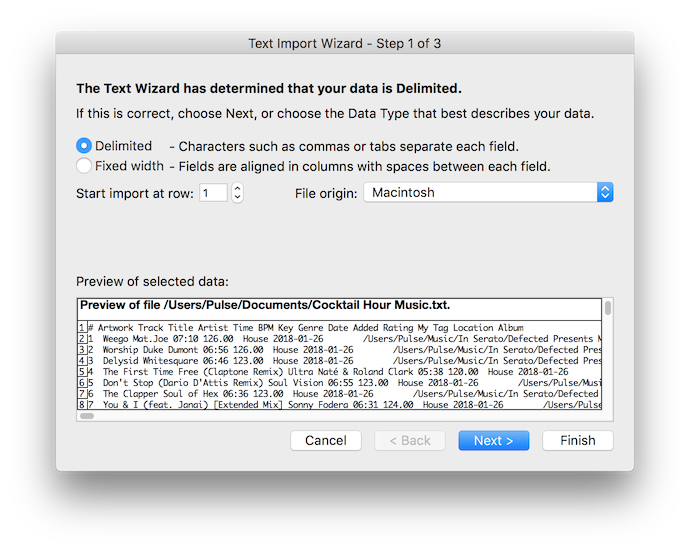
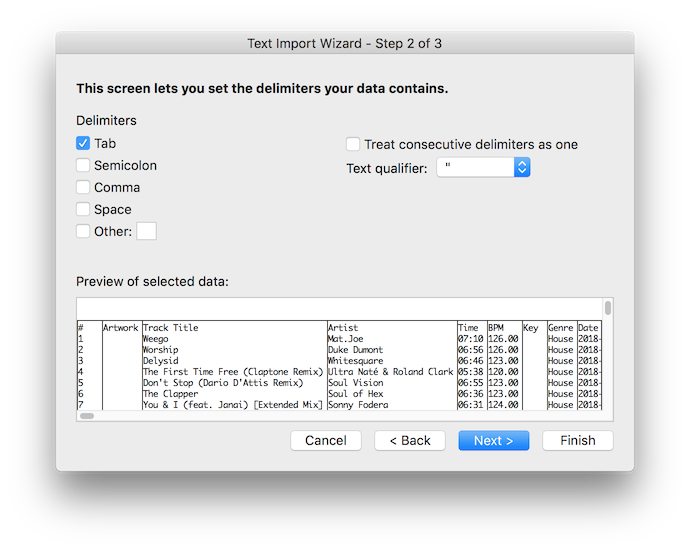
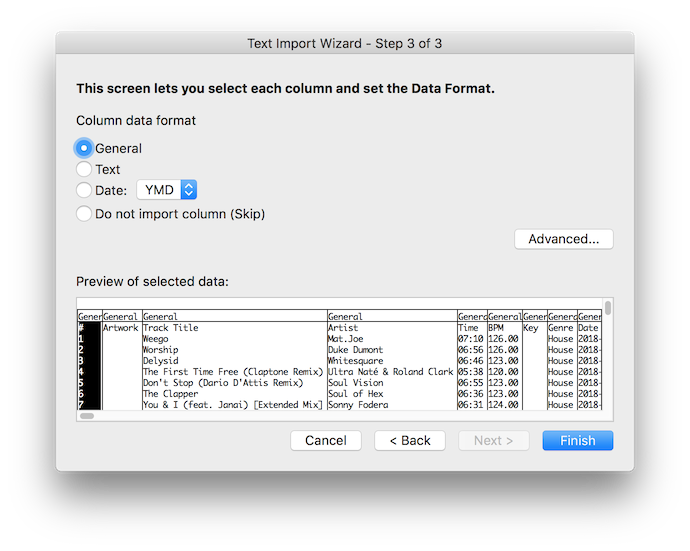
4) Remove any unwanted columns that remain
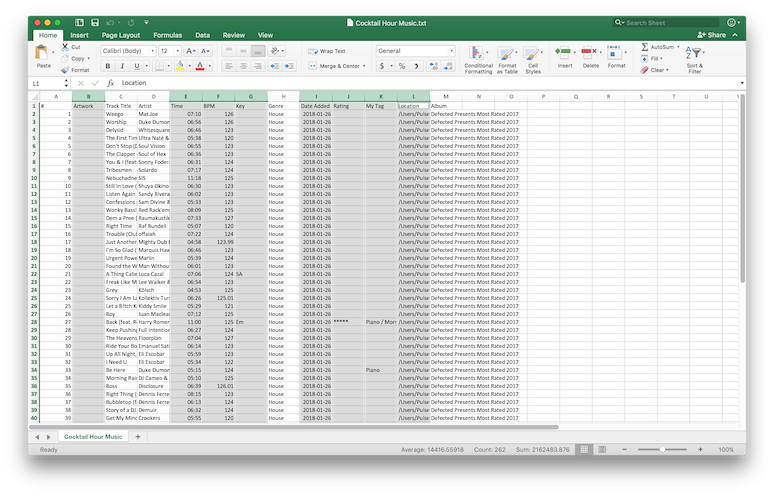 5) Format it to look pretty, follow the instructions here (I used method 2).
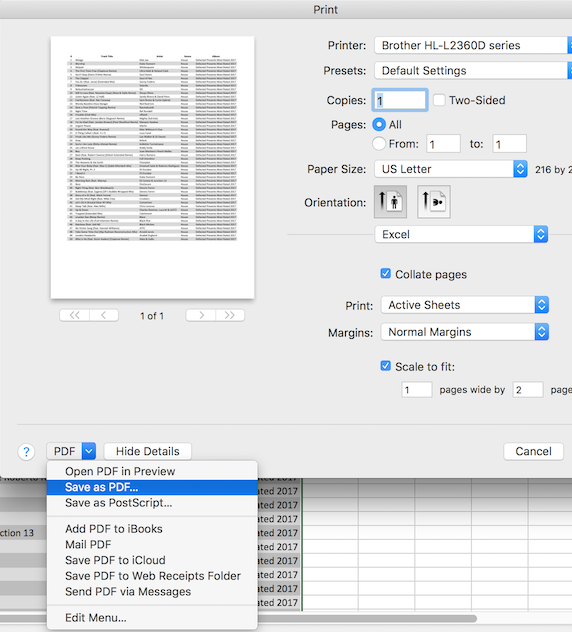
6) Scale it to fit one page wide, and print it as a PDF:
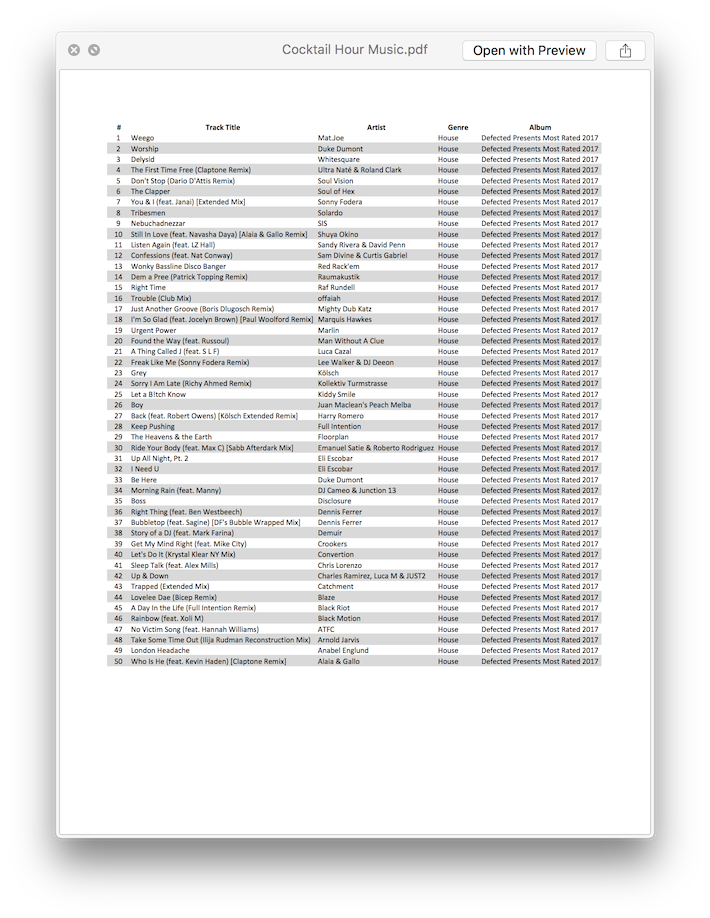
Presto! A good lookin' playlist. You could even add headers or other "niceifications" within Excel.


Aktionen für Kommentare