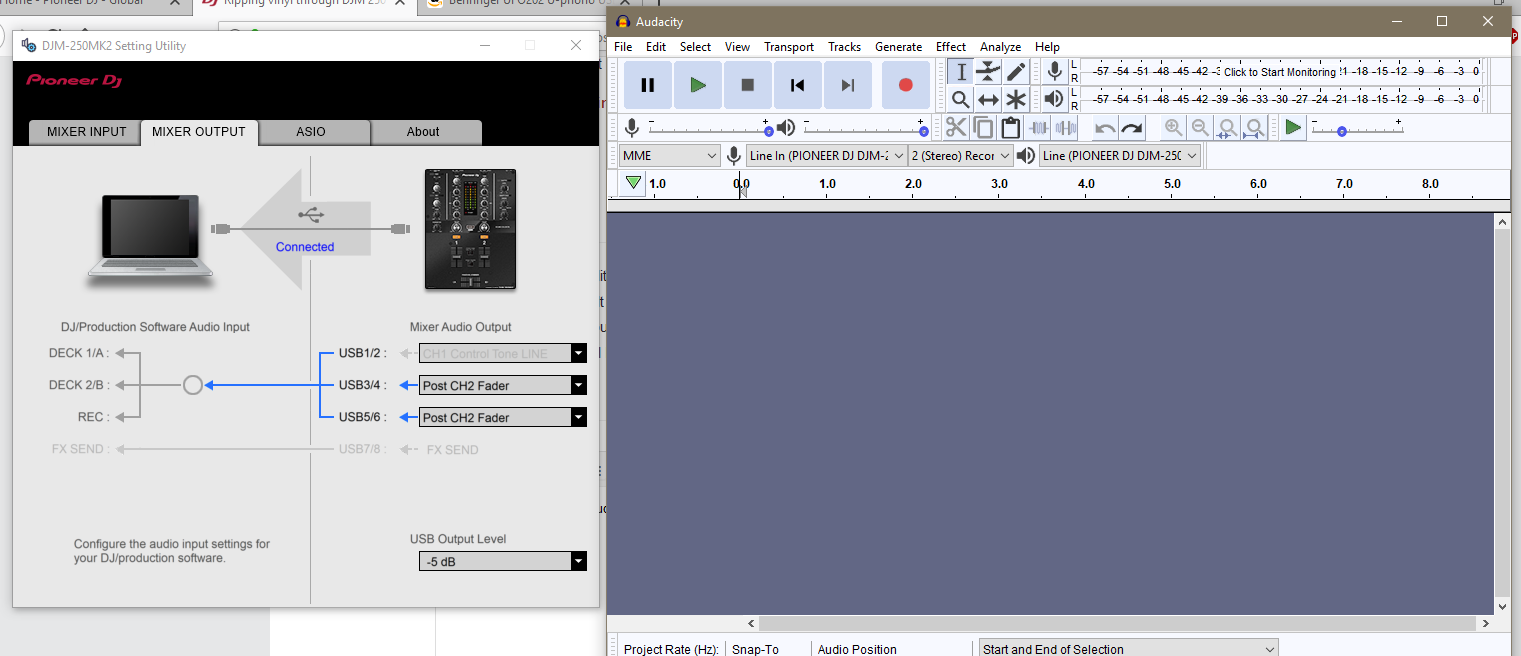
Hi, here you go, hope this helps:
1. Plug the mixer into your computer via the USB cable
2. Start up Audacity (important to do this only after plugging in the USB).
3. At the top of the screen ,in the toolbar, you should see an icon of a microphone, with a dropdown next to it. Switch this to djm250 or whatever looks like the DJM device.
4. Next to that dropdown there should be another dropdown specifying number of tracks simultaneously recorded... you are either going to want to set that to the full number (6) because the master out goes through channels 5-6, and then delete the excess channels afterwards. Or , if you run the djm250mk2 utility app, you can switch the routing for channel 1 of the mixer from "control vinyl" to "post fader" and just record 2 channels worth.
5. Press the red "record" button
6. Play the record,
7. Press the dark yellow "stop" button
8.. Press the green "playback" button, listen to the recorded track.
9. Close audacity without saving the soundfile, disregarding steps 1-8 because the phono preamps on this mixer are USELESS for anything other than control vinyl and sound BEYOND TERRIBLE, with worse frequency response than you'd hear in your average 128kbp mp3 (no reallly, I've A/B'd it and the mp3s sound better)
10. Go spend another $60-200 to buy a decent phono->usb preamp, (I'd recommend the NAD PP4), rip vinyl through that instead following similar steps.