Offizieller Kommentar
@Tom > Sorry to hear the issues you're having with iTunes, please file an inquiry ticket here and our rekordbox support team will be able to gather some additional information to assist you in resolving this issue.
Hi,
Am running Rekordbox 5.2.3 on my Win 10 laptop. I organise all my music in iTunes (inc playlists) and simply use rekordbox to analyse track and export.
Everything was working great until I just updated my iTunes yesterday to version 12.7.5.9.
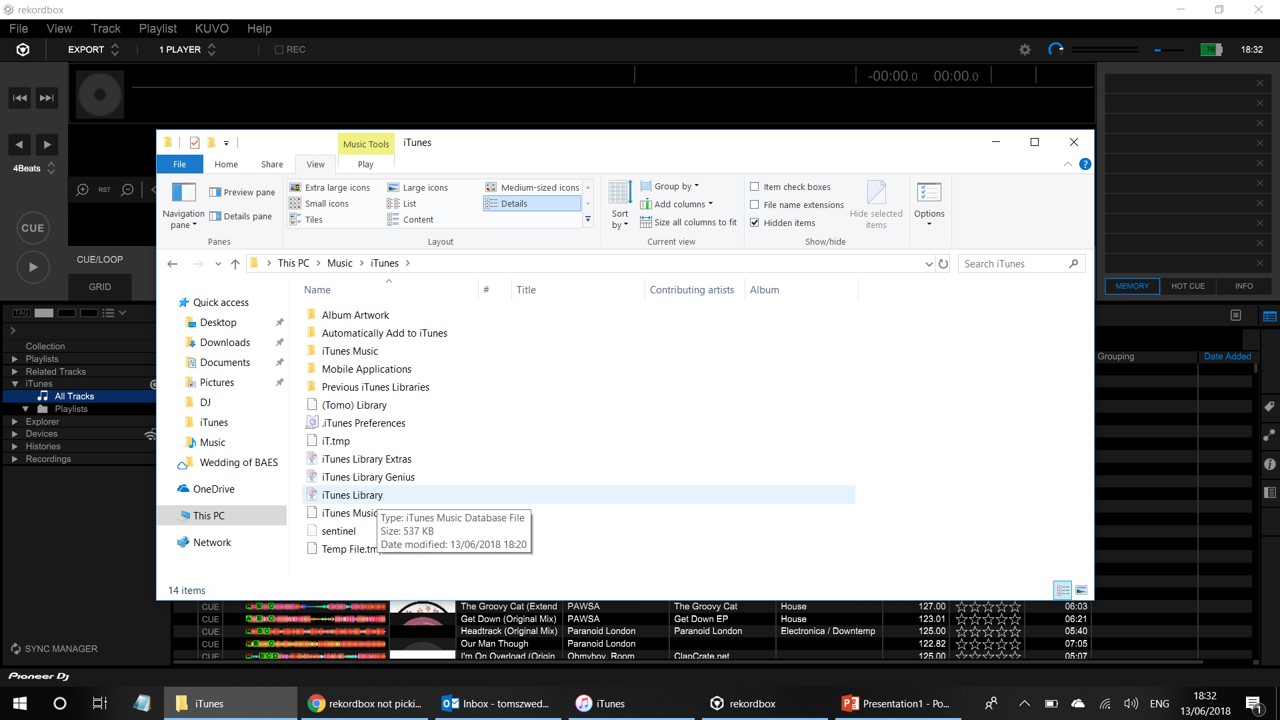
I opened rekordbox and now when I click the itunes section browser on the left nothing shows, no tracks, no playlists nothing. I think Apple might renamed the library file to "iTunes Library" and its no longer an XML file (says its an "iTunes Database File" extension)?
I tried to reselect the new file (In Preferences > Database > iTunes tab) but seems rekordbox only lets you pickup XML files to access the library.. I can't even select the new library file as it doesn't show!
Pioneer please help because my itunes library and playlists have vanished and am sure will be the same for other users :-(
Thanks
Tom
@Tom > Sorry to hear the issues you're having with iTunes, please file an inquiry ticket here and our rekordbox support team will be able to gather some additional information to assist you in resolving this issue.
Post ist für Kommentare geschlossen.
Hi,
Not sure on Windows as I don't use it, but sometimes after reinstalling iTunes it reset's the access to the XML file. This means you have to go to Preferences in iTunes and check if the checkbox is still on at " Share iTunes XML file with other software" .
If you do not do this , the XML file is locked by iTunes.
Best check all iTunes file locations and check these against the file paths in Rekordbox, chances are there is something not right there.
Had no issues on my Mac with the same iTunes version and Rekordbox.
Peter
Peter thanks. I checked Rekorbox setup, it is pointing to my iTunes Library XML file OK.
But Rekordbox is definitely behaving differently since the update;
A) In the iTunes subsection, when in Rekordbox Export mode, when clicking Playlists, NOTHING shows. If I click the Reload button just above, then the playlists show. But as soon as I click off and on to something else, then go back to Playlists, same situation.. nothing shows.
B) When I click Sync Manager, the iTunes playlists are displayed, but the "Synchronize iTunes playlists" button is greyed out. I cant sync to Rekordbox and then USB device.
Screenshots on all above, attached.
Please help ths is super annoying!
Thanks


I am afraid that I cannot suggest any course of action here as to me it all seems to be correctly set.
Why iTunes has made a database, I don't know.
Apparently when you do a reload the changes are picked up, so it seems to be working.
Try a reboot...windows loves reboots.
Else I am just as gobsmacked as you are.
Get a Mac ? Might be a better idea ;)
Good luck