Can you please clarify -- the act of connecting the USB drive started a deletion process?
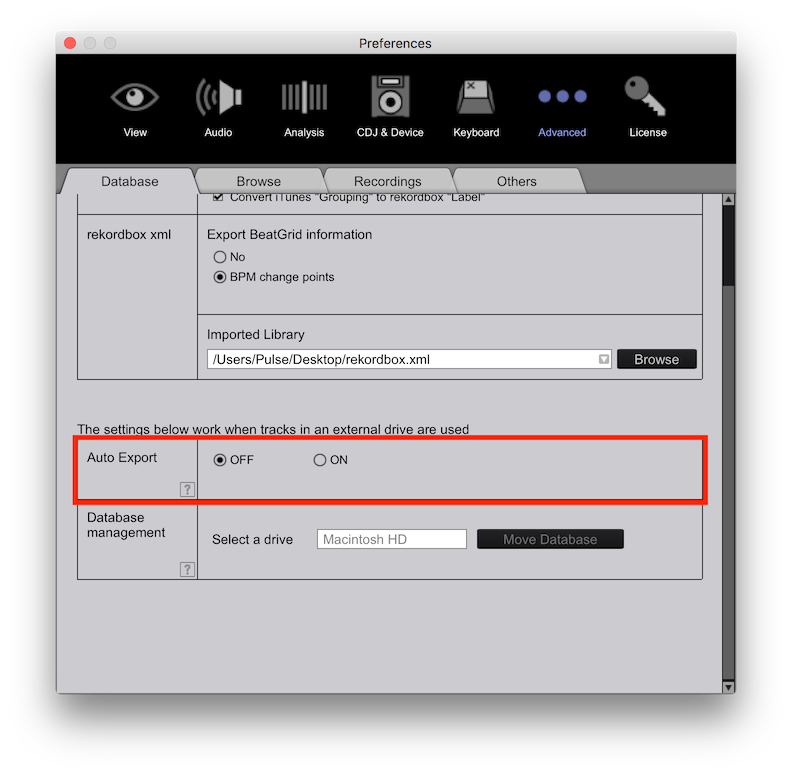
Do you have automatic sync enabled for that device?
Aktionen für Kommentare

Hello,
I realized that somehow some of my playlists from Rekordbox along the files disappeared from my computer.
Then I fortunately found a USB key that I had for DJing with those tracks, and connected it to my computer. When Rekordbox detected it, it started saying "deleting ... <track names>" and suddenly all those missing playlists and tracks were also gone from the USB key.
I tried searching the Contents folder on the USB key, looking at invisible files and trash and I could not find them anywhere.
This happened right after upgrading to the latest version of Rekordbox 5.3.0. (if it could have any effect on it).
Can someone explain me why this happened and what can I do? I really do not want to find out that those tracks are irrecoverable, because that would make me really start disliking the software.
Post ist für Kommentare geschlossen.
Can you please clarify -- the act of connecting the USB drive started a deletion process?
Do you have automatic sync enabled for that device?
Yes, the act of connecting a USB key and having the Rekordbox open automatically initiated the deletion process. I have the default options enabled.
What do you mean by automatic sync? When I open sync manager, I see "sync playlists with this device" checkbox enabled.
Is this what you mean?
In the preferences: