Have a feature request or suggestion? Post your idea here!

Post

2 Follower Folgen
0
Avatar

Activate Your License Key Troubles

Hi,


Ive posted a few weeks ago but haven't heard back. I recently got a new MacBook Pro and I am trying to record a mix with rekordbox, however, when I plug my USB cable from the mixer into my new laptop the following pops up:


I never had to activate a license key when I wanted to record with my old laptop. Why is it asking this now with my new computer? I bought my mixer and CDJ's second hand so I'm not sure how to find the license key if I have one. Please help as this is becoming frustrating. 

Thanks,

Ayla. 

AylaDJ

Offizieller Kommentar

Avatar

You need to activate the license on any computer on which you install rekordbox. The license is valid for two installations (which you can deactivate before you stop using one computer in order to transfer it), and can be located by logging-in to your Pioneer DJ account.

Go to the Profile page, click on Licenses and you'll see the keys and which computers they're used on.

Pulse
Aktionen für Kommentare Permalink

Post ist für Kommentare geschlossen.

7 Kommentare

0
Avatar

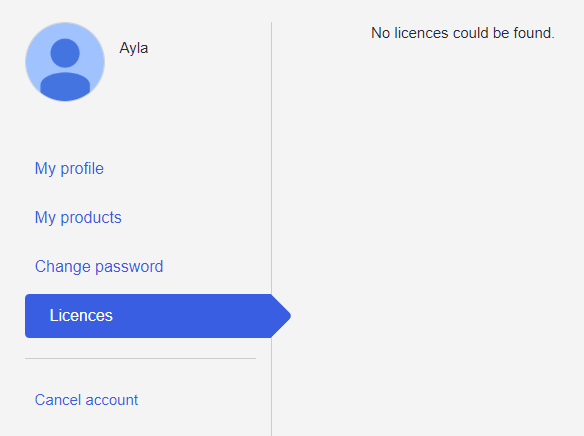
I don't think I have ever activated a license before though. I have logged into my Pioneer account and no licenses show up (see below). If I were to have a license where would I find it? I was given all the sheets and original boxes when I bought my DJM and CDJ's second hand, could I find it in the box somewhere?

Is there a reason I was able to record on my old macbook without activating any licenses? Why is it asking for one now on the new macbook?

Thanks,


Ayla. 

AylaDJ 0 Stimmen
Aktionen für Kommentare Permalink
0
Avatar

If the user sold it without the license (which they can do), you are still able to use the product with rekordbox in export mode to allow recording. From that screen you saw, click the CANCEL button. The reason it's now asking for a license is you're using a product which is compatible with rekordbox dj, but as there's no license activated, it's prompting you to enter one for access to the full functionality of the program.

Pulse 0 Stimmen
Aktionen für Kommentare Permalink
0
Avatar

Yeah I thought it had something to do with performance/export mode. And on my old computer there was a drop down menu where I could choose which mode I was in. I can't seem to find it on the latest version of rekordbox though. How can I switch to export mode? I cant seem to find the option anywhere. 

AylaDJ 0 Stimmen
Aktionen für Kommentare Permalink
0
Avatar

Yeah, see that TRIAL button? That would be where the toggle lives - but you don't have the "dj' (PERFORMANCE mode) plus-pack activated. You can click the TRIAL box to activate a 30 day free test of the full software.

Pulse 0 Stimmen
Aktionen für Kommentare Permalink
0
Avatar

Yeah but I dont want a 30 day trial. I want to know how I can use export mode all the time? It was never an issue on my old MacBook... Got any suggestions as to how I get this working so I can use rekordbox as normal for the purpose of recording mixes?

Thanks. 

AylaDJ 0 Stimmen
Aktionen für Kommentare Permalink
0
Avatar

You CAN use EXPORT mode forever, for free, and you can record without needing to enter a license key or entering performance mode. Just carry on!

Pulse 0 Stimmen
Aktionen für Kommentare Permalink