Have a feature request or suggestion? Post your idea here!

Post

2 Follower Folgen
0
Avatar

XDJ-1000: Control selected Hot Cue using Cue Button and Autoload?

Hi there, 


1:

I have set 1 Hot Cue loop in Rekordbox and I would like the track to start with the cue point loop enabled. Instead of the track starting at the beginning I want it to jump to my first Hot Cue A which is a loop. 


2: 

Is there a way to control the Hot Cue A using the Cue button, instead of having to press on the LCD screen? Ideally once the hot cue is loaded I will be able to press the cue button to start the song from the Hot Cue A. 


For example:

If I was mixing live, I set a cue point by pressing the cue button, and then set a 4 or 8 bar loop, each time I press the cue button it will restart the loop. This makes it easier to start the loop on the right bar to have accurate beat matching. 


Thank you for the help! I think I am misunderstanding things and read the manual but still confused.

Brendan Bannister Beantwortet

Offizieller Kommentar

Avatar

@Brendan > A couple of things here...

First, if you want it to automatically load the track to the hot cue, simply change the autocue setting in the preferences to cue to the first hot cue / memory point. That way any time you load a song, the hot cue or memory point closest to the start of the track will be called as the main cue.

Second, in order to have it loop automatically, if you have stored that hot cue as a hot loop (make a loop THEN store the hot cue), it will automatically load the track with the loop engaged because that hot loop you stored is the first one on the track, and that's what you've already told the player to load up when you load the song.

Pressing the main CUE button (above the play button) will ALWAYS stop the track, and no, you can't set it to act as a hot cue button, You'd need to tap the hot cue button on the screen to have it jump back to that point.

If you want it to always lock in sync to the other song playing, consider using the quantize function.

Pulse
Aktionen für Kommentare Permalink

Post ist für Kommentare geschlossen.

2 Kommentare

0
Avatar

Hi Pulse, 


Thank you for the detailed and prompt response. 


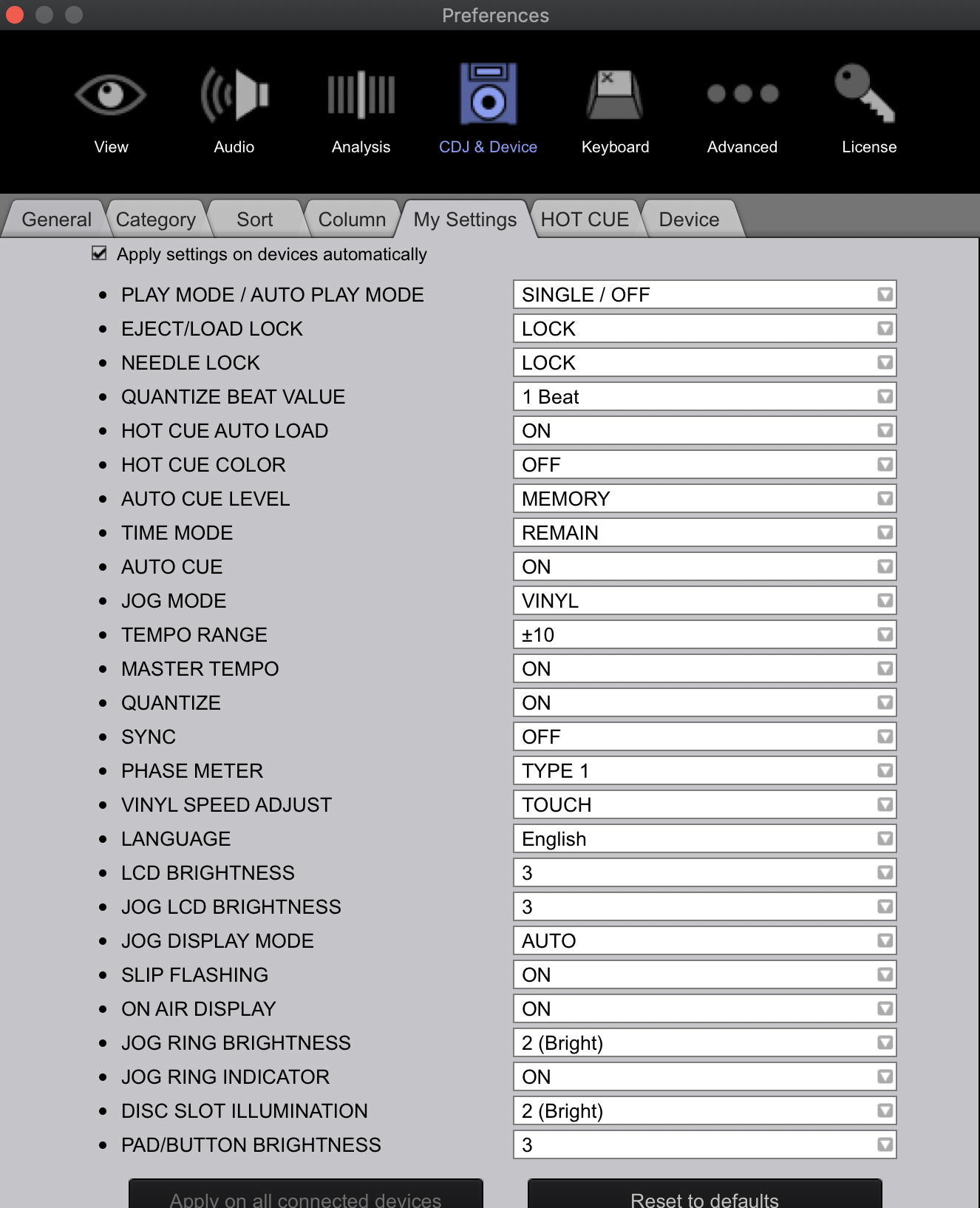
I have done exactly what you have suggested, however the tracks are still failing to load into the first hot cue. On MySettings it is set to "memory" there is no option for it to load on the first hot cue.


Do I need to go into each track and remove the current memory point (at the start of each track) and set the first memory to the first hot cue? In essence removing any memory points besides the one set on the first hot cue? Does this mean for the track to autoload at my desired hot cue I need to set both a hot cue AND a new memory point and ensure there are no set memory points prior to the desired hot cue?


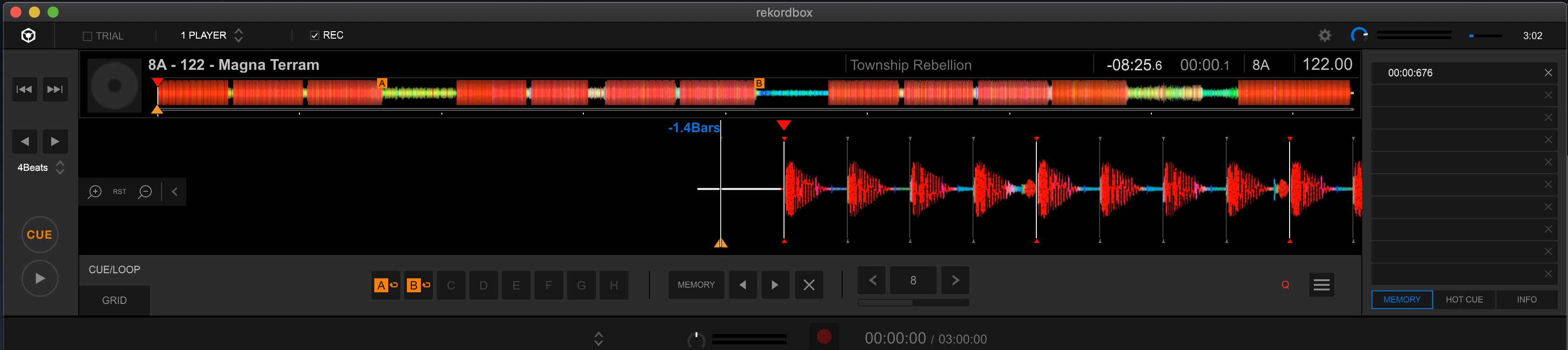
Screenshots of current settings:


Thanks again!

Brendan Bannister 0 Stimmen
Aktionen für Kommentare Permalink