
is it the same numbers as the RX2 ?
Aktionen für Kommentare

Hi there,
When i use the XZ in midi mode as a controller, the audio inside Recordbox automatically switches to EXTERNAL mode, unable to switch it to internal. This is a problem for the LIGHTING function.
There is no way to make the LIGHTING function automatically when in external mode.
So when switching channels you wilml have to manually switch the lichting show for that deck...
ALSO,
when i take a look inside recordbox settings - audio - Control device infomation ;or inside the midi-studio on my mac; there are 2 files that are created. An XDJ-XZ(1) and a XDJ-XZ(2) ...
Post ist für Kommentare geschlossen.
is it the same numbers as the RX2 ?
i will mail u
Does the WORK AROUND with that MidiStroke box only work with the Crossfader or can you program it so work with the Volume Faders on CH1 and CH2 instead?
for the XZ...
my midistroke settings (there are 2 keystrokes binded to number 17 and 18 for shifting in lighting mode aswell as in videomode...):
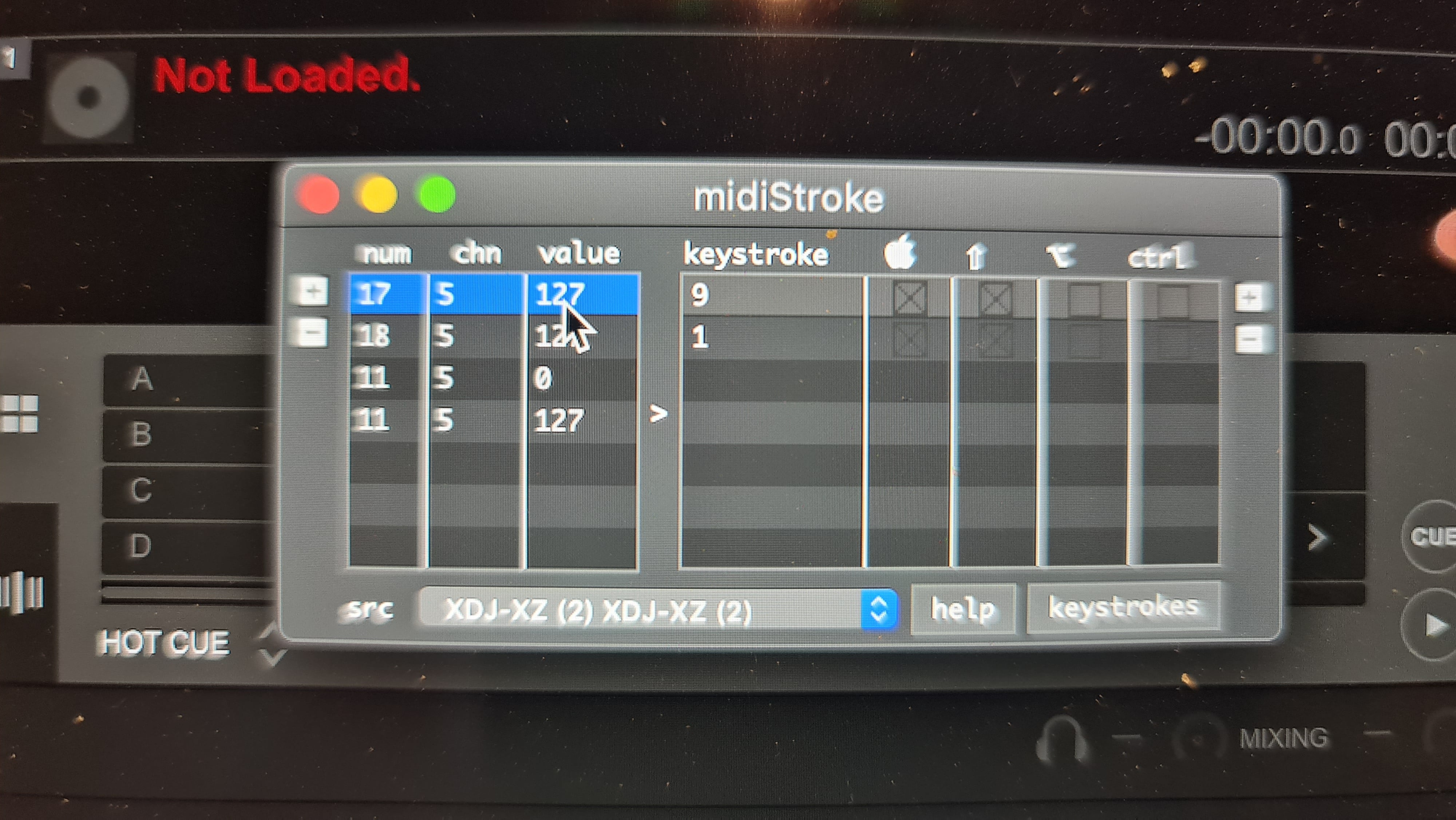
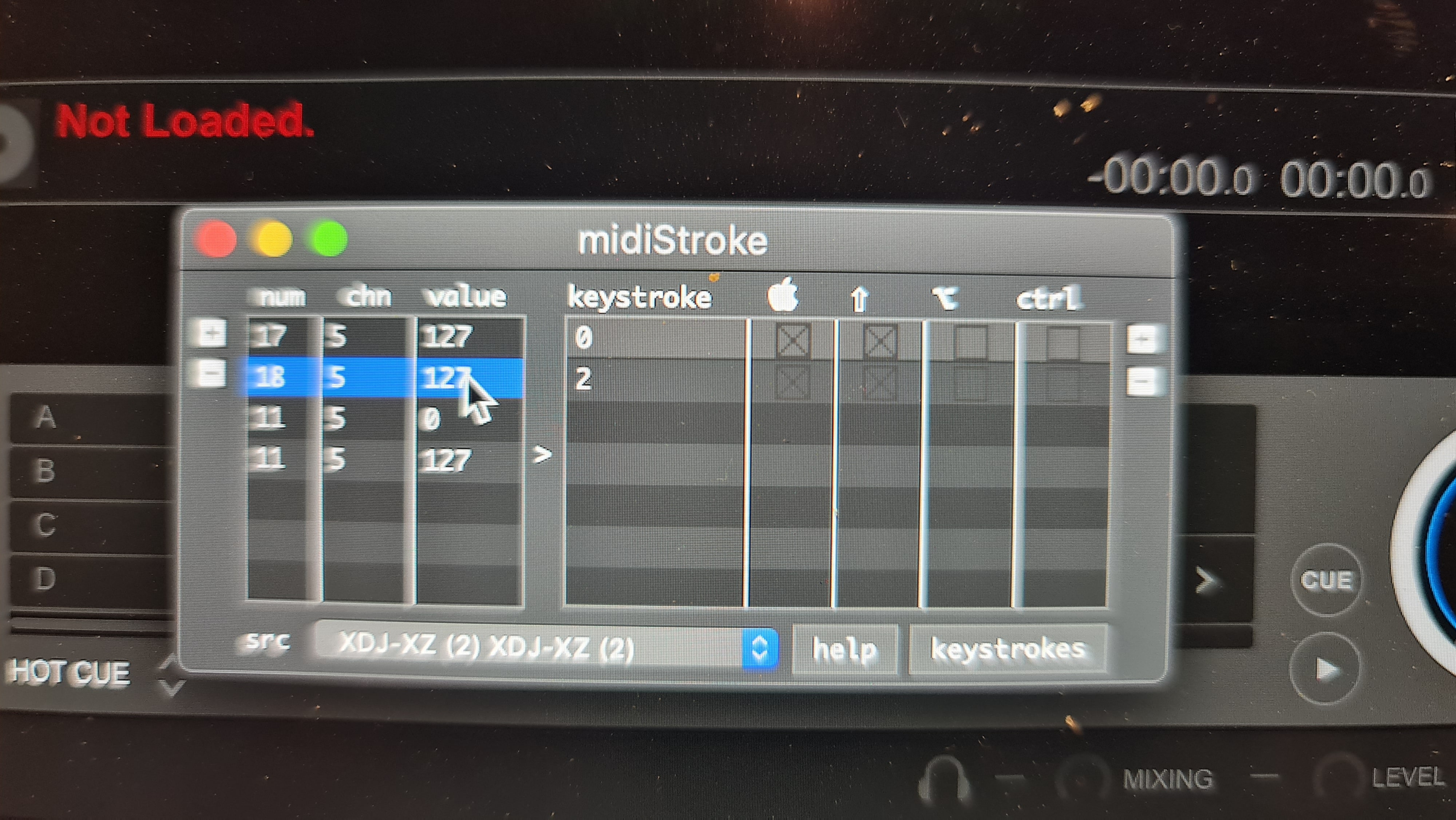
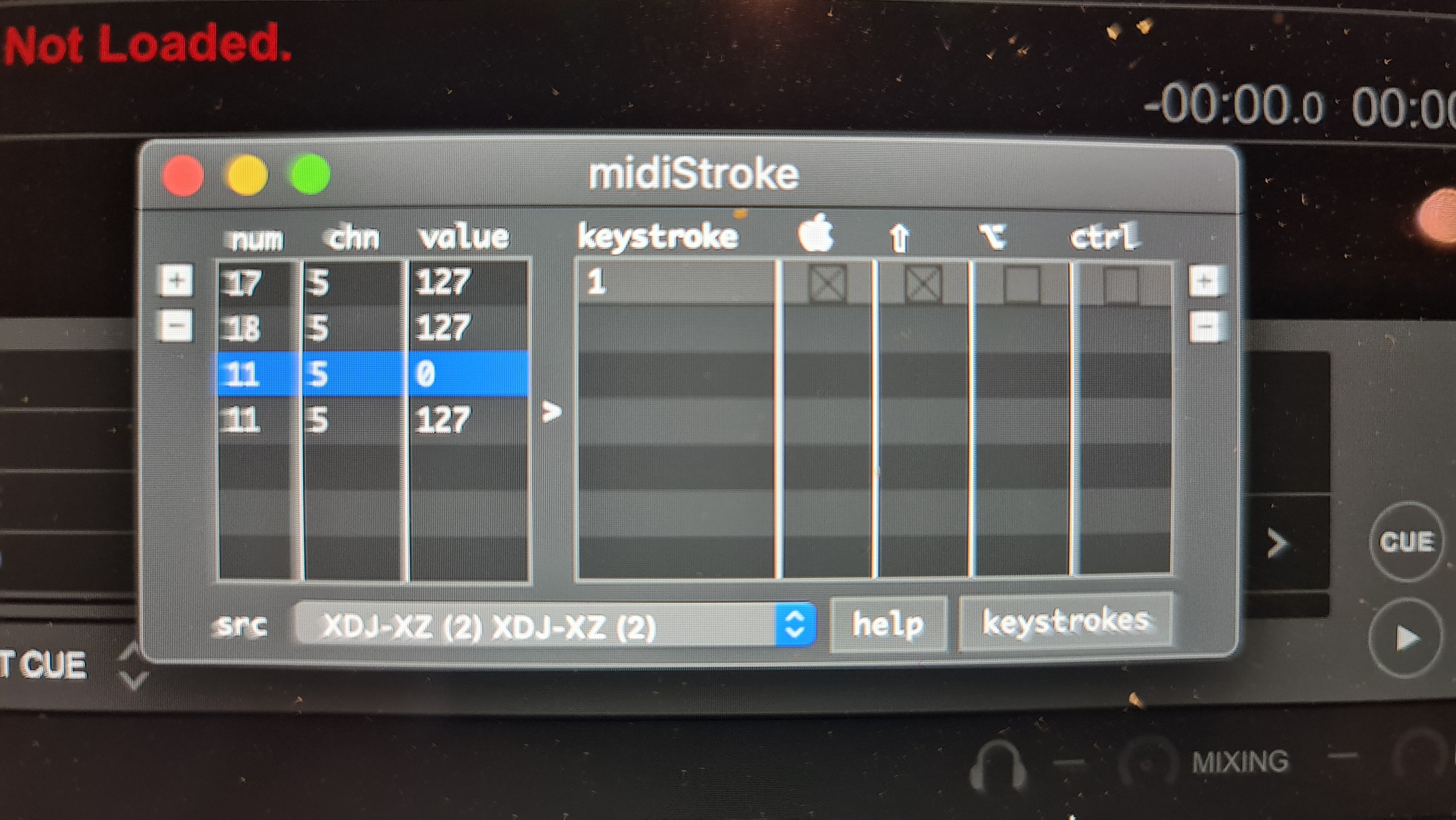
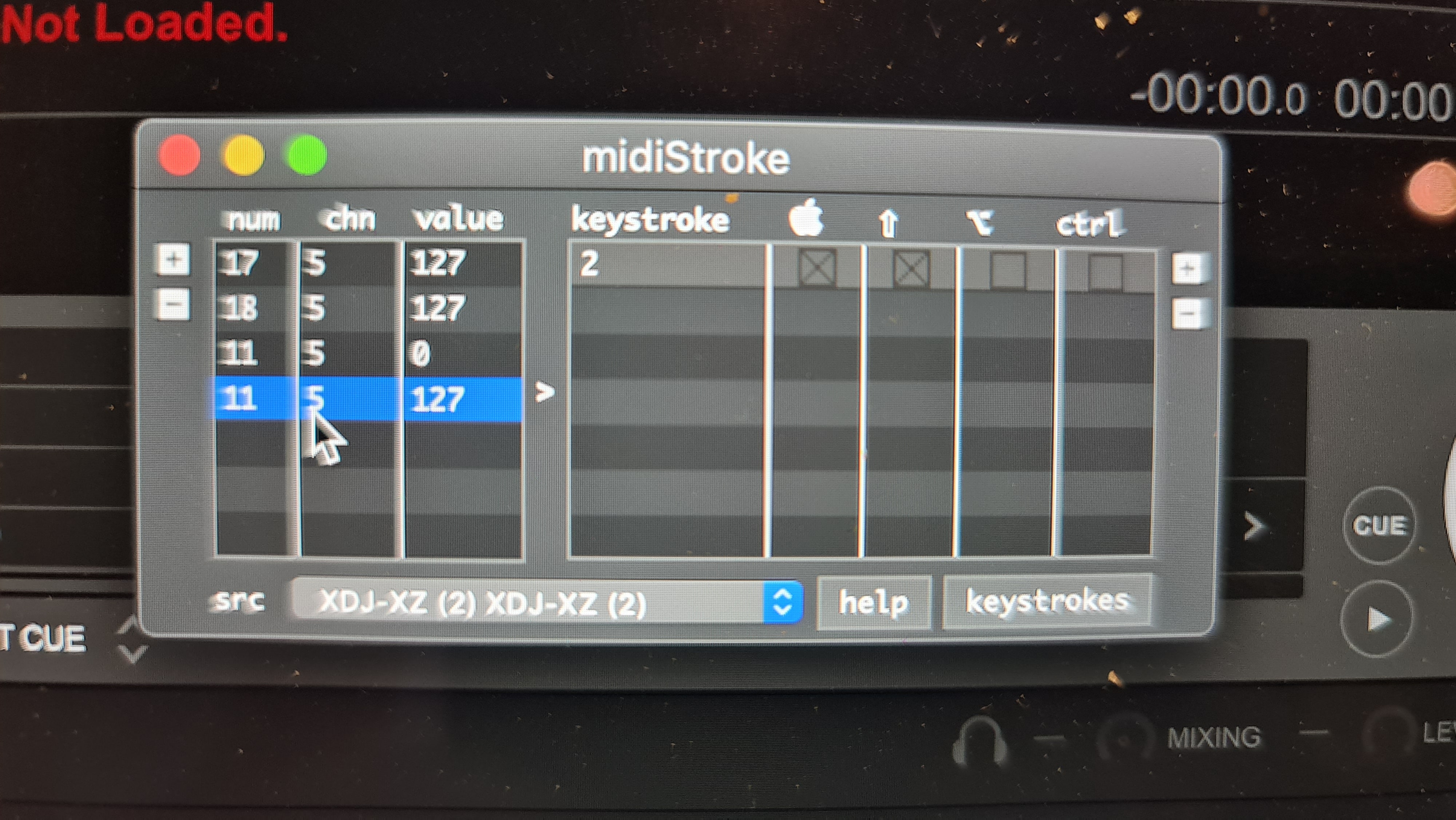
and next my keyboard shortcuts in performance mode on recordbox
shift+command+9 for left
and shift+command+0 for right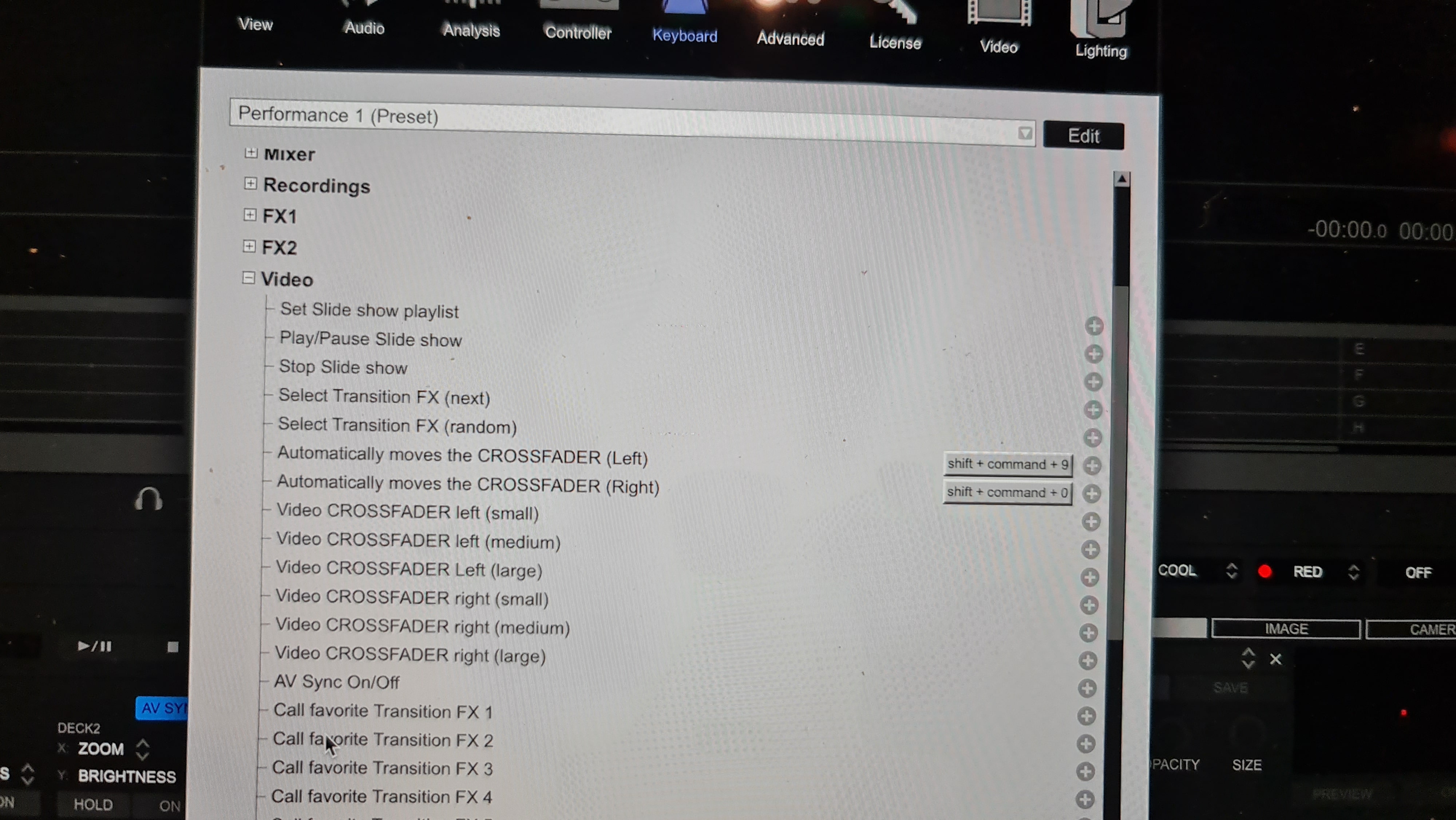
and in lighting settings (keyboard shortcuts:
shift+command+1 for deck 1
and shift+command+2 for deck 2
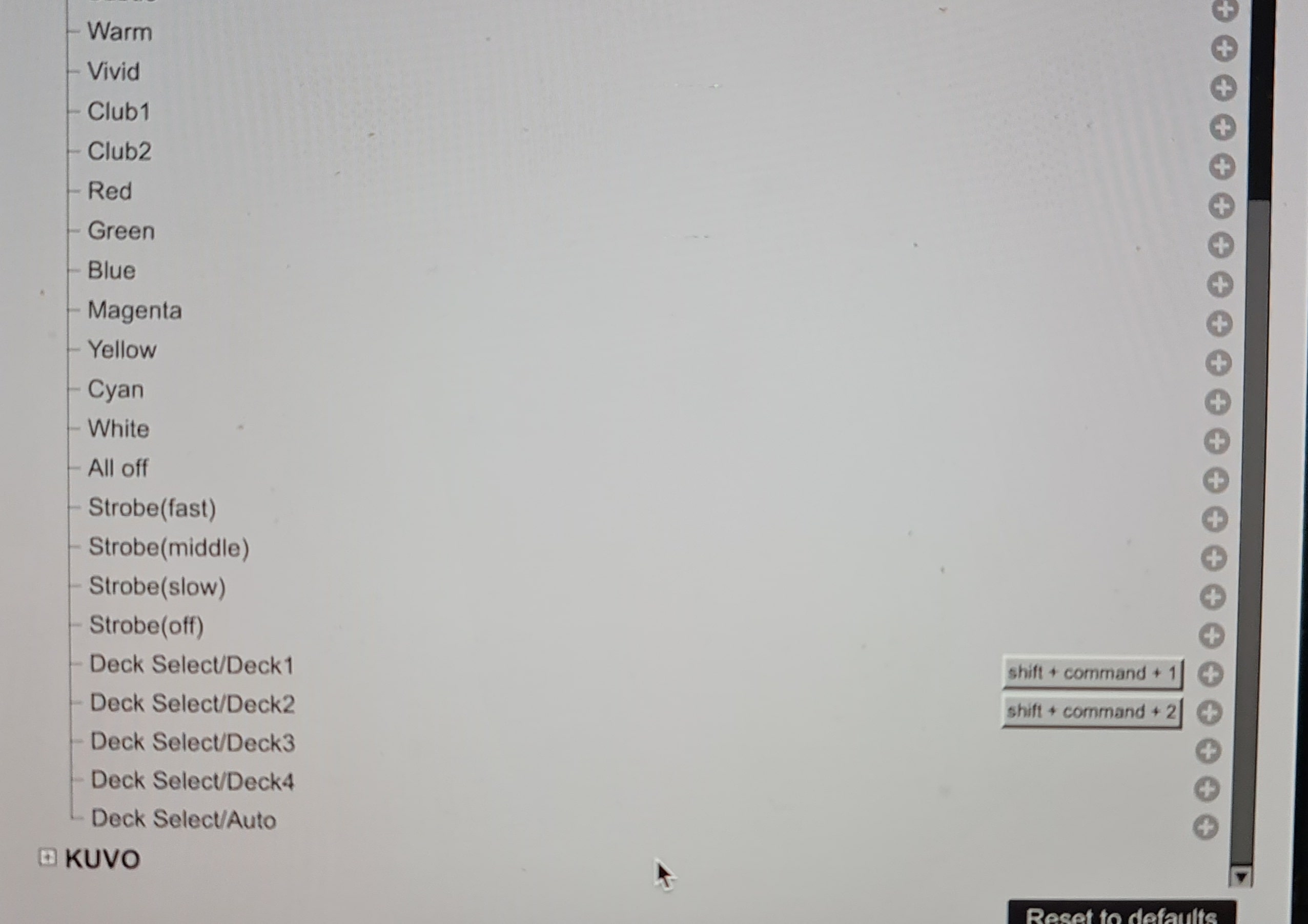
this way the crossfader AND the channelfaders will work.
HALELUYA!!!
so midicode 11 is the crossfader, midicode 17 is channelfader deck1, and 18 is channelfader deck 2...
Thanks Mario, I think I've got it working!! HALELUYA INDEED!!
I do have one more question though....
When I put the volume UP on either CH1 or CH2 it does automatically switch the lighting to that channel, which is GREAT! (Thank you!) BUT - when I drop the volume down on the song that has finished - it switches the lighting back to that channel straight away...
Is there a way to stop it switching the lighting back to the old channel?
Does that make sense?
I am only using the Ch1 and Ch2 volume UP fader... I am not using the cross fader
Hi Graham;
I tested it and I dont have these problems.
make sure you select the two first checkboxes in all the 6 lines you put in midi-stroke (it will add "command" and "shift" to the shortcuts).
Also make sure you have the command+shift in the shortcutcombinations.
If you dont touch the crossfader everything will work on the channel faders. the minute you decide to use the crossfader, it will switch over automatically. So you can freely choose wich one you want to use. It allways switches over automatically.
Maybe you have switched the shortcutlines in recordbox? (lighting section and video section...)
in your XZ, in the menu (hold the menu-button), there is an option "mixer midi message", i have it set to "send midi with time parameter"... maybe this is the problem?
Thanks Mario, but the keyboard short cuts don't seem to work with my new macbook... when I press SHIFT + COMMAND + 9 it comes up with 'Shift+command+8' on my screen.... I have to press number 0 to get number 9... which then means I am unable to select number 0 (it's hopeless). I'll stick to the fix you've already kindly given me which is the best of a bad situation so I guess I'll just have to wait and see if Pioneer sort this issue out.... If you're aware of the shortcut issue and know how to fix that let me know... the other issue I have is on my new macbook the number 2 also has the € symbol on it so when I try and do SHIFT+COMMAND+2 it won't select 2, it selects the € sign... so frustrating... this is probably why the MIDI workaround isn't working 100% right but it'll have to do for now...
sorry, I mean't my number 2 has the @ (email sign) so when I press SHIFT+COMMAND+2 I actually get Shift+command+@
Maybe you have the wrong keyboardsettings ( like Belgian and French are both Azerty but differ in other regions on the keyboard).
But you dont physically have to touch the keyboard, ever.
Make sure midi stroke is running and it will translate the midisignals into shortcuts wich will be read by recordbox. You never ever touch your keyboard!. So make the shortcuts as complicated as possible so you never accidentally touch them when you need to do something on your laptop while in a set.
The only thing you have to make sure of is that the shortcuts stated in midistroke are identical as thise you put in recordbox. So in you case, put number 8 instead of 9 in midistroke and also put the @instead of 2 in mistqtroke. Doenst matter wich keys you set, as long as both are the same (and are complicated combo's). Hope I helped ya. Go like my fb page so we can collab in the future 😉 #bogywonderland

