Hello,
I hope you are all keeping well. I need some assistance please....
I have just purchased a Rekordbox Core subscription, to enable me to use my controller (Pioneer XDJ-AERO) with Rekordbox.
I downloaded from Pioneer website latest AERO driver (XDJ_AERO_1300) and installed onto my computer.
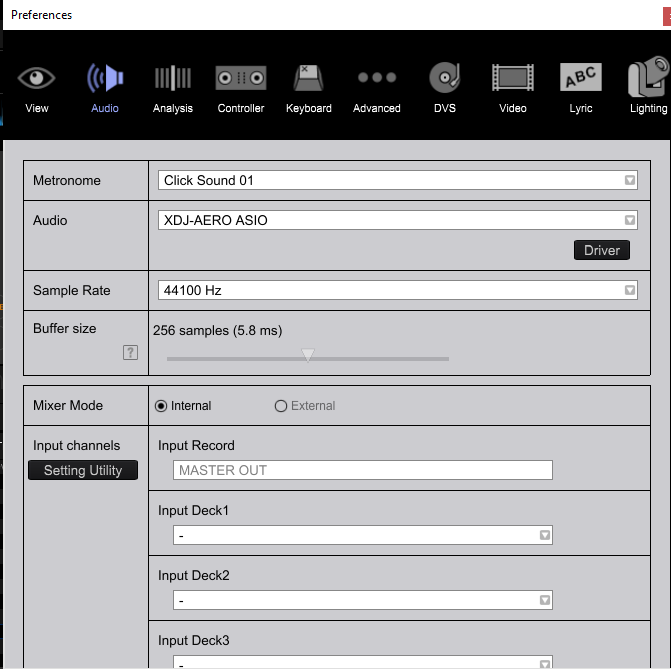
In Rekordbox>Preferences>Audio, I have selected the XDJ-AERO ASIO driver, which seems to control the Jog Wheel, and the Cue and Play button, but for some reason the audio doesn't seperate with the crossfader.
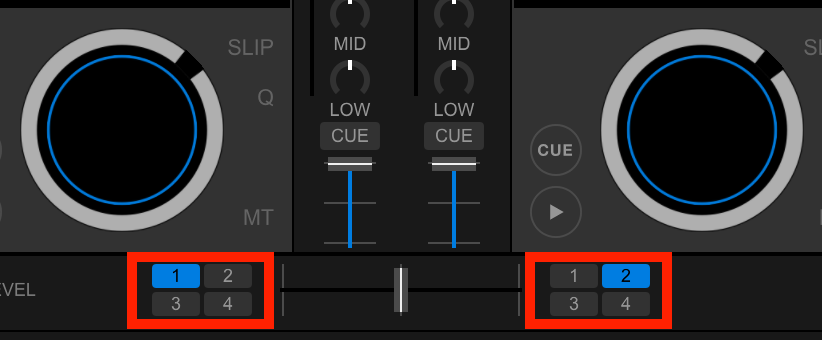
The music will come out of Deck 1 for example, but also Deck 2 leaks despite the crossfader being right the way across.
This feels like a setting that needs to be changed, and I have had a simliar problem with Traktor 2 pro in the past, which was a setting, but there are ALOT less options/features that I can choose from.
I cannot find a midi file in CSV format for importing into Rekordbox either. And it seems as though there is a setting issue with external mixer/crossfaders not picking up, but I am at my wits end.
Set up picture include. Please help!!!
Thanks,
Tim