Can you post a screenshot of your audio settings within rekordbox?
Aktionen für Kommentare

Hi guys.
I have had this weird issue for a few weeks now, it was bought to my attention when I was cueing up a song whilst streaming, they could hear me cueing up the other track.
I have since noticed when I move the channel faders up and down with music playing, the channel level doesn't appear to go down, same with both channels, same as cueing through headphones.
I have set up Rekordbox correctly as far as I know, audio is DDJ-400 WASABI, master output is the audio interface and headphones output is the headphones.
I don't know what else to do. Either I am going delirious with the pain of sciatica and pain relief, Rekordbox settings are not correct, something is not set correctly in OBS (unlikely) or the hardware is faulty.
I have never dropped or spilt anything on the controller to my knowledge. I have to also say the sound does go up and down with the faders, just the channel level is not moving. I could really use your help here. Thanks
Post ist für Kommentare geschlossen.
Can you post a screenshot of your audio settings within rekordbox?
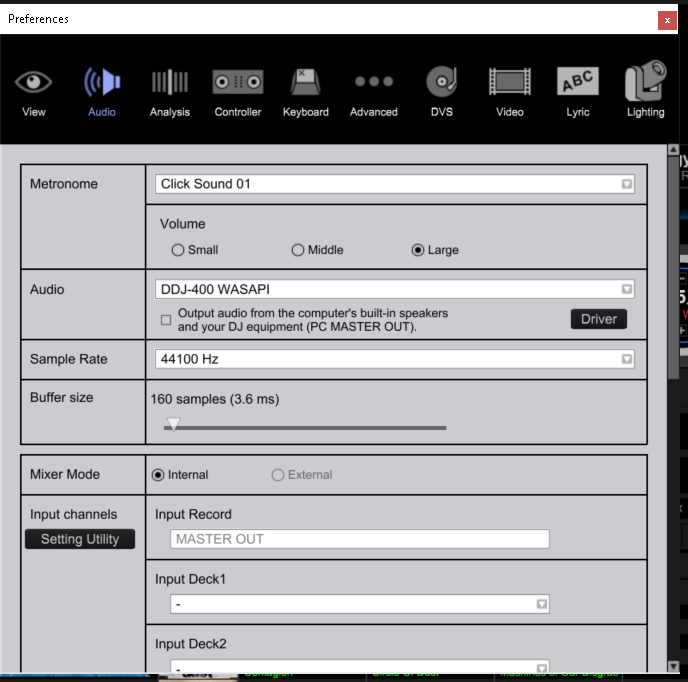
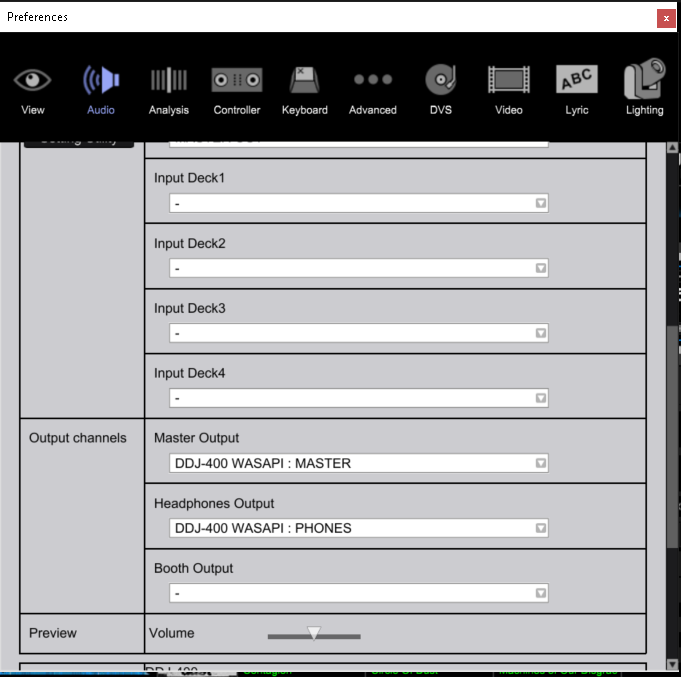
The master output is usually my audio interface. Maybe its not showing here because I am now connected to a monitor
If you were using a different audio device to output the master, that would likely be why - the master and headphones were probably both going to the stream. Try using the PC MASTER OUTPUT instead (set your audio device as the default audio output for Windows), then make sure the headphones output does NOT have the master as well.
How do I do that? In the Windows sound settings or Rekordbox. Made no difference in the WIndows
I have no other settings I can change for this. Everything above is normal as are the windows settings
In the images you showed, yes - those are normal. But if you had also used another audio interface and set it as the PC MASTER OUTPUT, it's possible it was also receiving the audio from the headphone output.
If you can send a screenshot of the audio page when using the streaming setup that would help.
here 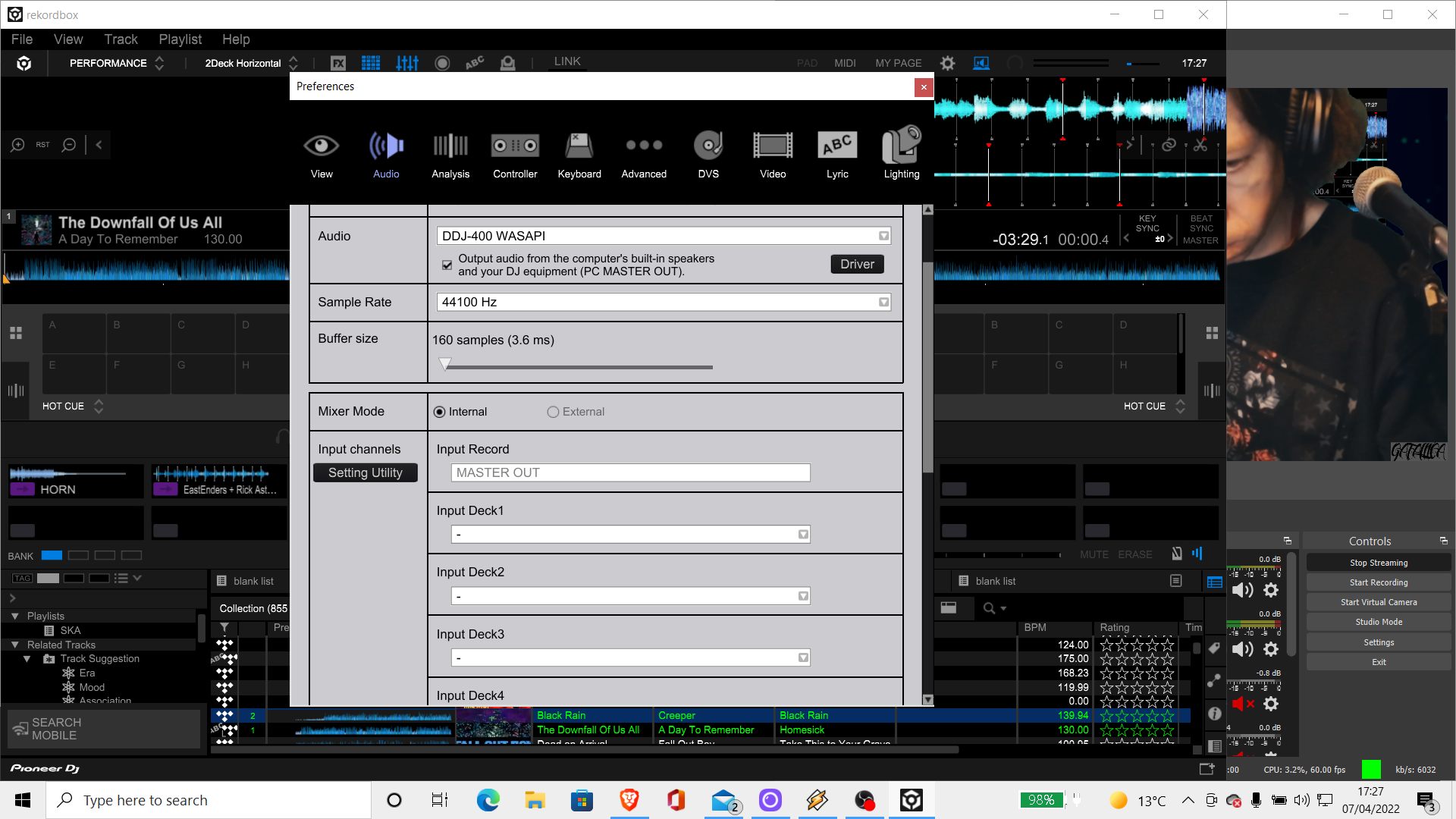
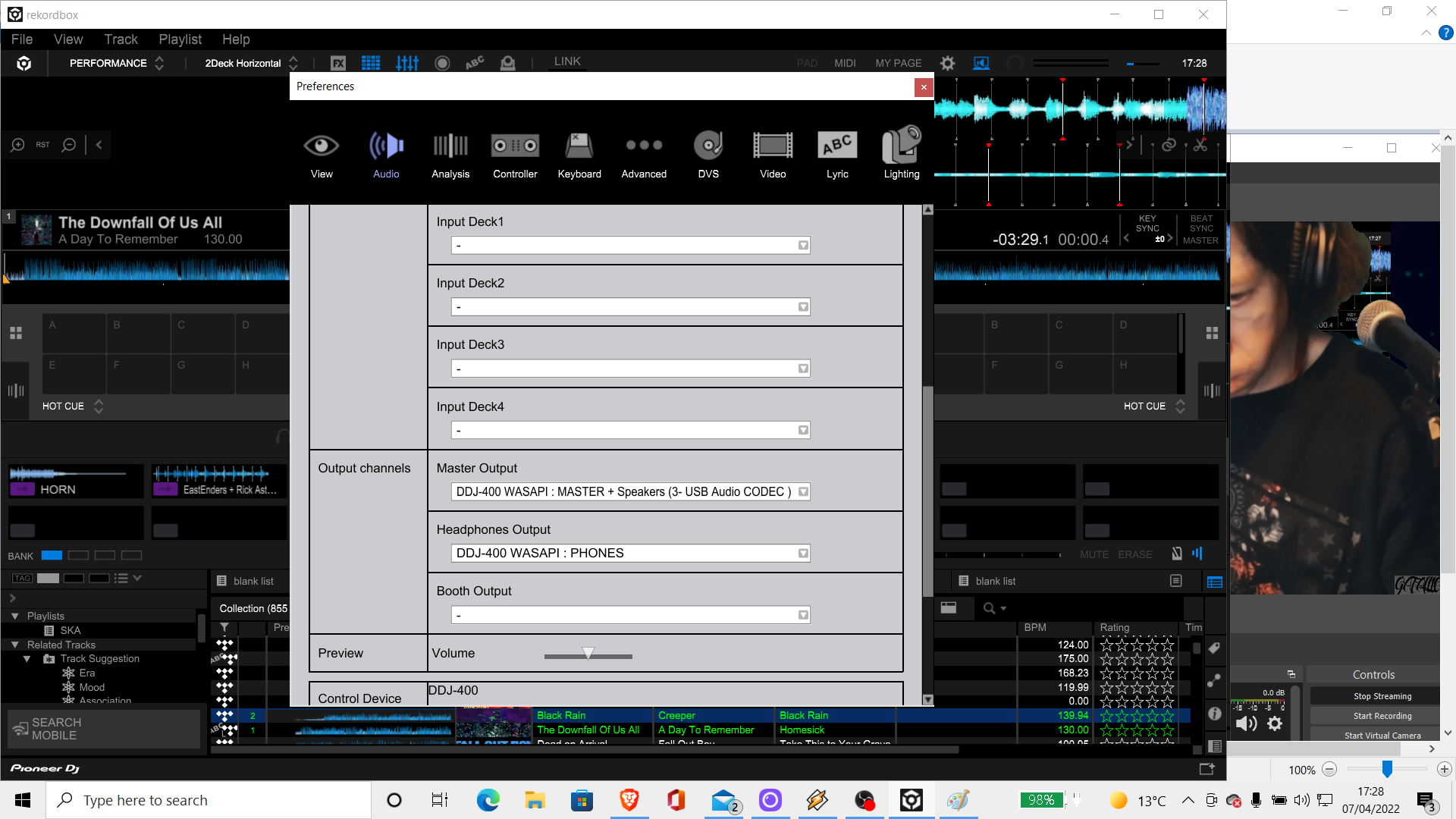
Your screenshots show it's configured properly and the video shows things are working as I expect to hear them. What isn't working?
The channel levels don't move when moving the faders up and down. They used to. Either this is something changed in the software, hardware or there is an issue somewhere. Maybe I am wrong. Its just when someone told me they could hear me cueing up a track I had one of the faders down
Even when you move the faders left to right both channels still show playing is that right? I am still pretty new to all of this, about a year in with Rekordbox and Pioneer but starting work I don't have a lot of practice time
The audio levels are changing on the output, I'm not sure what you're referring to?
In the video you toggled the cue on and off and that did not come across in the recording. There's no way that anyone listening to the stream could have heard the cueing output unless you had the channel fader open.
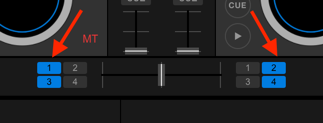
If you are concerned about the crossfader assignment, check the channel assignments in the mixer panel: