
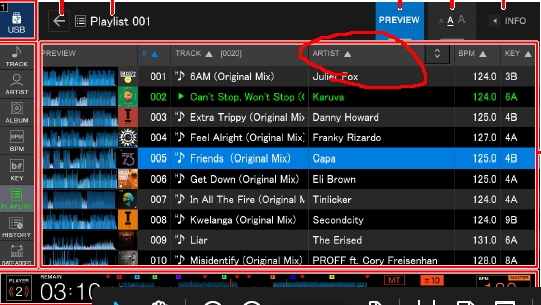
I think you can select it in the red circle below.


Aktionen für Kommentare

Anyone know how to show artist name in the default view here without having to press "Info" ?
Is there a way to customise the columns?

Post ist für Kommentare geschlossen.
I think you can select it in the red circle below.

I had the same issue, its a setting in Rekordbox, instead of going to preferences click on the USB icon with your USB connected, here you can select artist as a default. I believe is something to do with Link enabled.

@Tom > Click on the device name under the DEVICES in rekordbox, then one of the tabs allows you to select which column appears to the right of the song title in the CDJ display. You can select the preference there.

I have the same issue. Selected artist as a column next to the song title and still can't see it in the playlist but only when I press "track" on a cdj.
Any help?
@Simon > What view were you in where you expected to see it next to the title?