Have a feature request or suggestion? Post your idea here!

Post

2 followers Follow
0
Avatar

[Solved] Rekordbox cue /pause vs "Hot Cues" and saving them to XDJ / CDJ-2000

I am wondering why the standard cue that I set in Rekordbox doesn't automatically load up on my XDJ-RX or on a CDJ-2000 in the clubs? I'm talking the cue orange circle above the play button, not Hot Cues..

What I'm hoping for is when I load a track the track is loaded from the USB and already "cued" up and ready to go. I was thinking that when i set "cue" it would stay that way when exported to  the USB stick. If not, is there a way I should do it or should I just use Hot Cue Points A, B, C, D and load them from the CDJ?

Any pointers? 

Thanks in advance

syneman wild Answered

Official comment

Avatar

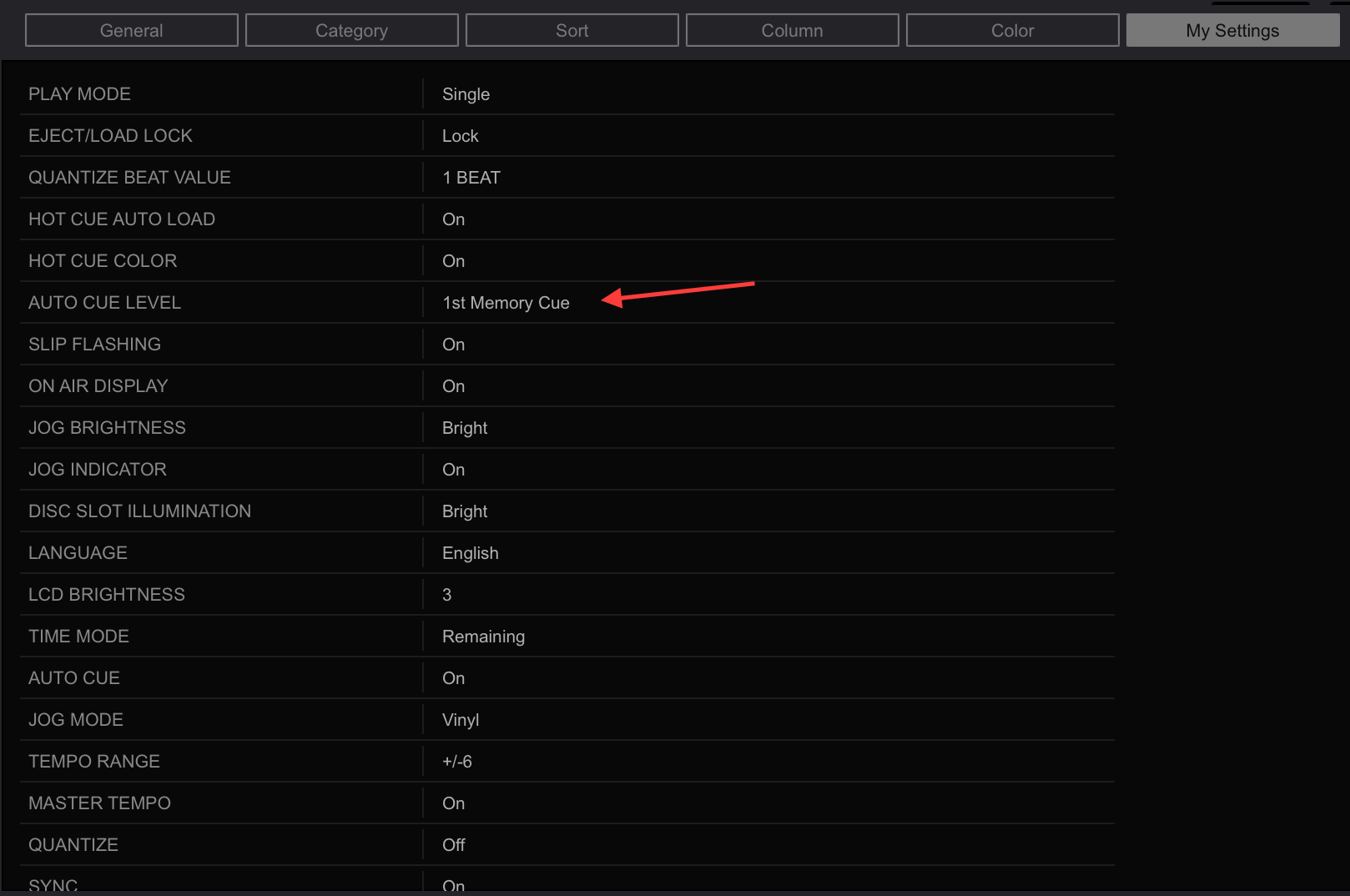
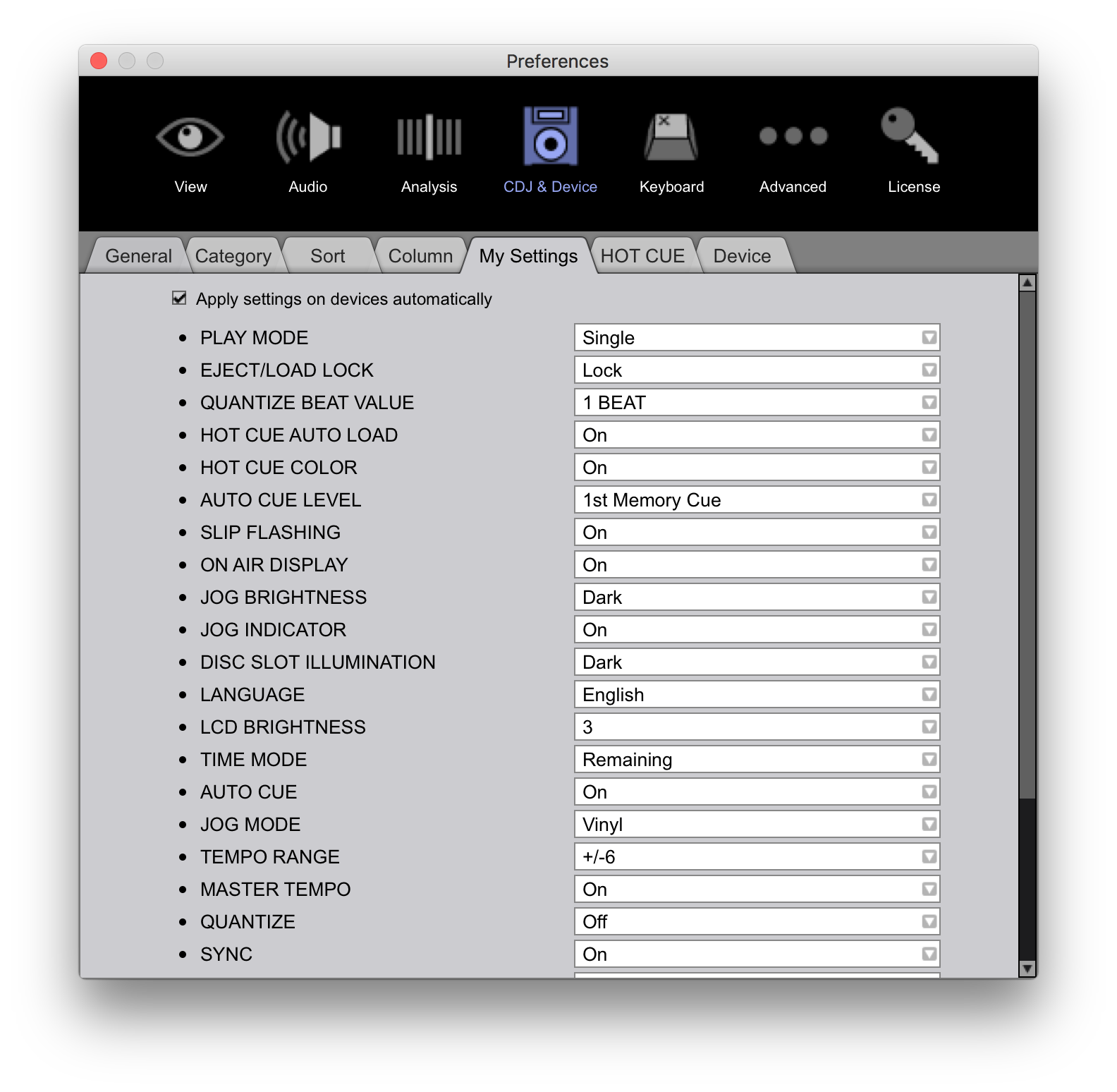
That is a dynamic cue point -- if you want to store that position for future use, you need to either store it as a memory point or hot cue. What you need to set within rekordbox is a preference for the track cue to be set to the first memory point on track load.

Pulse
Comment actions Permalink

Post is closed for comments.

11 comments

0
Avatar

On the XDJ-RX: Load the track, create a CUE, then press the MEMORY button and it will store it. You'll need to sync the data back to rekordbox so that same memory point is stored with the track in your collection.

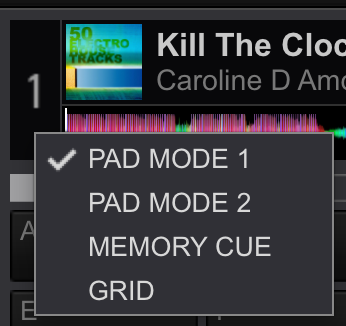
Within rekordbox: Load the track, create a CUE, then open the MEMORY CUE mode for the deck by clicking the drop-down triangle below the deck number (mouse over it for it to appear):

Once in MEMORY CUE mode, press the MEMORY button and that memory point will be stored on that track. Export or sync to your USB device to update it.

Pulse 0 votes
Comment actions Permalink
0
Avatar

No, on the device (click the device on the left side of the EXPORT mode window), then click the My Settings tab and change this setting:

Pulse 0 votes
Comment actions Permalink
0
Avatar

Sorry, my mistake -- it has to be changed within the preferences:


Pulse 0 votes
Comment actions Permalink
0
Avatar

I see the apply button to all devices..

Cheers and thanks for your help!

syneman wild 0 votes
Comment actions Permalink
0
Avatar

I just did all this and loaded the USB stick into my XDJ-RX and it didn't load any of my settings..Anything I need to do to load them?

I chose autocue to on and it works !! YEAH..but my settings otherwise didn't update..

syneman wild 0 votes
Comment actions Permalink
0
Avatar

Many of the other settings aren't loaded by the XDJ-RX, so as long as the initial cue was observed, you're fine.

Pulse 0 votes
Comment actions Permalink