Official comment

Please see this support article for instructions on correcting your issue.
Comment actions

just 2 weeks i get a pioneer DDJ-RR, and my pc master out is not working. I try lot of things in this forum but nothing work.
In my Preferences/Audio when i select DDJ-RR ASIO in the Master Output just say "DDJ-RR MASTER" and i see some pictures with "+SPEAKERS". The music only go for the headphones through the controller.
In the lap when i click the "sound icon" appears the line volume and a tittle i can change from "speaker (conexant smartaudio HD)" and "line (PIONEER DJ DDJ-RR)" and the 2 are in max volume.
I'm using a Dell inspiron 2 in 1 / Windows 10.
¿What can be the problem? ¿Someone with the same issue?
¿This work with only connect the usb cable or need more?
I'm very frustrated, i want to practice. :(
Thanks in advance.
Aly Or'less
Please see this support article for instructions on correcting your issue.
Post is closed for comments.
I don't have this options, this is exactly my problem.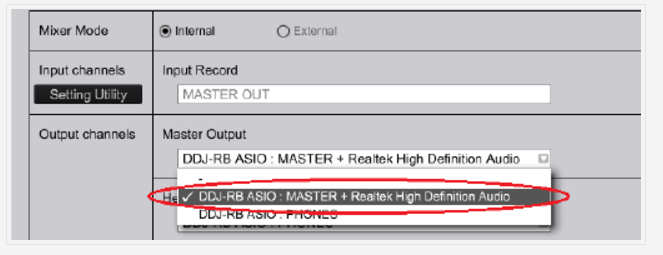
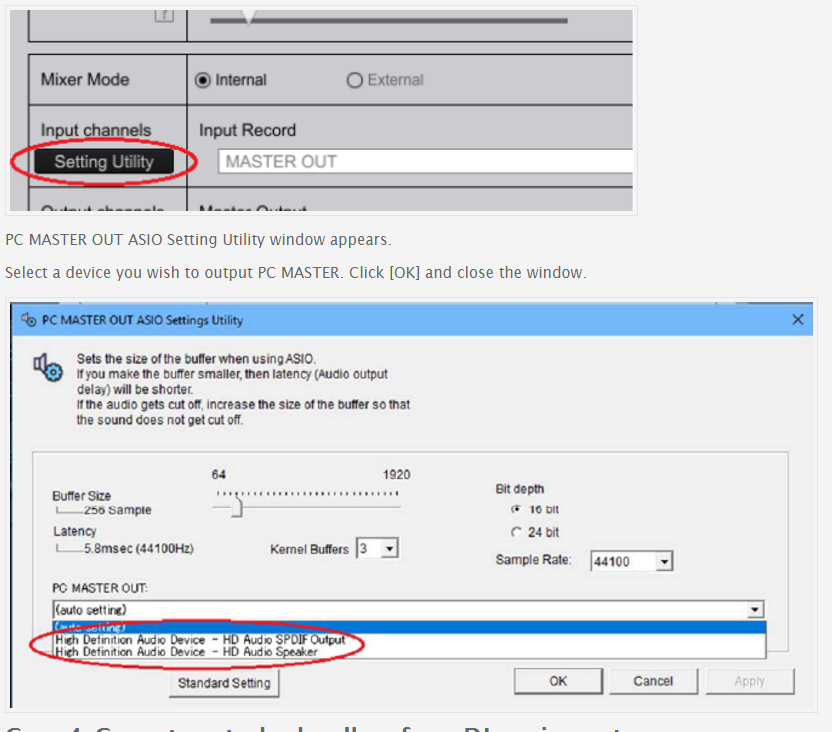
This is what i see:
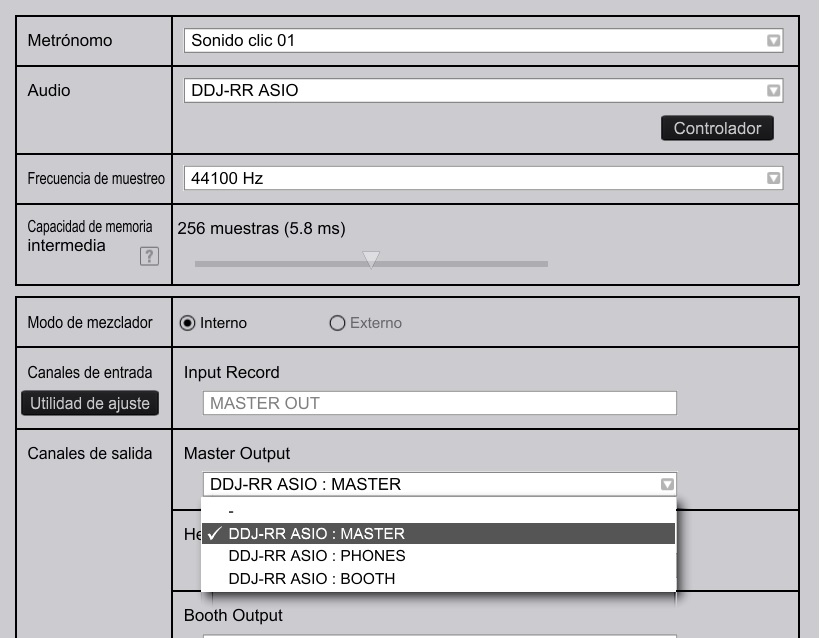
Did you first enable the Master + PC output by clicking the icon beside the word MASTER at the top-right of the rekordbox window? It will turn purple when it's on, and then you will see the options as outlined above in your preferences.
Yes, it is on.
And did you follow the instructions I linked after ensuring the MASTER OUT was enabled?
I did everything exactly as it says there.
I have experience with computers and I understand the procedures well. really do not have idea why is lacking that option.
But that does not seem to be a configuration problem.
Can you please post a screenshot of your PC MASTER OUT ASIO Settings Utility?

This is what the Settings Utility looks like, I have the same issue.
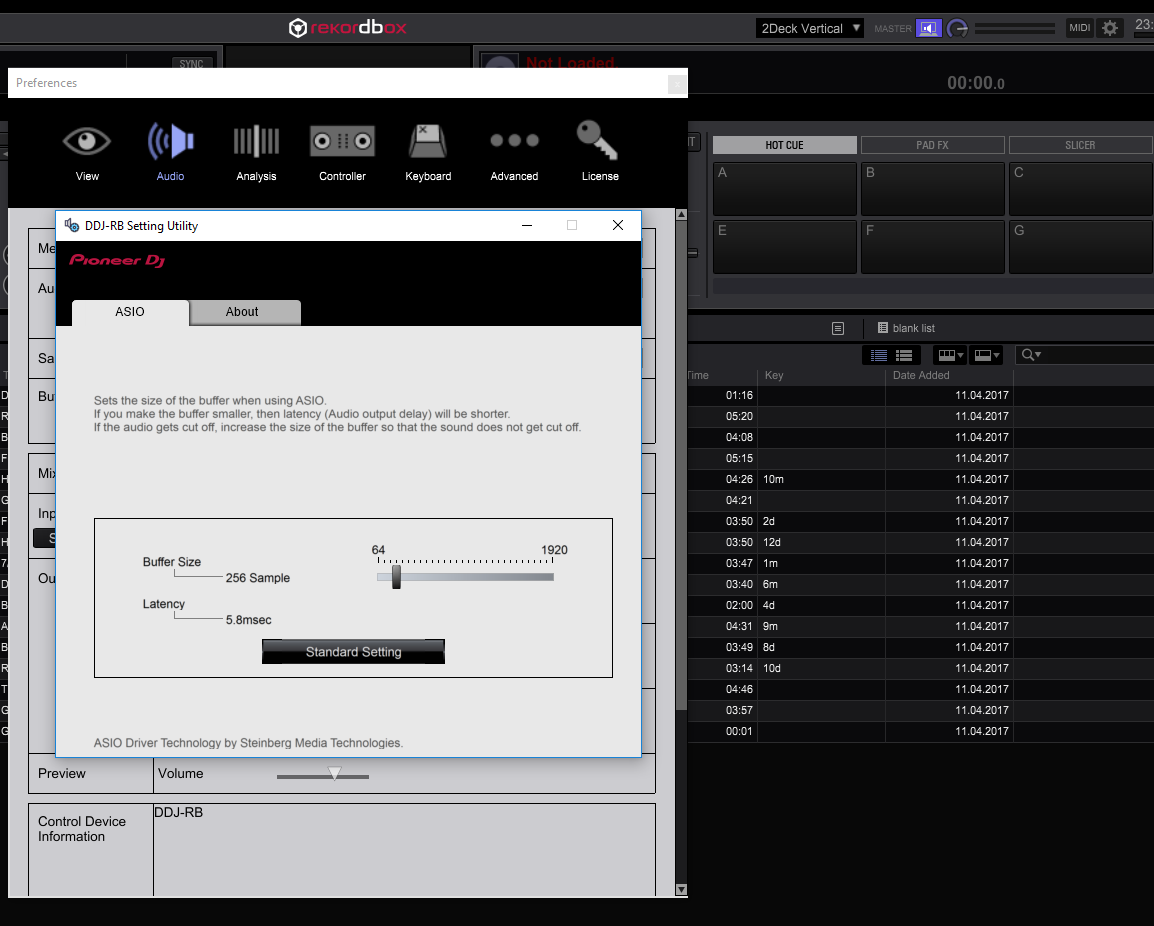
I know it's something software related, I just can't lay my finger on it.

Me too ,bro,im dont know how to solve it until know !!!
Did you solve this problem?????
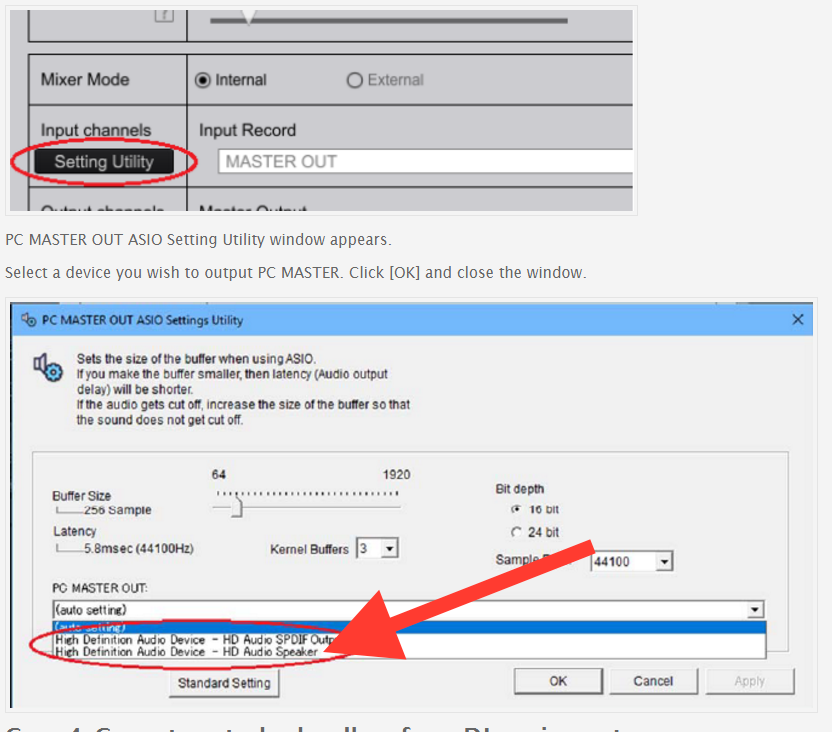
@蔚远 王 > Did you follow the instructions in the guide above? It's important that you have the MASTER + PC mode enabled before opening the preferences so you can then go into the settings for the MASTER + to make sure this is selected:
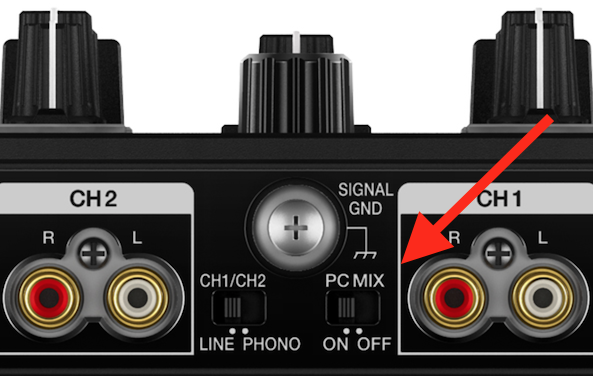
As a follow-up ... did any of you flip the switch on the back of the DDJ-RR to the "ON" position?